Vintage Story version
Back to mods 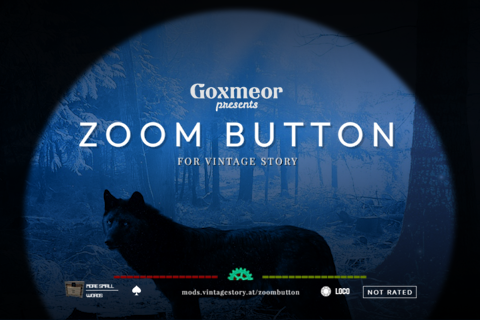
Vintage Story Mod DB · Vintage Story mod
Zoom Button - Reborn
I reached out to Goxmeor and he graciously agreed to let me revive this mod for 1.16 and beyond. Thanks Gox! Have you ever changed your Field of View graphics setting in your client to zoom in? Yup, that's pretty much all this mod does: it gives you a HotKey
Choose a version Pick your version below, then grab the matching file.
Quick answer
Which Zoom Button - Reborn release matches 1.22.4?
Best match for your filters 2.0.3
Game version 1.22.0-pre.1, 1.22.0-pre.2, 1.22.0-pre.3
Loader Built-in Vintage Story mod system
Zoom Button - Reborn 2.0.3 targets 1.22.0-pre.1, 1.22.0-pre.2, 1.22.0-pre.3. It must be installed on the client. Do not install it on the dedicated server. No extra mods listed for this file.
Where it goes
Is Zoom Button - Reborn required on the client, server, or both?
It must be installed on the client. Do not install it on the dedicated server.
Client Required
Dedicated server Not supported
Loader for this release Built-in Vintage Story mod system
Required install it here Optional supported, not mandatory Not supported do not install here Source doesn’t say do not assume
This Vintage Story file is marked client-only.
What else does Zoom Button - Reborn 2.0.3 need?
2.0.3 on 1.22.4. Every mod below is checked against that same setup.
This file does not list any required mods. Do not add a library just because a different file uses it.
This file does not list any required or optional mods.
Before you install it
Add Zoom Button - Reborn without breaking your instance.
Built for Zoom Button - Reborn 2.0.3 on 1.22.4. Pick another file and the loader, install side or required mods may change.
- 01
Stick to this file
Use 2.0.3. It targets 1.22.0-pre.1, 1.22.0-pre.2, 1.22.0-pre.3; another release may have different loader, side or dependency requirements.
- 02
Bring the mods it needs
This file does not list any required mods. Do not add a library just because a different file uses it.
- 03
Put it on the correct side
It must be installed on the client. Do not install it on the dedicated server.
- 04
Pick the file you checked
Use the “Get this file” button beside 2.0.3. It opens that exact file at the source.
About this project
What does Zoom Button - Reborn add?
I reached out to Goxmeor and he graciously agreed to let me revive this mod for 1.16 and beyond. Thanks Gox!
Have you ever changed your Field of View graphics setting in your client to zoom in? Yup, that's pretty much all this mod does: it gives you a HotKey to temporarily drop your Field of View to the legal minimum of 20 and halves your mouse sensitivity.
Hold down the HotKey (default Z) to zoom. Release to zoom back out. Gox made a video explaining it all. Check it out below!
Mod Configuration
If you want to customize this mod, see %appdata%/VintagestoryData/ModConfig/zoombutton119.json.
- zoomInTimeSec: 0.5
- zoomOutTimeSec: 0.1
- fieldOfView: 20
- mouseSensitivityFactor: 0.5
- changeMouseSmoothing: false
- mouseSmoothing: 0.0
- vignetteShaderEnabled: true
Troubleshooting
If you are permanently zoomed in for whatever reason, just go to Settings - Graphics - Field Of View and set the slider to about 70. If that doesn't work, exit to the main menu and adjust the field of view from there.
Watch the short video above for more detailed instructions.
Project description from Vintage Story Mod DB.
Pick your setup
Zoom Button - Reborn releases for each Vintage Story version.
Choose the version and loader you play, then open the matching release.
Vintage Story version
1.22.3
1 loader buildVintage Story version
1.22.2
1 loader buildVintage Story version
1.22.1
1 loader buildVintage Story version
1.22.0-rc.10
1 loader buildVintage Story version
1.22.0-rc.9
1 loader buildVintage Story version
1.22.0-rc.8
1 loader buildVintage Story version
1.22.0-rc.7
1 loader buildVintage Story version
1.22.0-rc.6
1 loader buildVintage Story version
1.22.0-rc.5
1 loader buildVintage Story version
1.22.0-rc.4
1 loader buildVintage Story version
1.22.0-rc.3
1 loader buildShowing the newest 12 of 108 game versions. Older files are in the list below.
Check the dependencies, then try the file in a copied instance before changing a world you care about.
Recent files
Zoom Button - Reborn versions and loaders
2.0.3
zoombuttonreborn_2.0.3.zip
23 Jul 2026
Client Required Server Not supported Dependencies No extras listed Listed on Release listing
Check the 1.22.4 setup 1.22.0-pre.11.22.0-pre.21.22.0-pre.31.22.0-pre.4 release
Looking for an older file? The official Vintage Story Mod DB project page is in Resources.