Vintage Story version
Back to mods 
Vintage Story Mod DB · Vintage Story mod
VintageTweaks
Tweaks and changes I thought would be nice to see in Vintage Story. All fully optional in the config, so you can turn off anything you don’t like. More features will be implemented as I come across new ideas! If you'd like to check out more quality of l
Choose a version Pick your version below, then grab the matching file.
Quick answer
Which VintageTweaks release matches 1.22.4?
Best match for your filters 4.0.1
Game version 1.22.0-pre.1, 1.22.0-pre.2, 1.22.0-pre.3
Loader Built-in Vintage Story mod system
VintageTweaks 4.0.1 targets 1.22.0-pre.1, 1.22.0-pre.2, 1.22.0-pre.3. It must be installed on the client. Installation on the dedicated server is optional. No extra mods listed for this file.
Where it goes
Is VintageTweaks required on the client, server, or both?
It must be installed on the client. Installation on the dedicated server is optional.
Client Required
Dedicated server Optional
Loader for this release Built-in Vintage Story mod system
Required install it here Optional supported, not mandatory Not supported do not install here Source doesn’t say do not assume
This release supports both sides, but the source does not require it on the server.
What else does VintageTweaks 4.0.1 need?
4.0.1 on 1.22.4. Every mod below is checked against that same setup.
This file does not list any required mods. Do not add a library just because a different file uses it.
This file does not list any required or optional mods.
Before you install it
Add VintageTweaks without breaking your instance.
Built for VintageTweaks 4.0.1 on 1.22.4. Pick another file and the loader, install side or required mods may change.
- 01
Stick to this file
Use 4.0.1. It targets 1.22.0-pre.1, 1.22.0-pre.2, 1.22.0-pre.3; another release may have different loader, side or dependency requirements.
- 02
Bring the mods it needs
This file does not list any required mods. Do not add a library just because a different file uses it.
- 03
Put it on the correct side
It must be installed on the client. Installation on the dedicated server is optional.
- 04
Pick the file you checked
Use the “Get this file” button beside 4.0.1. It opens that exact file at the source.
About this project
What does VintageTweaks add?
Tweaks and changes I thought would be nice to see in Vintage Story. All fully optional in the config, so you can turn off anything you don’t like. More features will be implemented as I come across new ideas!
If you'd like to check out more quality of life changes check out my other mod BetterNails!
Current Features:
-
Middle Click Sort
- Middle click any item slot in your own backpack or a placed inventory.
- Items will be stacked and sorted within the clicked slot group.
-
Quick Move Items
- Shift + Left Click on an item slot twice (in quick succession).
- All items of that kind will be moved into the desired inventory.
-
Drag to Move Items
- Hold Shift + Left Click on any item slot, then drag your mouse over item slots.
- All items hovered will be moved into the desired inventory.
-
Leave One
- Right Click while holding an item in your mouse, then drag it over any empty slots.
- A single item will be left in each empty slot, or added to the stack.
-
Quick Crates
- Sneak + Right Click on a crate twice (in quick succession).
- Moves all items that match the crate into the crate.
- Sprint + Right Click on a crate twice (in quick succession).
- Removes all of the items from the crate, stopping when the inventory is full.
- Sneak + Right Click on a crate twice (in quick succession).
-
Quick Piles
- Sneak + Right Click on a pile twice (in quick succession).
- Moves all items that match the pile into the pile.
- Sprint + Right Click on a pile twice (in quick succession).
- Removes all of the items from the pile, stopping when the inventory is full.
- Sneak + Right Click on a pile twice (in quick succession).
-
- Works with stacking, messy ground storage, and coal or charcoal piles.
- Coal and charcoal will only quick stack up to four stable layers. Normal stacking can still go higher.
-
Waypoint Sharing (use /waypoint list to find the ID)
- /wpshare <player> <waypointid|all>
- Shares a specific waypoint, or all eligible waypoints.
- /wpaccept <player> <waypointid|all>
- Accepts a specific share request, or all pending requests from that player.
- If the waypoint already exists at the same position, another one will not be created.
- /wpdeny <player> <waypointid|all>
- Denies a specific share request, or all pending requests from that player.
- /wpshare <player> <waypointid|all>
-
Clear Crafting Grid (idea credit: Timbrage)
- Middle click on the output slot of your crafting grid.
- All items within the crafting grid will be moved to your inventory.
-
Clear Hands (idea credit: Raathur)
- Shift + F with an item in your hand.
- The item will be moved into your inventory.
-
Squinting Zoom
- A slight zoom that is meant to imitate squinting, fully customizable.
- Smoothly zooms in while held and returns to normal when released.
COMPATIBILITY NOTE: Any mod that adds a custom inventory may not be supported. Item loss may occur. Quivers and Sheaths is the only confirmed one so far.
VERSION NOTE: I always suggest the latest version of the mod for your game version unless specified.
INSTALLATION NOTE: This mod needs to be on the server for any features that move an item or share a waypoint. This is due to needed item and waypoint syncing.
tags: vintage tweaks / vintagetweaks / storage / crates / piles / chests / crafting / waypoints / zoom
Project description from Vintage Story Mod DB.
Pick your setup
VintageTweaks releases for each Vintage Story version.
Choose the version and loader you play, then open the matching release.
Vintage Story version
1.22.3
1 loader buildVintage Story version
1.22.2
1 loader buildVintage Story version
1.22.1
1 loader buildVintage Story version
1.22.0-rc.10
1 loader buildVintage Story version
1.22.0-rc.9
1 loader buildVintage Story version
1.22.0-rc.8
1 loader buildVintage Story version
1.22.0-rc.7
1 loader buildVintage Story version
1.22.0-rc.6
1 loader buildVintage Story version
1.22.0-rc.5
1 loader buildVintage Story version
1.22.0-rc.4
1 loader buildVintage Story version
1.22.0-rc.3
1 loader buildShowing the newest 12 of 44 game versions. Older files are in the list below.
Check the dependencies, then try the file in a copied instance before changing a world you care about.
Recent files
VintageTweaks versions and loaders
4.0.1
vintagetweaks_4.0.1.zip
20 Jul 2026
Client Required Server Optional Dependencies No extras listed Listed on Release listing
Check the 1.22.4 setup 1.22.0-pre.11.22.0-pre.21.22.0-pre.31.22.0-pre.4 release
Looking for an older file? The official Vintage Story Mod DB project page is in Resources.
 mod
mod Vintage Story
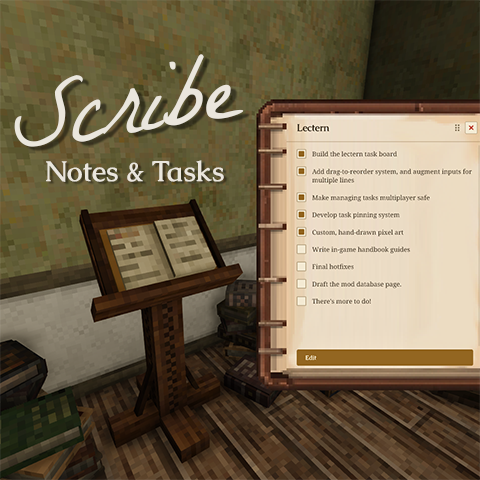
Scribe: Notes & Tasks
Take notes and track tasks in-world. Pin tasks to a persistent HUD. Multiplayer-ready.
 mod
mod Vintage Story
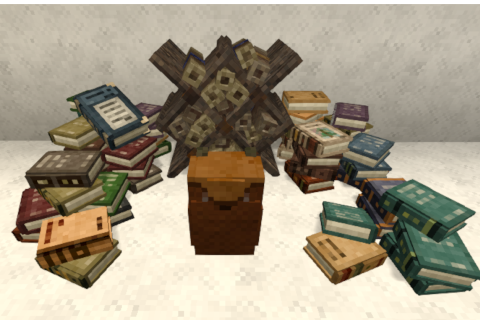
Backpack for books and scrolls
Backpack for books and scrolls. And another for butterflies
 mod
mod Vintage Story
Requiem of Rust UI (RoRUI)
A redo of the background for the UI and sliders dots etc for in game this is an earthy rusty tone.