Player Model lib Needed by Skeletons 0.6.2
requiredMatching file found Matched file: 1.16.3
Vintage Story Mod DB · Vintage Story mod
Requires Player Model Lib Adds skeletons as playable race. You can turn off gameplay effects in config using Config lib to make the mod purely cosmetic. You need to change class twice after reloading world after changing config for changes to be applied to y
Quick answer
Skeletons 0.6.2 targets 1.4.4-dev.2, 1.4.5-dev.2, 1.4.6-dev.2. It must be installed on the client. Installation on the dedicated server is optional. All 3 required mods have matching files.
Where it goes
It must be installed on the client. Installation on the dedicated server is optional.
This release supports both sides, but the source does not require it on the server.
0.6.2 on 1.22.0-rc.4. Every mod below is checked against that same setup.
Install Player Model lib, JSON Patches lib, Overhaul lib first. We found matching files for this game-version and loader setup. 2 come through another mod in the chain.
2 extra mods were pulled in by other dependencies. Indented rows show who needs each one. We only count dependency files that match this setup. A file for another loader does not fill the gap.
Before you install it
Built for Skeletons 0.6.2 on 1.22.0-rc.4. Pick another file and the loader, install side or required mods may change.
Use 0.6.2. It targets 1.4.4-dev.2, 1.4.5-dev.2, 1.4.6-dev.2; another release may have different loader, side or dependency requirements.
Install Player Model lib, JSON Patches lib, Overhaul lib first. We found matching files for this game-version and loader setup. 2 come through another mod in the chain.
It must be installed on the client. Installation on the dedicated server is optional.
Use the “Get this file” button beside 0.6.2. It opens that exact file at the source.
About this project
Requires Player Model Lib
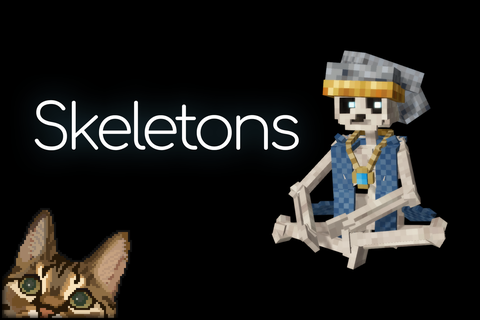
Adds skeletons as playable race.
You can turn off gameplay effects in config using Config lib to make the mod purely cosmetic.
You need to change class twice after reloading world after changing config for changes to be applied to your existing character.
You can disable this model in config and allow only specific players to use it via commands added by the Player Model lib.
This mod was created for the monthly Unofficial Mod Jam, hosted by Nat. The theme for this month was 'Spooky'.
Project description from Vintage Story Mod DB.
Pick your setup
Choose the version and loader you play, then open the matching release.
Showing the newest 12 of 243 game versions. Older files are in the list below.
Check the dependencies, then try the file in a copied instance before changing a world you care about.
Recent files
skeletons_0.6.2.zip
1 May 2026
skeletons_0.6.1.zip
1 May 2026
skeletons_0.6.0.zip
29 Apr 2026
Looking for an older file? The official Vintage Story Mod DB project page is in Resources.