Vintage Story version
Back to mods 
Vintage Story Mod DB · Vintage Story mod
OptiTime
Client-side performance optimization mod for Vintage Story that improves frame rates and reduces stuttering. The base game is already very much optimized, this is my attempt to speed up what's possible. This is clientside only - if you want to improve your pe
Choose a version Pick your version below, then grab the matching file.
Quick answer
Which OptiTime release matches 1.22.5?
Best match for your filters 1.5.16
Game version 1.22.5, 1.22.6
Loader Built-in Vintage Story mod system
OptiTime 1.5.16 targets 1.22.5, 1.22.6. It must be installed on the client. Do not install it on the dedicated server. No extra mods listed for this file.
Where it goes
Is OptiTime required on the client, server, or both?
It must be installed on the client. Do not install it on the dedicated server.
Client Required
Dedicated server Not supported
Loader for this release Built-in Vintage Story mod system
Required install it here Optional supported, not mandatory Not supported do not install here Source doesn’t say do not assume
This Vintage Story file is marked client-only.
What else does OptiTime 1.5.16 need?
1.5.16 on 1.22.5. Every mod below is checked against that same setup.
This file does not list any required mods. Do not add a library just because a different file uses it.
This file does not list any required or optional mods.
Before you install it
Add OptiTime without breaking your instance.
Built for OptiTime 1.5.16 on 1.22.5. Pick another file and the loader, install side or required mods may change.
- 01
Stick to this file
Use 1.5.16. It targets 1.22.5, 1.22.6; another release may have different loader, side or dependency requirements.
- 02
Bring the mods it needs
This file does not list any required mods. Do not add a library just because a different file uses it.
- 03
Put it on the correct side
It must be installed on the client. Do not install it on the dedicated server.
- 04
Pick the file you checked
Use the “Get this file” button beside 1.5.16. It opens that exact file at the source.
About this project
What does OptiTime add?
Client-side performance optimization mod for Vintage Story that improves frame rates and reduces stuttering. The base game is already very much optimized, this is my attempt to speed up what's possible.
This is clientside only - if you want to improve your performance serverside, try Tungsten.
This mod benefits specially heavily modded gameplays - with mods of lots of recipes/handbook info.
I follow RERO (Release Early, Release Often) philosophy.
Shader Optimizations
OptiTime includes quality-preserving shader variants:
- Blur - 9-tap linear-sampling Gaussian (fewer texture fetches than vanilla's separable blur). Optional, toggleable via
.optitime blur on/off - Liquid Droplets - Droplet hash sin → fract (cheaper GPU operation, equivalent visual)
- Shadow Alpha - Shadow map discard threshold raised (0.02 → 0.15) for better early-Z
Shader optimizations are optional and can be toggled in the config. If Ancestral Bliss Shaders, Volumetric Shading Refreshed, or CoriaenderShaders is detected, OptiTime automatically disables its shader file replacements to avoid conflicts.
Code Optimizations
- Dynamic Lights - Adaptive light culling by view distance
- Entity Animations - Distance-based animation LOD (skips updates for far entities)
- Entity Interpolation - Smoother remote entity movement in multiplayer (flood protection, wall-clock-gated extrapolation with velocity gate)
- Repulse Agents - Distance-based cull for entity separation checks (skip non-player entities beyond 64 blocks)
- Particles - Optional particle pool scaling at very high view distances
- Occlusion Culling - View-distance-scaled occlusion gate
- Chunk Tesselation - Adaptive upload throttle/boost based on queue size
- Ambient Sounds - Update positions only when the player moves meaningfully
- Fly Sound - Volume updates only when the change is meaningful
- GUI Manager - LINQ-free render/input iteration with conflict detection (input patches optional, off by default)
- Handbook - Cached relationships after async indexing for faster page loads
- Recipe Lookup - Safer crafting-grid lookup with previous-match reuse, positive-result revalidation, and candidate narrowing (default on, opt-out)
- Background FPS Limiter - Lowers the frame cap when the window is unfocused
- Frame Pacing - Hybrid sleep/yield/spin frame pacing when VSync is off (Windows only; auto-disabled on Linux)
- Weather Wind - Throttle wind speed lookups from every frame to every 4th frame
- Ticking Blocks - Reuse BlockPos in particle tick loop to eliminate 30K-90K heap allocations/sec
- Shadow Vegetation Cull - Skip vegetation in far shadow cascade (leaf/grass shadows at 150+ blocks are invisible)
Compatibility
Tested with 100 most popular ModDB mods (71 decompiled, 38 with Harmony patches analyzed). Works with all tested mods.
OptiTime automatically disables specific optimizations if conflicting mods are detected:
- Ancestral Bliss Shaders / Volumetric Shading Refreshed: disables OptiTime shader assets
- CoriaenderShaders: disables OptiTime shader file replacements (chunkliquid, chunkshadowmap)
- Combat Overhaul / Overhaullib: disables entity animation optimization
- A Culinary Artillery / Extra Info / Tabletop Games: disables handbook optimization
- Electrical Progressive (Industry): disables handbook optimization
- Any mod patching the same Harmony targets: auto-disables the conflicting optimization
Compatibility notifications can be hidden with .optitime suppress on (info remains in game log).
Configuration
Use the in-game command:
.optitimeor.optitime status- show current status.optitime <opt> on- enable an optimization.optitime <opt> off- disable an optimization.optitime <opt>- show info about an optimization
Available optimizations: ambientsound, bgfps, blur, dynlights, entityanim, entityinterp, flysound, framepace, guimgr, handbook, occlusion, particles, recipe, repulseagents, shaders, shadowentity, shadowveg, suppress, tickingblocks, weatherwind
Optional: If ConfigLib is installed, OptiTime exposes a settings GUI via .configlib. ConfigLib treats OptiTime settings as client-side, so they do not require server-control privileges in multiplayer.
Note: Some changes require game restart to take effect.
Built-in Diagnostics
OptiTime includes a per-optimization measurement framework. See exactly how much work each optimization saves in your specific world:
.optitime diag all on- enable counters (zero cost when off).optitime diag all dump- print stats for all 18 modules
Example measurements from a 5-minute session (VD 256, ~20 entities):
| Optimization | Work Avoided | Reduction |
|---|---|---|
| Particles | 45,607 spawns culled | 76.5% |
| Ambient Sound | 5,836 updates skipped | 81.3% |
| Weather Wind | 5,890 ticks skipped | 75.0% |
| Shadow Vegetation | 7,853 passes fully culled | 100% |
| Repulse Agents | 158,284 physics ticks skipped | 47.3% |
| Entity Animations | 29,024 ticks skipped via LOD | 21.4% |
| Shadow Entities | 51,745 draws culled | 21.5% |
| Ticking Blocks | 69,810 allocations avoided (1.6 MB) | 248/s |
| GUI Manager | 7,853 renders via zero-alloc path | 100% |
| Fly Sound | 141 calls suppressed | 54.0% |
| Entity Interpolation | Extrapolation limited to 4% of frames | - |
| Background FPS | ~27 fps unfocused vs 60+ focused | ~55% less work |
| Frame Pacing | 461 precise frames, avg overshoot 0.40ms | 100% precise |
FAQ
Q: A crash log shows OptiTime in "Involved Harmony IDs" - did OptiTime cause it?
Almost certainly no. The game lists ALL mods with Harmony patches on any method that appears in the crash call stack. OptiTime patches ScreenManager.OnNewFrame (for the background FPS limiter), and since nearly every crash passes through that method, OptiTime will be listed even when the crash is entirely caused by another mod.
How to tell: Look at the actual stacktrace (the error lines). If you only see another mod's namespace there (e.g. SomeMod.SomeClass.SomeMethod), that mod caused the crash - not OptiTime. OptiTime is only the culprit if OptiTime or com.zaldaryon.optitime appears in the exception/stacktrace lines themselves.
License
Copyright (c) 2025-2026 Zaldaryon - All Rights Reserved
OptiTime - Making Vintage Story run smoother, one optimization at a time. Every frame counts.
Project description from Vintage Story Mod DB.
Pick your setup
OptiTime releases for each Vintage Story version.
Choose the version and loader you play, then open the matching release.
Vintage Story version
1.22.5
1 loader buildVintage Story version
1.22.3
1 loader buildVintage Story version
1.22.2
1 loader buildVintage Story version
1.22.1
1 loader buildVintage Story version
1.22.0
1 loader buildVintage Story version
1.21.6-rc.1
1 loader buildVintage Story version
1.21.6
1 loader buildVintage Story version
1.21.5
1 loader buildCheck the dependencies, then try the file in a copied instance before changing a world you care about.
Recent files
OptiTime versions and loaders
1.5.16
OptiTime-1.5.16.zip
31 Jul 2026
Client Required Server Not supported Dependencies No extras listed Listed on Release listing
Check the 1.22.5 setup 1.22.51.22.6 release
Looking for an older file? The official Vintage Story Mod DB project page is in Resources.
mod
Vintage Story
The Almanac: Trades, Callings & Mastery
Twenty-one trades, Novice to Grandmaster, earned by the work of your hands, not by grinding.
 mod
mod Vintage Story
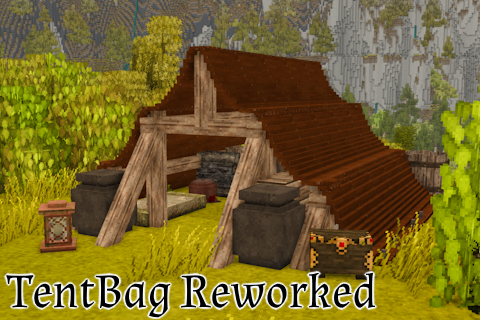
TentBag-Reworked
Adds a tent bag for Vintage Story with scaling hunger cost based on tent complexity
 mod
mod Vintage Story
Tethys Tweaks
Tweaks for a personal private server.