Vintage Story version
Back to mods 
Vintage Story Mod DB · Vintage Story mod
ModUpdateChecker
Mod Update Checker A server-side Vintage Story mod that automatically detects installed mods, compares their versions with the official Mod Database, and notifies admins when updates are available via logs and in-game chat. Features - Automatic Installed Mo
Choose a version Pick your version below, then grab the matching file.
Quick answer
Which ModUpdateChecker release should I use?
Latest stable file 1.2.1
Game version 1.21.5
Loader Built-in Vintage Story mod system
ModUpdateChecker 1.2.1 targets 1.21.5. Do not install it on the client. It must be installed on the dedicated server. No extra mods listed for this file.
Where it goes
Is ModUpdateChecker required on the client, server, or both?
Do not install it on the client. It must be installed on the dedicated server.
Client Not supported
Dedicated server Required
Loader for this release Built-in Vintage Story mod system
Required install it here Optional supported, not mandatory Not supported do not install here Source doesn’t say do not assume
This Vintage Story file is marked server-only.
What else does ModUpdateChecker 1.2.1 need?
1.2.1. Change the file and its required mods may change too.
This file does not list any required mods. Do not add a library just because a different file uses it.
This file does not list any required or optional mods.
Before you install it
Add ModUpdateChecker without breaking your instance.
Built for ModUpdateChecker 1.2.1. Pick another file and the loader, install side or required mods may change.
- 01
Stick to this file
Use 1.2.1. It targets 1.21.5; another release may have different loader, side or dependency requirements.
- 02
Bring the mods it needs
This file does not list any required mods. Do not add a library just because a different file uses it.
- 03
Put it on the correct side
Do not install it on the client. It must be installed on the dedicated server.
- 04
Pick the file you checked
Use the “Get this file” button beside 1.2.1. It opens that exact file at the source.
About this project
What does ModUpdateChecker add?
Mod Update Checker
A server-side Vintage Story mod that automatically detects installed mods, compares their versions with the official Mod Database, and notifies admins when updates are available via logs and in-game chat.
Features
- Automatic Installed Mod Detection: Scans all installed mods on your server
- Smart Version Comparison: Compares installed versions with the latest versions from VS Mod DB API
- Flexible Tracking: Check all installed mods or only specific ones
- Changelog Display: Shows what changed in the new version
- In-Game Notifications: Alerts admins with `controlserver` privilege when updates are found
- Server Log Output: Detailed update information in server logs
- Persistent State: Remembers last checked versions across server restarts
- In-Game Commands: Add/remove mods and force checks without editing config files
Configuration
The config file is created at `ModConfig/modupdatechecker.json`:
{ "TrackedMods": [ "charactercards", "NicknameMod" ], "CheckIntervalMinutes": 60, "CheckOnStartup": true, "AnnounceInChat": true, "CheckAllInstalledMods": true, "ComparisonMethod":"version"}Config Options
| Option | Default | Description |
| TrackedMods | [] | List of mod IDs to track (only used when `CheckAllInstalledMods` is false) |
| CheckIntervalMinutes | 60 | How often to check for updates (in minutes) |
| CheckOnStartup | true | Check for updates when server starts |
| AnnounceInChat | true | Send in-game chat messages to admins |
| CheckAllInstalledMods | true | If true, checks all installed mods. If false, only checks mods in TrackedMods list |
| ComparisonMethod | date |
|
Finding Mod IDs
Mod IDs can be found:
1. In the mod's URL on mods.vintagestory.at (e.g., `mods.vintagestory.at/charactercards` → `charactercards`)
2. In the mod's `modinfo.json` file
3. Using the numeric asset ID from the API
Commands
| Command | Permission | Description |
| /modupdates | controlserver | Show status and help |
| /modupdates check | controlserver | Force an immediate update chec |
| /modupdates list | controlserver | List all tracked mods and their versions |
| /modupdates add <modid> | controlserver | Add a mod to tracking |
| /modupdates remove <modid> | controlserver | Remove a mod from tracking |
How It Works
1. On startup and at regular intervals, the mod scans your server for installed mods
2. For each mod (all mods or just tracked ones, depending on config):
- Queries the VS Mod DB API for the latest version
- Compares the installed version with the API version
- Notifies admins if an update is available
3. Notifications are sent via server logs and in-game chat to admins
Example Log Output
When an update is found:
═══════════════════════════════════════════════════════════[ModUpdateChecker] UPDATE AVAILABLE! Mod: charactercards Installed Version: 1.0.2 Latest Version: 1.0.3 Changelog: - CharacterCards now automatically detects if NicknameMod is installed - When players update their character_name field, it automatically syncs with their NicknameMod nickname
- Added "NicknameModSyncDelayMs": 1000 To the config Json
Download: https://mods.vintagestory.at/charactercards═══════════════════════════════════════════════════════════Project description from Vintage Story Mod DB.
Pick your setup
ModUpdateChecker releases for each Vintage Story version.
Choose the version and loader you play, then open the matching release.
Check the dependencies, then try the file in a copied instance before changing a world you care about.
Recent files
ModUpdateChecker versions and loaders
1.2.1
ModUpdateChecker-1.2.1.zip
10 Jan 2026
Client Not supported Server Required Dependencies No extras listed Listed on Release listing
Check the 1.21.5 setup 1.21.5 release
1.2.0
ModUpdateChecker-1.2.0.zip
7 Jan 2026
Client Source doesn’t say Server Source doesn’t say Dependencies No extras listed Listed on Release listing
Check the 1.21.5 setup 1.21.5 release
1.1.0
ModUpdateChecker-1.1.0.zip
5 Jan 2026
Client Source doesn’t say Server Source doesn’t say Dependencies No extras listed Listed on Release listing
Check the 1.21.5 setup 1.21.5 release
1.0.0
ModUpdateChecker-1.0.0.zip
5 Jan 2026
Client Source doesn’t say Server Source doesn’t say Dependencies No extras listed Listed on Release listing
Check the 1.21.5 setup 1.21.5 release
Looking for an older file? The official Vintage Story Mod DB project page is in Resources.
mod
Vintage Story
The Almanac: Trades, Callings & Mastery
Twenty-one trades, Novice to Grandmaster, earned by the work of your hands, not by grinding.
 mod
mod Vintage Story
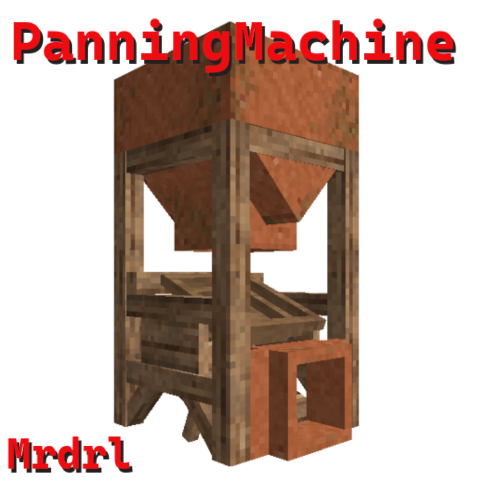
Panning Machine
Simple machine for panning
mod
Vintage Story
Denied - fix
Unofficial Compatibility Update for Denied. Area denial block, gamemode survival only