Vintage Story version
Back to mods
Vintage Story Mod DB · Vintage Story mod
C&N Effects
EFFECTS HUD Status effects framework & customizable HUD for Vintage Story EffectsHUD adds a framework for applying status effects (buffs and debuffs) to entities and a customizable HUD to track them. Open the HUD with L, the settings menu with Ctrl + L, and
Choose a version Pick your version below, then grab the matching file.
Quick answer
Which C&N Effects release matches 1.22.3?
Best match for your filters 0.3.6
Game version 1.22.3
Loader Built-in Vintage Story mod system
C&N Effects 0.3.6 targets 1.22.3. It must be installed on the client. Installation on the dedicated server is optional. No extra mods listed for this file.
Where it goes
Is C&N Effects required on the client, server, or both?
It must be installed on the client. Installation on the dedicated server is optional.
Client Required
Dedicated server Optional
Loader for this release Built-in Vintage Story mod system
Required install it here Optional supported, not mandatory Not supported do not install here Source doesn’t say do not assume
This release supports both sides, but the source does not require it on the server.
What else does C&N Effects 0.3.6 need?
0.3.6 on 1.22.3. Every mod below is checked against that same setup.
This file does not list any required mods. Do not add a library just because a different file uses it.
This file does not list any required or optional mods.
Before you install it
Add C&N Effects without breaking your instance.
Built for C&N Effects 0.3.6 on 1.22.3. Pick another file and the loader, install side or required mods may change.
- 01
Stick to this file
Use 0.3.6. It targets 1.22.3; another release may have different loader, side or dependency requirements.
- 02
Bring the mods it needs
This file does not list any required mods. Do not add a library just because a different file uses it.
- 03
Put it on the correct side
It must be installed on the client. Installation on the dedicated server is optional.
- 04
Pick the file you checked
Use the “Get this file” button beside 0.3.6. It opens that exact file at the source.
About this project
What does C&N Effects add?
EFFECTS HUD
Status effects framework & customizable HUD for Vintage Story
EffectsHUD adds a framework for applying status effects (buffs and debuffs) to entities and a customizable HUD to track them. Open the HUD with L, the settings menu with Ctrl + L, and the debug effect picker with Shift + L.
New: live HUD settings panel
Press Ctrl + L in‑game — everything saves automatically
HUD Customization
Layout & Position
- Drag‑to‑move - toggle move mode and place the HUD anywhere on screen
- Horizontal or vertical - strip or column layout
- Grow direction - choose whether new effects extend left/right or up/down
Visuals
- Icon size - slider 16 to 128 px
- Background & icon alpha
- Timer toggle - show or hide the remaining‑time text under each icon
- Timer text size - 0.5× to 3× scale, with a black outline for readability over any background
- Tier display - effects with tier > 1
Filtering & Order
- Filter - show all / only positive / only negative effects
- Sort - by insertion order, by remaining time ascending, or descending
- Reverse order - flip the rendered list
Bundled Effects
Positive
- regeneration +0.08 HP per second per tier
- walkspeed +25% movespeed per tier
- strengthmelee +25% melee damage per tier
- miningspeed +25% mining speed per tier
- thorns reflect 0.09 damage per hit per tier
- firedamageimmune full fire damage immunity
- safefall negates fall damage
- extendedmaxbreath +tier seconds of max breath (tier 2 → +2, tier 3 → +3…)
- invisibility invisible to other players (held items still visible)
- cantemporalcharge slows temporal stability drops, speeds restoration
- forgetting instant; grants one extra
.charseluse - weight buff +1000 carry weight per tier (requires Weight mod)
Negative
- walkslow -25% movespeed per tier
- miningslow -25% mining speed per tier
- weakmelee -25% melee damage per tier
- bleeding 0.08 piercing damage per second per tier
Used By
Player Hotkeys
- L - toggle the HUD
- Ctrl + L - open HUD settings
- Shift + L - debug GUI: pick effect, target player, tier and duration (creative only)
Debug Command
/ef <effectName> <durationMinutes> <tier> <nickname>
# requires creative mode
For Modders
Apply an effect from code
// 1. Construct the effect
MiningSlowEffect ef = new MiningSlowEffect();

// 2. Set duration (also: SetExpiryInTicks, ...)
ef.SetExpiryInRealMinutes(3);

// 3. Optionally set tier
ef.Tier = 2;

// 4. Apply to an entity
effectshud.src.effectshud.ApplyEffectOnEntity(entity, ef);
// or use AddEffect on the EBEffectsAffected behavior directly
Query effects on an entity
entity.EntityHasEffect(effectId);                  // bool
entity.TryGetEntityEffect(effectId, out Effect e); // bool, returns instance
Register a custom effect
In StartServerSide:
RegisterEntityEffect("myEffectTypeId", typeof(MyEffectClass));In StartClientSide:
// (typeId, isPositive, drawInHUD)
RegisterClientEffectData("myEffectTypeId", true, true);   // positive, rendered in HUD with tier overlay
RegisterClientEffectData("myEffectTypeId", true, false);  // positive, not drawn (logic-only)
Config
TICK_EVERY_SECONDS — tick length in real seconds (currently fixed at 1; reserved for future use). All HUD‑related options are live‑edited via the in‑game settings menu (Ctrl + L) and persist across sessions.
Requirements
- VSImGui (required dependency)
Credits
- Icons from game-icons.net
- Inspired by and uses parts of goxmeor's BuffStuff
Project description from Vintage Story Mod DB.
Pick your setup
C&N Effects releases for each Vintage Story version.
Choose the version and loader you play, then open the matching release.
Vintage Story version
1.22.2
1 loader buildVintage Story version
1.22.0-rc.7
1 loader buildVintage Story version
1.21.6
1 loader buildVintage Story version
1.21.5
1 loader buildVintage Story version
1.20.10
1 loader buildVintage Story version
1.20.4
1 loader buildVintage Story version
1.20.0-rc.6
1 loader buildVintage Story version
1.19.8
1 loader buildVintage Story version
1.19.5
1 loader buildVintage Story version
1.19.0-rc.6
1 loader buildVintage Story version
1.18.15
1 loader buildShowing the newest 12 of 20 game versions. Older files are in the list below.
Check the dependencies, then try the file in a copied instance before changing a world you care about.
Recent files
C&N Effects versions and loaders
0.3.6
effectshud_0.3.6.zip
16 Jul 2026
Client Required Server Optional Dependencies No extras listed Listed on Release listing
Check the 1.22.3 setup 1.22.3 release
0.3.5
effectshud_0.3.5.zip
6 Jul 2026
Client Source doesn’t say Server Source doesn’t say Dependencies No extras listed Listed on Release listing
Check the 1.22.3 setup 1.22.3 release
0.3.4
effectshud_0.3.4.zip
1 Jul 2026
Client Source doesn’t say Server Source doesn’t say Dependencies No extras listed Listed on Release listing
Check the 1.22.3 setup 1.22.3 release
Looking for an older file? The official Vintage Story Mod DB project page is in Resources.
 mod
mod Vintage Story
Requiem of Rust UI (RoRUI)
A redo of the background for the UI and sliders dots etc for in game this is an earthy rusty tone.
 mod
mod Vintage Story
More Bugs
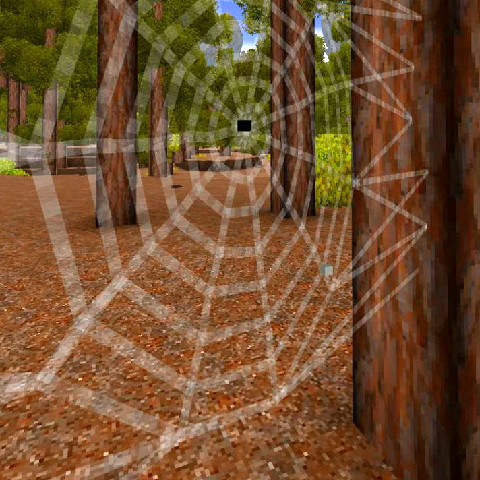
Adds termites, ants, more flies (they show you rot in containers), spiders and jumping spiders :3
 mod
mod Vintage Story
Mesoamerican Drip
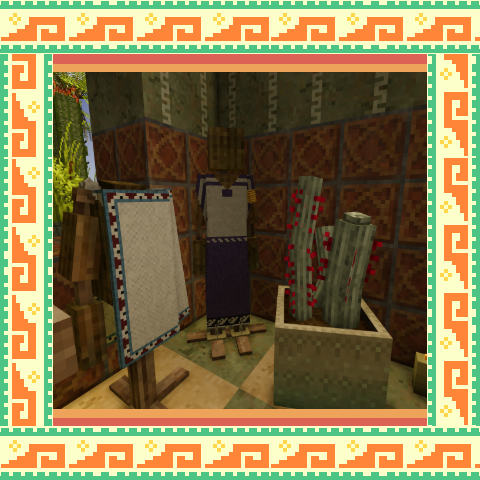
Mesoamerican inspired clothes for vintage story!