Vintage Story version
Back to mods 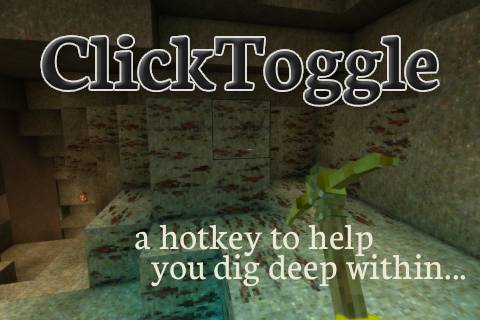
Vintage Story Mod DB · Vintage Story mod
ClickToggle
Delay your inevitable carpal tunnel. ClickToggle adds two new hotkeys to toggle mouse buttons instead of holding them down manually. Left Click: N Right Click: Shift + N The hotkeys can be changed via the in-game settings. Once ClickToggle is active, pres
Choose a version Pick your version below, then grab the matching file.
Quick answer
Which ClickToggle release should I use?
Latest stable file 1.1.3
Game version 1.22.0, 1.22.1, 1.22.2
Loader Built-in Vintage Story mod system
ClickToggle 1.1.3 targets 1.22.0, 1.22.1, 1.22.2. It must be installed on the client. Do not install it on the dedicated server. No extra mods listed for this file.
Where it goes
Is ClickToggle required on the client, server, or both?
It must be installed on the client. Do not install it on the dedicated server.
Client Required
Dedicated server Not supported
Loader for this release Built-in Vintage Story mod system
Required install it here Optional supported, not mandatory Not supported do not install here Source doesn’t say do not assume
This Vintage Story file is marked client-only.
What else does ClickToggle 1.1.3 need?
1.1.3. Change the file and its required mods may change too.
This file does not list any required mods. Do not add a library just because a different file uses it.
This file does not list any required or optional mods.
Before you install it
Add ClickToggle without breaking your instance.
Built for ClickToggle 1.1.3. Pick another file and the loader, install side or required mods may change.
- 01
Stick to this file
Use 1.1.3. It targets 1.22.0, 1.22.1, 1.22.2; another release may have different loader, side or dependency requirements.
- 02
Bring the mods it needs
This file does not list any required mods. Do not add a library just because a different file uses it.
- 03
Put it on the correct side
It must be installed on the client. Do not install it on the dedicated server.
- 04
Pick the file you checked
Use the “Get this file” button beside 1.1.3. It opens that exact file at the source.
About this project
What does ClickToggle add?
Delay your inevitable carpal tunnel.
ClickToggle adds two new hotkeys to toggle mouse buttons instead of holding them down manually.
Left Click: N
Right Click: Shift + N
The hotkeys can be changed via the in-game settings.
Once ClickToggle is active, pressing either keybind or left click or right click will cancel the auto clicking.
Feel free to leave any suggestions or report any issues!
Future Ideas:
- Also allow right click auto-clicking
- Option for using a single keybind to choose either left or right click automation e.g. N+mouseleft = auto left click, N+mouseright = auto right click
Project description from Vintage Story Mod DB.
Pick your setup
ClickToggle releases for each Vintage Story version.
Choose the version and loader you play, then open the matching release.
Vintage Story version
1.22.2
1 loader buildVintage Story version
1.22.1
1 loader buildVintage Story version
1.22.0-rc.10
1 loader buildVintage Story version
1.22.0-rc.9
1 loader buildVintage Story version
1.22.0-rc.8
1 loader buildVintage Story version
1.22.0-rc.7
1 loader buildVintage Story version
1.22.0-rc.6
1 loader buildVintage Story version
1.22.0-rc.5
1 loader buildVintage Story version
1.22.0-rc.4
1 loader buildVintage Story version
1.22.0-rc.3
1 loader buildVintage Story version
1.22.0-rc.2
1 loader buildShowing the newest 12 of 42 game versions. Older files are in the list below.
Check the dependencies, then try the file in a copied instance before changing a world you care about.
Recent files
ClickToggle versions and loaders
1.1.3
ClickToggle_1.1.3.zip
29 Jun 2026
Client Required Server Not supported Dependencies No extras listed Listed on Release listing
Check the 1.22.3 setup 1.22.01.22.11.22.21.22.3 release
1.1.2
ClickToggle_1.1.2.zip
30 Apr 2026
Client Required Server Not supported Dependencies No extras listed Listed on Release listing
Check the 1.22.2 setup 1.22.01.22.11.22.2 release
1.1.1
ClickToggle_8_1.1.1.zip
17 Apr 2026
Client Required Server Not supported Dependencies No extras listed Listed on Release listing
Check the 1.21.6-rc.1 setup 1.21.0-rc.11.21.0-rc.21.21.0-rc.31.21.0-rc.4 release
1.1.1
ClickToggle_1.1.1.zip
17 Apr 2026
Client Required Server Not supported Dependencies No extras listed Listed on Release listing
Check the 1.22.0-rc.10 setup 1.22.0-pre.11.22.0-pre.21.22.0-pre.31.22.0-pre.4 release
1.1.0
ClickToggle_8_1.1.0.zip
13 Apr 2026
Client Required Server Not supported Dependencies No extras listed Listed on Release listing
Check the 1.21.6-rc.1 setup 1.21.0-pre.11.21.0-pre.21.21.0-pre.31.21.0-rc.1 release
1.1.0
ClickToggle_1.1.0.zip
13 Apr 2026
Client Required Server Not supported Dependencies No extras listed Listed on Release listing
Check the 1.22.0-rc.8 setup 1.22.0-pre.11.22.0-pre.21.22.0-pre.31.22.0-pre.4 release
1.0.3
ClickToggle_8_1.0.3.zip
12 Apr 2026
Client Required Server Not supported Dependencies No extras listed Listed on Release listing
Check the 1.21.6-rc.1 setup 1.21.0-pre.11.21.0-pre.21.21.0-pre.31.21.0-rc.1 release
1.0.3
ClickToggle_1.0.3v2.zip
12 Apr 2026
Client Required Server Not supported Dependencies No extras listed Listed on Release listing
Check the 1.22.0-rc.8 setup 1.22.0-pre.11.22.0-pre.21.22.0-pre.31.22.0-pre.4 release
1.0.1
ClickToggle8_1.0.1.zip
12 Apr 2026
Client Required Server Not supported Dependencies No extras listed Listed on Release listing
Check the 1.21.6-rc.1 setup 1.21.0-pre.11.21.0-pre.21.21.0-pre.31.21.0-rc.1 release
1.0.0
ClickToggle_1.0.0.zip
12 Apr 2026
Client Required Server Not supported Dependencies No extras listed Listed on Release listing
Check the 1.22.0-rc.8 setup 1.22.0-pre.11.22.0-pre.21.22.0-pre.31.22.0-pre.4 release
Looking for an older file? The official Vintage Story Mod DB project page is in Resources.
mod
Vintage Story
RequiresTraitFix
Fixes the requiresTrait recipe property never being synced for non-grid recipes
 mod
mod Vintage Story
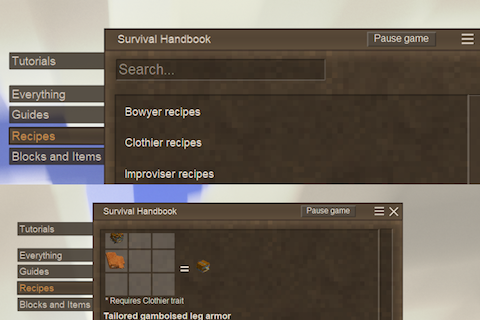
Recipebook - Trait-locked recipes tab
Adds a Recipes tab to the survival handbook, listing every trait-locked recipe grouped by trait.
 mod
mod Vintage Story
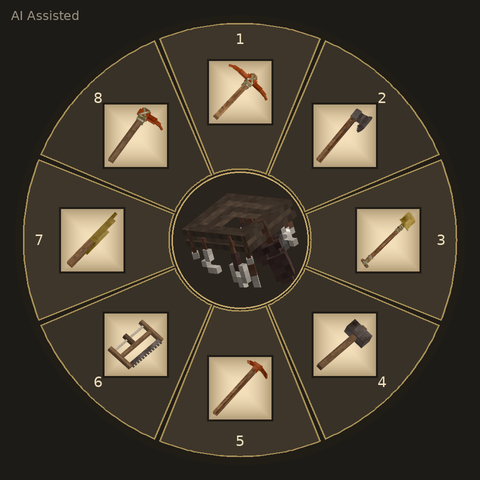
Reinforced Tool Belt
Store up to 8 tools in your Reinforced Tool Belt and switch quickly with a hotkey wheel!