
![[Discord]](https://imgur.playat.ch/v1/image?url=https%3A%2F%2Fi.imgur.com%2Fhbs3hRb.png&sig=uGCIg2phlPmujFpx_45LYZzo6m0FByQ5Sy5FNuglUcs)
Vintage Story version
Back to mods ![Auto Close [OBSOLETE] project artwork](https://moddbcdn.vintagestory.at/AutoClose_13d0a1d4f7e1621fd6075b5d843c2250.png)
Vintage Story Mod DB · Vintage Story mod
Auto Close [OBSOLETE]
I live in Ukraine and there is a war going on right now. If you are enjoying my mods, you can support me on Patreon. Any help is appreciated! Patreon Discord Mod is no longer maintained, further updates will only be available in Dana Tweaks. After open
Choose a version Pick your version below, then grab the matching file.
Quick answer
Which Auto Close [OBSOLETE] release should I use?
Latest stable file 1.1.1
Game version 1.19.0, 1.19.1, 1.19.2
Loader Built-in Vintage Story mod system
Auto Close [OBSOLETE] 1.1.1 targets 1.19.0, 1.19.1, 1.19.2. Do not install it on the client. It must be installed on the dedicated server. No extra mods listed for this file.
Where it goes
Is Auto Close [OBSOLETE] required on the client, server, or both?
Do not install it on the client. It must be installed on the dedicated server.
Client Not supported
Dedicated server Required
Loader for this release Built-in Vintage Story mod system
Required install it here Optional supported, not mandatory Not supported do not install here Source doesn’t say do not assume
This Vintage Story file is marked server-only.
What else does Auto Close [OBSOLETE] 1.1.1 need?
1.1.1. Change the file and its required mods may change too.
This file does not list any required mods. Do not add a library just because a different file uses it.
This file does not list any required or optional mods.
Before you install it
Add Auto Close [OBSOLETE] without breaking your instance.
Built for Auto Close [OBSOLETE] 1.1.1. Pick another file and the loader, install side or required mods may change.
- 01
Stick to this file
Use 1.1.1. It targets 1.19.0, 1.19.1, 1.19.2; another release may have different loader, side or dependency requirements.
- 02
Bring the mods it needs
This file does not list any required mods. Do not add a library just because a different file uses it.
- 03
Put it on the correct side
Do not install it on the client. It must be installed on the dedicated server.
- 04
Pick the file you checked
Use the “Get this file” button beside 1.1.1. It opens that exact file at the source.
About this project
What does Auto Close [OBSOLETE] add?
I live in Ukraine and there is a war going on right now.
If you are enjoying my mods, you can support me on Patreon. Any help is appreciated!
Mod is no longer maintained, further updates will only be available in Dana Tweaks.
After opening doors, they automatically close after a while.
Only doors and gates that are implemented through BlockBehaviorDoor and BEBehaviorDoor are supported, I tried really hard to add support for fence gates, trapdoors and everyting else, but no luck.
Hold Ctrl key to prevent auto closing.
Trapdoors don't auto close.
Fence gates don't auto close.
Iron doors don't auto close.
Configuration file is located in VintagestoryData/ModConfig, it is appeared after loading any world.
Project description from Vintage Story Mod DB.
Pick your setup
Auto Close [OBSOLETE] releases for each Vintage Story version.
Choose the version and loader you play, then open the matching release.
Vintage Story version
1.19.3
1 loader buildVintage Story version
1.19.2
1 loader buildVintage Story version
1.19.1
1 loader buildVintage Story version
1.19.0
1 loader buildVintage Story version
1.17.10
1 loader buildVintage Story version
1.17.9
1 loader buildVintage Story version
1.17.8
1 loader buildVintage Story version
1.17.7
1 loader buildVintage Story version
1.17.6
1 loader buildVintage Story version
1.17.5
1 loader buildVintage Story version
1.17.4
1 loader buildShowing the newest 12 of 16 game versions. Older files are in the list below.
Check the dependencies, then try the file in a copied instance before changing a world you care about.
Recent files
Auto Close [OBSOLETE] versions and loaders
1.1.1
AutoClose-v1.1.1.zip
10 Feb 2024
Client Not supported Server Required Dependencies No extras listed Listed on Release listing
Check the 1.19.4 setup 1.19.01.19.11.19.21.19.3 release
1.1.0
AutoClose-v1.1.0.zip
1 Feb 2024
Client Not supported Server Required Dependencies No extras listed Listed on Release listing
Check the 1.19.3 setup 1.19.01.19.11.19.21.19.3 release
1.0.1
AutoClose-v1.0.1.zip
10 Sept 2022
Client Not supported Server Required Dependencies No extras listed Listed on Release listing
Check the 1.17.10 setup 1.17.01.17.11.17.21.17.3 release
1.0.0
AutoClose-v1.0.0.zip
9 Sept 2022
Client Not supported Server Required Dependencies No extras listed Listed on Release listing
Check the 1.17.4 setup 1.17.01.17.11.17.21.17.3 release
Looking for an older file? The official Vintage Story Mod DB project page is in Resources.
 mod
mod Vintage Story
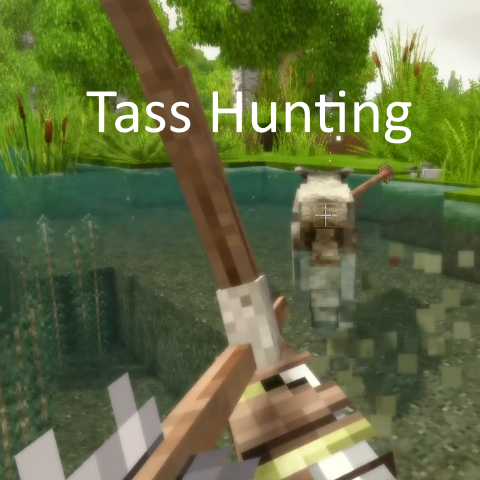
TassHunting
Arrows Stick - Blood - Smarter Animal AI - Aiming Tweaks - Health Based Animal Speed
 mod
mod Vintage Story
Olla
Bring ancient irrigation technology to Vintage Story! This mod adds ollas (pronounced "oy-yahs")
 mod
mod Vintage Story
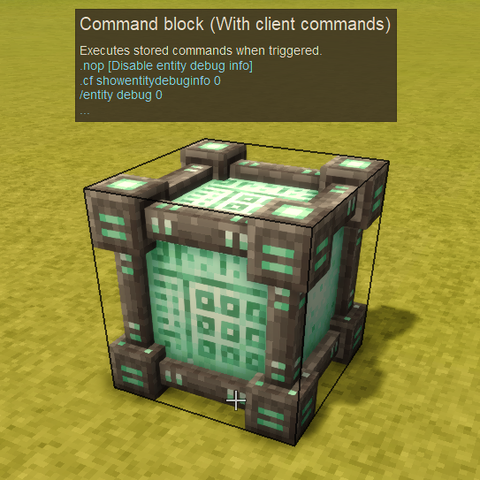
Command Block Client Extension
Enables client commands in the Command Blocks (+ some utilities!)