Vintage Story version
Back to mods
Vintage Story Mod DB · Vintage Story mod
Quick Send
QuickSend A universal mod that deposits matching items from your inventory into nearby chests with a single keypress or button click. If an item type doesn't already exist in any of the surrounding chests, it stays in your inventory - QuickSend never creates
Choose a version Pick your version below, then grab the matching file.
Quick answer
Which Quick Send release matches 1.22.1?
Best match for your filters 1.0.7
Game version 1.22.0, 1.22.1, 1.22.2
Loader Built-in Vintage Story mod system
Quick Send 1.0.7 targets 1.22.0, 1.22.1, 1.22.2. It must be installed on the client. Installation on the dedicated server is optional. No extra mods listed for this file.
Where it goes
Is Quick Send required on the client, server, or both?
It must be installed on the client. Installation on the dedicated server is optional.
Client Required
Dedicated server Optional
Loader for this release Built-in Vintage Story mod system
Required install it here Optional supported, not mandatory Not supported do not install here Source doesn’t say do not assume
This release supports both sides, but the source does not require it on the server.
What else does Quick Send 1.0.7 need?
1.0.7 on 1.22.1. Every mod below is checked against that same setup.
This file does not list any required mods. Do not add a library just because a different file uses it.
This file does not list any required or optional mods.
Before you install it
Add Quick Send without breaking your instance.
Built for Quick Send 1.0.7 on 1.22.1. Pick another file and the loader, install side or required mods may change.
- 01
Stick to this file
Use 1.0.7. It targets 1.22.0, 1.22.1, 1.22.2; another release may have different loader, side or dependency requirements.
- 02
Bring the mods it needs
This file does not list any required mods. Do not add a library just because a different file uses it.
- 03
Put it on the correct side
It must be installed on the client. Installation on the dedicated server is optional.
- 04
Pick the file you checked
Use the “Get this file” button beside 1.0.7. It opens that exact file at the source.
About this project
What does Quick Send add?
QuickSend
A universal mod that deposits matching items from your inventory into nearby chests with a single keypress or button click. If an item type doesn't already exist in any of the surrounding chests, it stays in your inventory - QuickSend never creates new piles where there were none.
No dragging. No mis-clicks. Just press Alt+Y (or click the button in your inventory screen) and everything goes where it belongs.
Features
- Smart matching - items are sent only to containers that already contain the same item type. Unknown items stay put.
- Stack-fill only - fills existing stacks; never opens a new slot in a container that didn't have the item before.
- HUD button - a small floating button appears when you open your inventory (
E). Drag it anywhere on screen; it remembers its position for the session. - Hotkey - default
Alt+Y, rebindable from the in-game key bindings menu. - Configurable radius - set how far the mod looks for containers (1–50 blocks, default 10).
- Whitelist-only storage model - only explicitly allowed container types receive items. Everything else - including modded containers - is blocked by default.
- Item blacklist - tools, weapons, armor, torches, bags, and prepared food are blocked by default - your gear never leaves your hotbar.
- Instant feedback - a chat notification tells you how many items were sent (or that nothing matched).
- Lang - English and PT-BR.
Default storage targets
Only these container types are targeted out of the box. Everything else is blocked, including forges, querns, firepits, barrels, and any modded container.
| Container | Pattern |
|---|---|
| Wooden chest (all variants) | *chest* |
| Trunk (large 2-block) | *trunk* |
| Clay storage vessel | *storagevessel* |
| Reed woven chest | *reedchest* |
To allow a modded container, add its pattern to StorageWhitelist in the config file.
Commands
All commands are server-side and use the / prefix. Short alias: /qs.
| Command | What it does |
|---|---|
/quicksend |
Show current radius, blacklist count, and whitelist count |
/qs radius <n> |
Set container search radius in blocks (1–50, default 10) |
/qs blacklist |
List all item blacklist entries |
/qs blacklist add <pattern> |
Block any item matching the pattern (e.g. *axe* blocks all axes) |
/qs blacklist remove <pattern> |
Remove an entry from the item blacklist |
/qs whitelist |
List all storage whitelist entries |
/qs whitelist add <pattern> |
Allow containers whose block code matches the pattern (e.g. *chest*) |
/qs whitelist remove <pattern> |
Remove an entry from the storage whitelist |
How it works
When you trigger a send (hotkey or button), the client sends a request to the server. The server scans every container within the configured radius and filters them by the storage whitelist/blacklist. It builds a set of all item types present in those containers, then walks your hotbar and backpack: any slot whose item type appears in that set - and is not blocked by the item blacklist - gets poured into the matching existing stacks. Empty container slots are never touched. When done, the server reports how many items moved back to your client as a chat notification.
The HUD button is a lightweight floating dialog that opens and closes alongside your inventory screen. You can reposition it freely by clicking and dragging - just like any other VS dialog.
Filter priority
Both item and storage filters follow the same priority rule - blacklist always beats whitelist at the same specificity level:
exact blacklist > exact whitelist > substring blacklist > substring whitelist > wildcard-all blacklist > wildcard-all whitelist
* alone is a wildcard-all (matches everything). *foo* matches any code containing foo. An exact string matches only that specific code.
Config file
Saved server-side at:
%APPDATA%/VintagestoryData/ModConfig/quicksend.jsonDefaults (generated on first run):
{
  "Radius": 10,
  "ItemBlacklist": [
    "*axe*", "*pickaxe*", "*shovel*", "*hoe*", "*hammer*", "*chisel*",
    "*saw*", "*scythe*", "*knife*", "*shears*", "*wrench*", "*spear*",
    "*prospectingpick*", "*blade*", "*club*", "*snowshovel*",
    "*bow*", "*crossbow*", "*sling*", "*fishing*", "*bugnet*",
    "*torch*", "*lantern*", "*candle*", "*oillamp*",
    "*helmet*", "*chestplate*", "*leggings*", "*boots*", "*gloves*",
    "*bracers*", "*armor*", "*shield*",
    "*backpack*", "*reedbag*", "*quiver*", "*miningbag*", "*bag*",
    "*bowl*", "*pot*", "*pemmican*", "*dough*", "*butter*", "*cheese*",
    "*compass*", "*map*", "*sextant*"
  ],
  "ItemWhitelist": [],
  "StorageWhitelist": [
    "*chest*",
    "*trunk*",
    "*storagevessel*",
    "*stationarybasket*"
  ],
  "StorageBlacklist": [
    "*"
  ]
}
Patterns use wildcard matching: *foo* matches any code containing foo, * alone matches everything, and an exact string matches only that code. The StorageBlacklist: ["*"] default blocks all containers not explicitly listed in StorageWhitelist.
Requirements
- Vintage Story 1.22.0 or later
- Must be installed on both client and server (Universal mod)
Acknowledgements
Born out of the daily frustration of sorting hundreds of mining hauls by hand. Thanks to the cawmmunity for keeping the grind fun.
CAW!.
Changelog
v1.0.6
- Fixed: items disappearing - a second transfer loop was placing items into empty container slots, causing them to silently vanish when placement failed. QuickSend now strictly merges into existing stacks only, as originally intended.
- Whitelist-only storage model -
StorageBlacklistnow defaults to["*"], blocking all containers not explicitly listed inStorageWhitelist. This prevents items from going into forges, querns, firepits, bloomeries, and any unknown modded container. - Expanded item blacklist - added bows, crossbows, torches, lanterns, all armor types, bags, quivers, prepared food, and navigation items.
- Wildcard-all filter support -
*alone in any list now matches everything, enabling the new whitelist-only model. Blacklist always beats whitelist at the same specificity level. - Hotkey changed - default is now
Alt+Y(wasF8), rebindable as before.
Project description from Vintage Story Mod DB.
Pick your setup
Quick Send releases for each Vintage Story version.
Choose the version and loader you play, then open the matching release.
Vintage Story version
1.22.1
1 loader buildVintage Story version
1.22.0
1 loader buildCheck the dependencies, then try the file in a copied instance before changing a world you care about.
Recent files
Quick Send versions and loaders
1.0.7
quicksend_v107.zip
20 May 2026
Client Required Server Optional Dependencies No extras listed Listed on Release listing
Check the 1.22.1 setup 1.22.01.22.11.22.2 release
1.0.6
quicksend-v106.zip
14 May 2026
Client Source doesn’t say Server Source doesn’t say Dependencies No extras listed Listed on Release listing
Check the 1.22.1 setup 1.22.01.22.11.22.2 release
Looking for an older file? The official Vintage Story Mod DB project page is in Resources.
 mod
mod Vintage Story
Auto Walk Extended
Toggle walking/sprinting. Options to toggle sneaking and automatic climbing.
 mod
mod Vintage Story
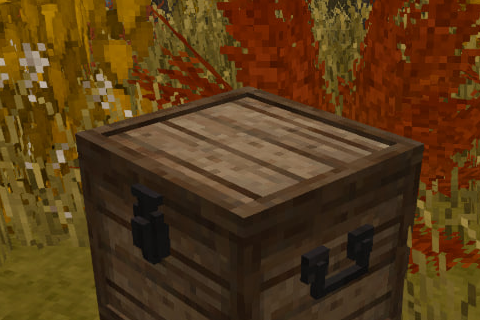
Eternal Seraph: Chests
These chests were created for the [UA] Eternal Seraph server
 mod
mod Vintage Story
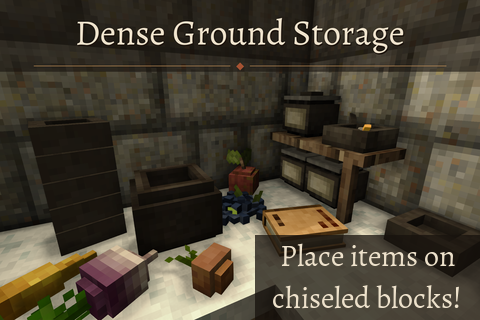
Dense Ground Storage
Place down more items per block and on chiseled blocks