Vintage Story version
Back to mods
Vintage Story Mod DB · Vintage Story mod
GamepadCompanionVS
Full native gamepad support for Vintage Story 1.22+, designed as a client-side mod. No Steam Input, AntiMicro, or external key mappers required — the mod reads the gamepad directly via GLFW and integrates with VS hotkeys, dialogs, and inventory UIs. > *
Choose a version Pick your version below, then grab the matching file.
Quick answer
Which GamepadCompanionVS release matches 1.16.0-rc.1?
Best match for your filters 1.8.0
Game version 1.4.4-dev.2, 1.4.5-dev.2, 1.4.6-dev.2
Loader Built-in Vintage Story mod system
GamepadCompanionVS 1.8.0 targets 1.4.4-dev.2, 1.4.5-dev.2, 1.4.6-dev.2. It must be installed on the client. Do not install it on the dedicated server. No extra mods listed for this file.
Where it goes
Is GamepadCompanionVS required on the client, server, or both?
It must be installed on the client. Do not install it on the dedicated server.
Client Required
Dedicated server Not supported
Loader for this release Built-in Vintage Story mod system
Required install it here Optional supported, not mandatory Not supported do not install here Source doesn’t say do not assume
This Vintage Story file is marked client-only.
What else does GamepadCompanionVS 1.8.0 need?
1.8.0 on 1.16.0-rc.1. Every mod below is checked against that same setup.
This file does not list any required mods. Do not add a library just because a different file uses it.
This file does not list any required or optional mods.
Before you install it
Add GamepadCompanionVS without breaking your instance.
Built for GamepadCompanionVS 1.8.0 on 1.16.0-rc.1. Pick another file and the loader, install side or required mods may change.
- 01
Stick to this file
Use 1.8.0. It targets 1.4.4-dev.2, 1.4.5-dev.2, 1.4.6-dev.2; another release may have different loader, side or dependency requirements.
- 02
Bring the mods it needs
This file does not list any required mods. Do not add a library just because a different file uses it.
- 03
Put it on the correct side
It must be installed on the client. Do not install it on the dedicated server.
- 04
Pick the file you checked
Use the “Get this file” button beside 1.8.0. It opens that exact file at the source.
About this project
What does GamepadCompanionVS add?
Full native gamepad support for Vintage Story 1.22+, designed as a client-side mod. No Steam Input, AntiMicro, or external key mappers required — the mod reads the gamepad directly via GLFW and integrates with VS hotkeys, dialogs, and inventory UIs.
> **Language**: the in-game UI is localized in **English** and **Spanish** (Latin American and European), following your VS client language, with English as fallback for everything else. Want it in your language? PRs are welcome at the GitHub repo — it's just one JSON file in `assets/gamepadcompanion/lang/`, no code changes needed.
## Features
- **Movement and camera** via sticks, with configurable sensitivity (horizontal/vertical), dead zone, and pitch inversion.
- **12-slot radial menu** (LB + right stick). Defaults to Character, Chat, Handbook, Settings, and Virtual Keyboard; the remaining slots are assignable from the in-game dialog.
- **Contextual button mapping**: B closes the open dialog or drops the active item depending on context; A jumps; X/Y/Back/Start mapped to tool mode, inventory, map, and pause menu.
- **Virtual cursor over GUIs**: when a modal dialog is open, a yellow cursor appears. Hold RB for smooth right-stick movement; DPad without RB steps it slot-by-slot for fast inventory navigation. RT/LT click left/right.
- **World map zoom with the D-Pad**: with the fullscreen map open, D-Pad ↑/↓ zooms in/out (one mouse-wheel notch per press) while ←/→ keeps moving the cursor for clicking waypoints.
- **Ctrl and Shift toggles** via L3/R3 with a HUD indicator in the top-right corner. Enables shift-click in inventory, ctrl-click placement, etc.
- **Precision mode** (DPad Up) reduces camera sensitivity by a configurable factor for aiming at specific blocks.
- **Composite actions**: a single radial slot can execute several actions in sequence.
- **Per-key injection** (`KeyPressAction`): bind any keyboard key to a slot or gamepad button — useful for hotkeys not in the vanilla list.
- **On-screen virtual keyboard** for typing commands and chat with the gamepad. QWERTY + `/` and `.` for slash commands.
- **In-game editor** (`/gpconfig` or `Insert` by default): three tabs (Wheel, Buttons, Sensitivity) with automatic JSON persistence to `ModConfig/gamepadcompanion.json`.
- **Localized UI** (English/Spanish): dialogs, pickers, HUD indicators, and radial labels follow the game language — including labels of already-saved bindings.
## Compatibility
| Platform | Status |
|----------|--------|
| Linux | ✅ Thoroughly tested (CachyOS X11 + GameSir Cyclone 2) |
| Windows | ✅ Verified by user reports (XInput controllers: Xbox 360, 8BitDo Ultimate 2C) |
| macOS | ⚠️ Untested — cross-platform stack (GLFW / OpenTK / VS API), should work in theory |
The mod bypasses GLFW's SDL gamepad-mapping database and reads the joystick raw, auto-detecting one of five layouts on first poll (check the client log for `detected ... layout`):
| Controller | Status |
|------------|--------|
| Xbox 360 / One / Series (Linux and Windows) | ✅ xpad / WinXInput layouts |
| GameSir Cyclone 2 (Xbox and PS4 modes) | ✅ Thoroughly tested |
| 8BitDo, generic XInput-compatible | ✅ Same XInput layouts |
| Generic PS4-like DirectInput (Wired Controller, etc.) | ✅ Auto-detected by signed-trigger signature |
| X-D GamePad / SHANWAN PS3-DInput mode | ✅ Experimental — button map inferred, report issues |
| DualSense / DualShock 4 (official) | ⚠️ Driver-dependent — some firmwares match a heuristic, others need xpad emulation |
| Switch Pro | ⚠️ Depends on driver mode |
| Other non-xpad joysticks | ❌ Unknown layout, mappings will be off |
If your controller is not recognized, the `/gpaxes` command dumps raw axes to help diagnose.
## Steam Input
If you launch Vintage Story through Steam, **disable Steam Input for this game** — otherwise you'll get double input (Steam sends synthetic keyboard/mouse + the mod reads the gamepad raw → camera at double speed, duplicated clicks).
Steam → right-click Vintage Story → Properties → Controller → "Disable Steam Input". The rest of Steam (overlay, friends, playtime, screenshots) keeps working — only the gamepad remapping layer is turned off.
If your controller only shows up as a gamepad when Steam Input emulates it (typical for DualSense / DualShock 4 / Switch Pro), either use Steam Input in plain "Gamepad / X360 passthrough" mode (no kb/m remapping — the mod reads the virtual Xbox controller fine), or use an alternative driver (DS4Windows on Windows, `hid-playstation` on Linux) and disable Steam Input entirely.
This mod is essentially an alternative to Steam Input *specific to VS*, with knowledge of vanilla hotkeys and dialogs that a generic mapper cannot have. Use one or the other, not both.
## How it works internally (disclaimer)
To make vanilla GUIs react to the gamepad without per-dialog patches, the mod injects synthetic mouse and keyboard events into the VS engine: it writes `ClientMain.MouseCurrentX/Y`, calls `OnMouseDown` / `OnKeyDown` / `OnKeyPress` directly, and writes Ctrl/Shift state into `KeyboardState[]`. This is the legitimate VS modding API, but worth disclosing — the mod has access to the client input stack and generates events the game treats as if they came from the user. Nothing is sent over the network; no files are touched outside `ModConfig/gamepadcompanion.json`; no `unsafe` blocks. If that pattern makes you uncomfortable, don't install it.
Project description from Vintage Story Mod DB.
Pick your setup
GamepadCompanionVS releases for each Vintage Story version.
Choose the version and loader you play, then open the matching release.
Vintage Story version
1.22.4
1 loader buildVintage Story version
1.22.3
1 loader buildVintage Story version
1.22.2
1 loader buildVintage Story version
1.22.1
1 loader buildVintage Story version
1.22.0-rc.10
1 loader buildVintage Story version
1.22.0-rc.9
1 loader buildVintage Story version
1.22.0-rc.8
1 loader buildVintage Story version
1.22.0-rc.7
1 loader buildVintage Story version
1.22.0-rc.6
1 loader buildVintage Story version
1.22.0-rc.5
1 loader buildVintage Story version
1.22.0-rc.4
1 loader buildShowing the newest 12 of 245 game versions. Older files are in the list below.
Check the dependencies, then try the file in a copied instance before changing a world you care about.
Recent files
GamepadCompanionVS versions and loaders
1.8.0
gamepadcompanion-1.8.0.zip
28 Jul 2026
Client Required Server Not supported Dependencies No extras listed Listed on Release listing
Check the 1.16.0-rc.1 setup 1.4.4-dev.21.4.5-dev.21.4.6-dev.21.4.7-dev.2 release
1.7.1
gamepadcompanion-1.7.1.zip
27 Jul 2026
Client Source doesn’t say Server Source doesn’t say Dependencies No extras listed Listed on Release listing
Check the 1.16.0-rc.1 setup 1.4.4-dev.21.4.5-dev.21.4.6-dev.21.4.7-dev.2 release
1.7.0
gamepadcompanion-1.7.0.zip
24 Jul 2026
Client Source doesn’t say Server Source doesn’t say Dependencies No extras listed Listed on Release listing
Check the 1.16.0-rc.1 setup 1.4.4-dev.21.4.5-dev.21.4.6-dev.21.4.7-dev.2 release
1.6.0
gamepadcompanion-1.6.0.zip
24 Jul 2026
Client Source doesn’t say Server Source doesn’t say Dependencies No extras listed Listed on Release listing
Check the 1.16.0-rc.1 setup 1.4.4-dev.21.4.5-dev.21.4.6-dev.21.4.7-dev.2 release
1.5.0
gamepadcompanion-1.5.0.zip
18 Jul 2026
Client Source doesn’t say Server Source doesn’t say Dependencies No extras listed Listed on Release listing
Check the 1.16.0-rc.1 setup 1.4.4-dev.21.4.5-dev.21.4.6-dev.21.4.7-dev.2 release
1.4.0
gamepadcompanion-1.4.0.zip
12 Jul 2026
Client Source doesn’t say Server Source doesn’t say Dependencies No extras listed Listed on Release listing
Check the 1.16.0-rc.1 setup 1.4.4-dev.21.4.5-dev.21.4.6-dev.21.4.7-dev.2 release
1.3.1
gamepadcompanion-1.3.1.zip
20 Jun 2026
Client Source doesn’t say Server Source doesn’t say Dependencies No extras listed Listed on Release listing
Check the 1.16.0-rc.1 setup 1.4.4-dev.21.4.5-dev.21.4.6-dev.21.4.7-dev.2 release
Looking for an older file? The official Vintage Story Mod DB project page is in Resources.
 mod
mod Vintage Story
Eternal Seraph: Patch
Патч для серверу Вічний Серафим. Patch for the server Eternal Seraph.
 mod
mod Vintage Story
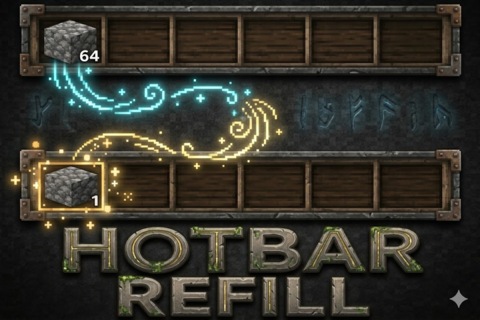
CFY Simple Hotbar Refill
Automatically refills tools, blocks, and items in the hotbar.
 mod
mod Vintage Story
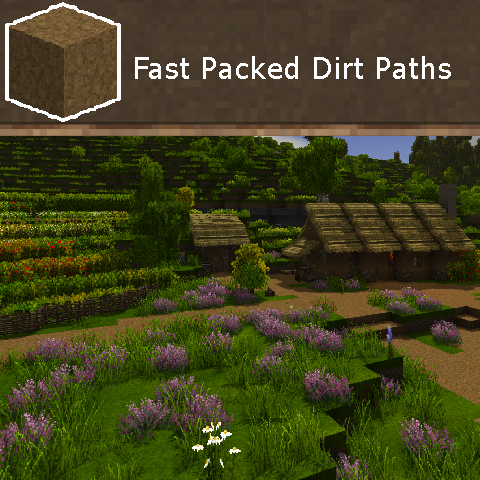
Fast Packed Dirt Paths
Increases player speed when walking on packed dirt