Vintage Story version
Back to mods 
Vintage Story Mod DB · Vintage Story mod
AutoMSG
📣 AutoMSG v1.0 The Ultimate Server Broadcast Utility for Vintage Story Tired of typing out upcoming events, Discord links, or gameplay tips manually? AutoMSG is a powerful, server-side utility designed to make life easier for server administrators. It allow
Choose a version Pick your version below, then grab the matching file.
Quick answer
Which AutoMSG release matches 1.22.0-rc.6?
Best match for your filters 1.0.0
Game version 1.19.0, 1.19.1, 1.19.2
Loader Built-in Vintage Story mod system
AutoMSG 1.0.0 targets 1.19.0, 1.19.1, 1.19.2. Do not install it on the client. It must be installed on the dedicated server. No extra mods listed for this file.
Where it goes
Is AutoMSG required on the client, server, or both?
Do not install it on the client. It must be installed on the dedicated server.
Client Not supported
Dedicated server Required
Loader for this release Built-in Vintage Story mod system
Required install it here Optional supported, not mandatory Not supported do not install here Source doesn’t say do not assume
This Vintage Story file is marked server-only.
What else does AutoMSG 1.0.0 need?
1.0.0 on 1.22.0-rc.6. Every mod below is checked against that same setup.
This file does not list any required mods. Do not add a library just because a different file uses it.
This file does not list any required or optional mods.
Before you install it
Add AutoMSG without breaking your instance.
Built for AutoMSG 1.0.0 on 1.22.0-rc.6. Pick another file and the loader, install side or required mods may change.
- 01
Stick to this file
Use 1.0.0. It targets 1.19.0, 1.19.1, 1.19.2; another release may have different loader, side or dependency requirements.
- 02
Bring the mods it needs
This file does not list any required mods. Do not add a library just because a different file uses it.
- 03
Put it on the correct side
Do not install it on the client. It must be installed on the dedicated server.
- 04
Pick the file you checked
Use the “Get this file” button beside 1.0.0. It opens that exact file at the source.
About this project
What does AutoMSG add?
📣 AutoMSG v1.0
The Ultimate Server Broadcast Utility for Vintage Story
Tired of typing out upcoming events, Discord links, or gameplay tips manually? AutoMSG is a powerful, server-side utility designed to make life easier for server administrators. It allows you to schedule, format, and manage automated broadcast messages entirely from within the in-game chat.
Built with usability in mind, AutoMSG features an interactive chat UI, simplified text formatting, and foolproof safety checks to keep your server chat looking clean and professional.
✨ Features
-
Server-Side Only: Install it on your dedicated server, and you are good to go. Players do not need to download the mod to see the messages!
-
Interactive Chat UI: No need to memorize long commands. Use the
/automsg listcommand to generate clickable [Edit] and [Delete] buttons right in your chat box. Clicking [Edit] will even pre-fill your text bar with the existing message! -
Simplified Formatting: Ditch the clunky HTML/VTML tags. Use our simple, BBCode-style syntax to add colors and styles on the fly.
-
Smart Tag Safety: Did an admin forget to close a
[red]tag? No problem. AutoMSG intelligently counts and auto-closes forgotten tags behind the scenes so formatting never bleeds into the chat. -
Beautiful Clickable Links: Easily share Discord invites or Wiki pages with clickable links. You can even color-code them!
-
On-Demand Broadcasting: Need to make an announcement right now? Bypass the timer and instantly broadcast any saved message with a single
/automsg sendcommand.
🛠️ Admin Commands
Requires administrator privilege.
|
Command |
Function |
|---|---|
|
|
Adds a new message to the broadcast rotation. |
|
|
Displays all saved messages alongside clickable |
|
|
Manually overwrites a specific message. |
|
|
Deletes a specific message. |
|
|
Instantly broadcasts a saved message, bypassing the timer. |
|
|
Sets the time between automated broadcasts. Set to |
|
|
Displays the in-game cheat sheet for commands and formatting tags. |
🎨 Formatting Guide
AutoMSG translates easy-to-type tags into beautiful Vintage Story text. You can mix and match styles to create eye-catching announcements.
Text Styles & Colors
-
Colors:
[red],[green],[blue],[yellow],[orange],[purple],[white] -
Styles:
[bold],[italic] -
Closing Tags: Always close your tags! You can use
[/color]or the specific name like[/red].
Example: >
/automsg add [orange][bold]Community giveaway next week![/bold][/color]
Clickable Links Share external websites safely. Players will receive the standard Vintage Story confirmation prompt when clicking.
-
Standard Link:
[link=https://example.com]Click Here[/link] -
Colored Link:
[link=https://discord.gg/yourlink color=purple]Join our Discord[/link] -
Custom Hex Colors:
[link=https://wiki.vintagestory.at color=#00ffcc]Read the Wiki[/link]
Example: >
/automsg add Welcome! Be sure to read the [link=https://yoursite.com/rules color=red]Server Rules[/link] before playing.
📥 Installation
-
Download the latest
automsg.ziprelease. -
Drop the
.zipfile into your server'sModsfolder. -
Restart your server.
-
Join the game and type
/automsg helpto start setting up your broadcasts!
Please report any bugs, and leave suggestions below!
Project description from Vintage Story Mod DB.
Pick your setup
AutoMSG releases for each Vintage Story version.
Choose the version and loader you play, then open the matching release.
Vintage Story version
1.22.2
1 loader buildVintage Story version
1.22.1
1 loader buildVintage Story version
1.22.0-rc.10
1 loader buildVintage Story version
1.22.0-rc.9
1 loader buildVintage Story version
1.22.0-rc.8
1 loader buildVintage Story version
1.22.0-rc.7
1 loader buildVintage Story version
1.22.0-rc.6
1 loader buildVintage Story version
1.22.0-rc.5
1 loader buildVintage Story version
1.22.0-rc.4
1 loader buildVintage Story version
1.22.0-rc.3
1 loader buildVintage Story version
1.22.0-rc.2
1 loader buildShowing the newest 12 of 91 game versions. Older files are in the list below.
Check the dependencies, then try the file in a copied instance before changing a world you care about.
Recent files
AutoMSG versions and loaders
1.0.0
AutoMSG_v1.zip
2 Jun 2026
Client Not supported Server Required Dependencies No extras listed Listed on Release listing
Check the 1.22.0-rc.6 setup 1.19.01.19.11.19.21.19.3 release
Looking for an older file? The official Vintage Story Mod DB project page is in Resources.
 mod
mod Vintage Story
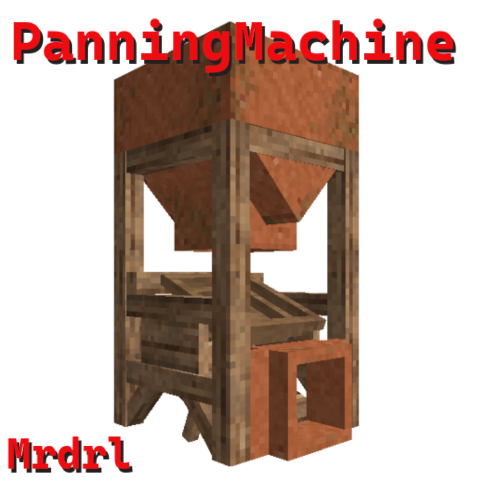
Panning Machine
Simple machine for panning
 mod
mod Vintage Story
xSkills Gilded Fork
This mod adds a beautifully designed, immersive, and user-friendly interface for xSkills.
 mod
mod Vintage Story
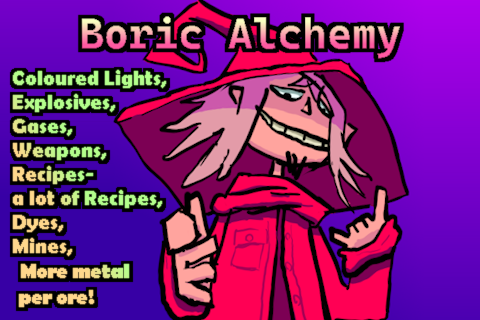
Boric Alchemy
Boric Alchemy adds chemical routes to create and refine resources, and create alchemical marvels!