Vintage Story version
Back to mods 
Vintage Story Mod DB · Vintage Story mod
String Editor
String Editor. All the power of Vintage Story's localization, in the package of a text editor. String editor lets you make strings for your mod's localization in-game within a simple but powerful WYSIWYG text editor. Change the formatting of text, size, colou
Choose a version Pick your version below, then grab the matching file.
Quick answer
Which String Editor release should I use?
Latest stable file 1.0.1
Game version 1.22.0-pre.1, 1.22.0-pre.2, 1.22.0-pre.3
Loader Built-in Vintage Story mod system
String Editor 1.0.1 targets 1.22.0-pre.1, 1.22.0-pre.2, 1.22.0-pre.3. It must be installed on the client. Installation on the dedicated server is optional. No extra mods listed for this file.
Where it goes
Is String Editor required on the client, server, or both?
It must be installed on the client. Installation on the dedicated server is optional.
Client Required
Dedicated server Optional
Loader for this release Built-in Vintage Story mod system
Required install it here Optional supported, not mandatory Not supported do not install here Source doesn’t say do not assume
This release supports both sides, but the source does not require it on the server.
What else does String Editor 1.0.1 need?
1.0.1. Change the file and its required mods may change too.
This file does not list any required mods. Do not add a library just because a different file uses it.
This file does not list any required or optional mods.
Before you install it
Add String Editor without breaking your instance.
Built for String Editor 1.0.1. Pick another file and the loader, install side or required mods may change.
- 01
Stick to this file
Use 1.0.1. It targets 1.22.0-pre.1, 1.22.0-pre.2, 1.22.0-pre.3; another release may have different loader, side or dependency requirements.
- 02
Bring the mods it needs
This file does not list any required mods. Do not add a library just because a different file uses it.
- 03
Put it on the correct side
It must be installed on the client. Installation on the dedicated server is optional.
- 04
Pick the file you checked
Use the “Get this file” button beside 1.0.1. It opens that exact file at the source.
About this project
What does String Editor add?
String Editor.
All the power of Vintage Story's localization, in the package of a text editor.

String editor lets you make strings for your mod's localization in-game within a simple but powerful WYSIWYG text editor.
Change the formatting of text, size, colour, add handbook links, display items, keybinds, and variables all with the click of a button, from the comfort of a user interface.
There's nothing more to it. Simply type .stringedit or .textedit, and get editing.
It's not perfect, of course, it has plenty of jank to get used to. But it sure beats writing strings raw.
But why stop at text? There's a whole world of development comfort waiting for you.
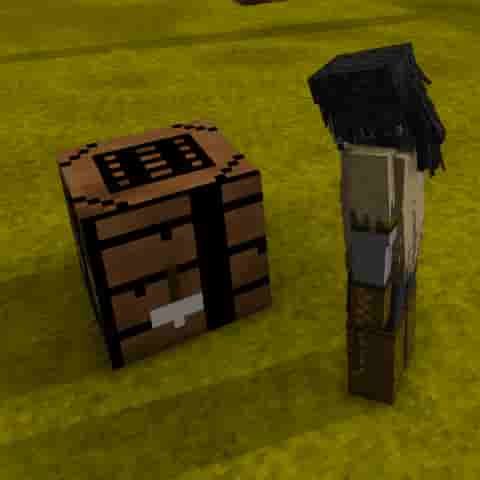

Come try Recipe Designer and Transform Designer too!
Why waste your time writing JSON when you could be authoring crafting recipes and object transforms entirely in-game?
This mod was made by...

The Unofficial Vintage Story Modding Co-op, click here to join.
The modder's cooperative is a community for modders to learn and grow together, to share, to cooperate.
Plus we have dedicated channels for better organization, and a lot more tools than just the one on this page.
Project description from Vintage Story Mod DB.
Pick your setup
String Editor releases for each Vintage Story version.
Choose the version and loader you play, then open the matching release.
Vintage Story version
1.22.2
1 loader buildVintage Story version
1.22.1
1 loader buildVintage Story version
1.22.0-rc.10
1 loader buildVintage Story version
1.22.0-rc.9
1 loader buildVintage Story version
1.22.0-rc.8
1 loader buildVintage Story version
1.22.0-rc.7
1 loader buildVintage Story version
1.22.0-rc.6
1 loader buildVintage Story version
1.22.0-rc.5
1 loader buildVintage Story version
1.22.0-rc.4
1 loader buildVintage Story version
1.22.0-rc.3
1 loader buildVintage Story version
1.22.0-rc.2
1 loader buildShowing the newest 12 of 19 game versions. Older files are in the list below.
Check the dependencies, then try the file in a copied instance before changing a world you care about.
Recent files
String Editor versions and loaders
1.0.1
vsstringeditor.zip
3 Jul 2026
Client Required Server Optional Dependencies No extras listed Listed on Release listing
Check the 1.22.3 setup 1.22.0-pre.11.22.0-pre.21.22.0-pre.31.22.0-pre.4 release
1.0.0
vsstringeditor.zip
3 Jul 2026
Client Required Server Optional Dependencies No extras listed Listed on Release listing
Check the 1.22.3 setup 1.22.0-pre.11.22.0-pre.21.22.0-pre.31.22.0-pre.4 release
Looking for an older file? The official Vintage Story Mod DB project page is in Resources.