Minecraft version
Back to modpacks 
Modrinth · Minecraft modpack
Pixel Craft Modpack
List of permitted mods for playing on the Pixel Craft server // Список разрешенных модов для игры на сервере Pixel Craft
Choose a version Pick your version below, then grab the matching file.
Quick answer
Which Pixel Craft Modpack release matches 26.1.2?
Best match for your filters Pixel Craft Modpack 1.4.0
Game version 26.1.2
Loader Fabric 0.19.2
Pixel Craft Modpack 1.4.0 is a complete pack release for 26.1.2 with Fabric 0.19.2. Install it as its own launcher instance. If the creator publishes a separate server file, make sure it names this exact pack release. 26 mods in this pack file.
Pack setup
How should I set up Pixel Craft Modpack for players and a server?
Use Pixel Craft Modpack 1.4.0 as the pack version. Install the pack as its own launcher instance. The creator’s listing does not name a separate server file, so check the release notes before setting up a dedicated server. Do not upload the ordinary client folder blindly.
Client instance Install Pixel Craft Modpack 1.4.0
Dedicated server setup Match Pixel Craft Modpack 1.4.0
Pack loader Fabric 0.19.2
A pack is a matched client and server setup, not one mod with an install-side label. Keep its release, loader, manifest and overrides together.
Referenced mods 26
Client only 15
Server only 0
Not labelled 11
These numbers come from the pack file you chose. “Not labelled” means we don’t know which side it belongs on—not that it is safe everywhere. The file count is not a RAM estimate.
What are the server requirements for Pixel Craft Modpack?
Pixel Craft Modpack 1.4.0 on 26.1.2. The pack contents and setup notes below stay tied to that release.
The selected pack release is Pixel Craft Modpack 1.4.0. That file is for Minecraft 26.1.2 with Fabric 0.19.2. It contains 26 mod projects. The creator’s listing does not name a separate server file. Check their notes before using one, and do not upload an ordinary client folder or rebuild the pack mod by mod. A file count cannot tell us the right RAM, CPU or storage; size the server for the players and world you actually run.
About this project
What kind of pack is Pixel Craft Modpack?
EN: Modpack Used on the Pixel Craft Server
All these mods are used by players to simplify their gameplay. All mods listed here have been verified and will not raise any suspicion from the server administration.
List of Included Mods:
- 3D Skin Layers — displays the player's skin in three layers (3D).
- Auto Reconnect Reforged — automatically reconnects to the server (useful if you get disconnected during AFK farming).
- Cloth Config API — a library for creating mod configuration screens.
- Emotecraft — adds animated emotions for players.
- Entity Culling — an optimization that stops rendering entities that are not visible to the player.
- Fabric API — an essential library for Fabric mods.
- Fabric Language Kotlin — allows the use of the Kotlin language for Fabric mods.
- FerriteCore — optimizes RAM (memory) usage.
- Gamma Utils (Fullbright) — allows increasing the game's brightness beyond the standard settings.
- Inventory Profiles Next — adds inventory sorting, automatic replacement of broken tools, convenient trading with villagers, and other features.
- Iris Shaders — adds support for shader packs to improve graphics.
- libIPN — a library for the Inventory Profiles Next mod.
- Lighty — displays the light level on blocks (helps when lighting up areas to prevent hostile mob spawns).
- Litematica — creates and displays schematics of builds in the world.
- Litematica Printer — automatically builds schematics created in Litematica.
- Lithium — a powerful mod for optimizing game and server performance.
- MaLiLib — a library for mods by the author of Litematica and MiniHUD.
- MiniHUD — displays various information on the screen (FPS, coordinates), shows hitboxes, spawn areas, and much more.
- Mod Menu — a convenient menu for viewing and configuring installed mods.
- My Totem Doll — allows replacing the texture of the totem of undying with your own skin or another model.
- PatPat [Mod & Plugin] — adds a patting animation for other players.
- Player Animation Library — a library for adding player animations.
- Simple Voice Chat — voice chat for communicating with other players on the server.
- Sodium — drastically improves performance and frame rate (FPS).
- Text Placeholder API — a library for working with text placeholders in Minecraft strings and text components.
- WI Zoom — a convenient and customizable zoom feature.
- Xaero's Minimap — adds a convenient minimap to the game.
- YetAnotherConfigLib (YACL) — a library for creating mod configuration interfaces.
RU: Набор модов который используется на сервере Pixel Craft
Все эти моды используют игроки для упрощения своей игры. Все моды находящиеся здесь проверены и не будут вызывать какого-либо подозрения от администрации.
Список включенных модов:
- 3D Skin Layers — отображает скин игрока в трёх слоях (3D) .
- Auto Reconnect Reforged — автоматически переподключается к серверу (полезно, если вас выкидывает при афк-фермерстве) .
- Cloth Config API — библиотека для создания экранов конфигурации модов .
- Emotecraft — добавляет анимированные эмоции для игроков .
- Entity Culling — оптимизация, которая не отображает объекты (сущности), не видимые игроку.
- Fabric API — обязательная библиотека для модов на Fabric.
- Fabric Language Kotlin — позволяет использовать язык Kotlin для модов на Fabric.
- FerriteCore — оптимизация использования оперативной памяти (RAM).
- Gamma Utils (Fullbright) — позволяет увеличивать яркость игры beyond стандартных настроек.
- Inventory Profiles Next — добавляет сортировку инвентаря, автоматическую замену сломанных инструментов, удобную торговлю с жителями и другие функции.
- Iris Shaders — добавляет поддержку шейдерных паков для улучшения графики.
- libIPN — библиотека для мода Inventory Profiles Next.
- Lighty — отображает уровень света на блоках (помогает при затемнении территории от враждебных мобов).
- Litematica — создание и отображение схем построек в мире.
- Litematica Printer — автоматическое построение схем, созданных в Litematica.
- Lithium — мощный мод для оптимизации производительности игры и серверов.
- MaLiLib — библиотека для модов от автора Litematica и MiniHUD.
- MiniHUD — отображает на экране различную информацию (FPS, координаты), показывает хитбоксы, области спавна и многое другое.
- Mod Menu — удобное меню для просмотра и настройки установленных модов.
- My Totem Doll — позволяет заменить текстуру тотема бессмертия на собственный скин или другую модель.
- PatPat [Mod & Plugin] — добавляет анимацию поглаживания другим игрокам.
- Player Animation Library — библиотека для добавления анимаций игрока.
- Simple Voice Chat — голосовой чат для общения с другими игроками на сервере.
- Sodium — кардинально повышает производительность и частоту кадров (FPS).
- Text Placeholder API — библиотека для работы с текстовыми плейсхолдерами в строках и текстовых компонентах Minecraft .
- WI Zoom — удобный и настраиваемый зум (приближение) .
- Xaero's Minimap — добавляет удобную миникарту в игру .
- YetAnotherConfigLib (YACL) — библиотека для создания интерфейсов настройки модов .
Project description from Modrinth.
Mods in Pixel Craft Modpack 1.4.0
Open any mod on Modpacks.ch to check its files and dependencies.
autoreconnectrf-fabric-3.2.1+26.1.2.jar SHA-1
7cd3363635c7172f2aa1a13e6845a64be7ff449b · Modrinth version QHLlWTnK · Project link unavailable Client onlycloth-config-26.1.154.jar SHA-1
832f9047bc4af13587709c74f7c37e1c8579d1eb · Modrinth version GFM8zh9J · Project link unavailable Side not labelledemotecraft-for-MC26.1-3.3.0-a.build.148.jar SHA-1
49b6572c59a7b74612b2f0767974c492dd01379f · Modrinth version sZtfVmXx · Project link unavailable Side not labelledentityculling-fabric-1.10.1-mc26.1.jar SHA-1
17829d606ef5b73be4b206e5a465f8fb4e526fd5 · Modrinth version NaRJu6ah · Project link unavailable Client onlyfabric-api-0.146.1+26.1.2.jar SHA-1
d2ee4e810cc926a38758e7a0f6e1497382be557a · Modrinth version tnmuHGZA · Project link unavailable Side not labelledfabric-language-kotlin-1.13.10+kotlin.2.3.20.jar SHA-1
9873294abf498f509453d37b0a5ba019f4570ffb · Modrinth version 21TRTKmh · Project link unavailable Side not labelledferritecore-9.0.0-fabric.jar SHA-1
eac76ff0f3753422c61b2c44487d0d195d88d4bc · Modrinth version d5ddUdiB · Project link unavailable Side not labelledGamma-Utils-3.0.0+mc26.1.jar SHA-1
1a148d4ea74373ce6eaaf386d08cbe137c3eb50f · Modrinth version HhjXbCFQ · Project link unavailable Client onlyInventoryProfilesNext-fabric-26.1-2.3.1.jar SHA-1
d83dfa8ef3872d5611c1ff7fd6711c1180f78ffe · Modrinth version zpR48YPf · Project link unavailable Client onlyiris-fabric-1.10.9+mc26.1.1.jar SHA-1
c30e04509a1b284372cb9037b07714d4223ae91a · Modrinth version MwcLS51S · Project link unavailable Client onlylibIPN-fabric-26.1-6.7.1.jar SHA-1
7bc68f1fe60b439f005aaef77c00881ea7c0eda5 · Modrinth version gM74eU2L · Project link unavailable Client onlylighty-fabric-3.1.3+1.21.11.jar.disabled SHA-1
1f0ab3363cf54f060f22c35658a5580c66209bc2 · Modrinth version QBVfrALF · Project link unavailable Client onlylitematica-fabric-26.1.1-0.27.1.jar SHA-1
4f7e1fe5104270a3ccf2d933a89e7d80c67a60fd · Modrinth version bIi0RmrQ · Project link unavailable Client onlylitematica-printer-26.1.1-3.2.2.jar SHA-1
5a55cae5f9c1099f283292cb1f70dc492487f386 · Modrinth version clpyvKQr · Project link unavailable Client onlylithium-fabric-0.24.2+mc26.1.2.jar SHA-1
a2575886c93255a73e5c583e89332b8bd56023d3 · Modrinth version R7MxYvuW · Project link unavailable Side not labelledmalilib-fabric-26.1.1-0.28.2.jar SHA-1
ae66803d65abd344153b47451d2cf0f3ac01d077 · Modrinth version alF0apkB · Project link unavailable Client onlyminihud-fabric-26.1.1-0.39.1.jar SHA-1
c78c8956d2bac54a946604aace237960de09b450 · Modrinth version pgXtQT2C · Project link unavailable Client onlymodmenu-18.0.0-alpha.8.jar SHA-1
996783ff7b322e73c3a6799fecc5ca3023958514 · Modrinth version jvjwXH6l · Project link unavailable Client onlyMyTotemDoll-2.4.0+26.1+fabric.jar SHA-1
3569145bb83e9574e93d20d559616518a41ec371 · Modrinth version SkqKD3QB · Project link unavailable Client onlyplaceholder-api-3.0.0+26.1.jar SHA-1
c1ce548549ec4517b9393985cefc65389e6f36d8 · Modrinth version b3IPAHgB · Project link unavailable Side not labelledPlayerAnimationLibMerged-1.2.2+mc.26.1.jar SHA-1
f3b14395b23eb6818b799045416608fc5470c629 · Modrinth version XVZlFrOK · Project link unavailable Side not labelledskinlayers3d-fabric-1.11.1-mc26.1.jar SHA-1
e76383ba3a38376f2937795d812a31a201f04aa9 · Modrinth version 8kxiY3G1 · Project link unavailable Client onlysodium-fabric-0.8.9+mc26.1.1.jar SHA-1
48b949ec71365788dfd4e89d489f7abd504aa709 · Modrinth version uGvVQBnw · Project link unavailable Client onlyvoicechat-fabric-2.6.16+26.1.2.jar SHA-1
82e82d3ccd71f8fb196e33b427e0afb791839eea · Modrinth version eGxtLv6D · Project link unavailable Side not labelledWI-Zoom-1.7-MC26.1.2.jar SHA-1
481e714f5393b10796ac1fbe7847ed60aa7e2e5b · Project link unavailable Side not labelledyet_another_config_lib_v3-3.9.2+26.1-fabric.jar SHA-1
0282a3772dea69135dbb66773fa82190ac7a39b9 · Modrinth version h2FGeDHG · Project link unavailable Side not labelledPick your setup
Pixel Craft Modpack by Minecraft version and loader
Choose the version and loader you play, then open the matching release.
Minecraft version
26.2
1 loader buildMinecraft version
26.1.2
1 loader buildMinecraft version
1.21.11
1 loader buildMinecraft version
1.21.10
1 loader buildMinecraft version
1.21.9
1 loader buildMinecraft version
1.21.8
1 loader buildMade local changes? Try them in a copied instance before touching a world you care about.
Recent files
Pixel Craft Modpack versions and loaders
Fabric 0.19.226.1.28.0.312+7 release
Looking for an older file? The official Modrinth project page is in Resources.
 modpack
Modrinth · Minecraft
PlainSpice
Building? Technical Minecraft? We provide tools for you preconfigured and add spice to the vanilla aesthetic (but not too much)
 modpack
CurseForge · Minecraft
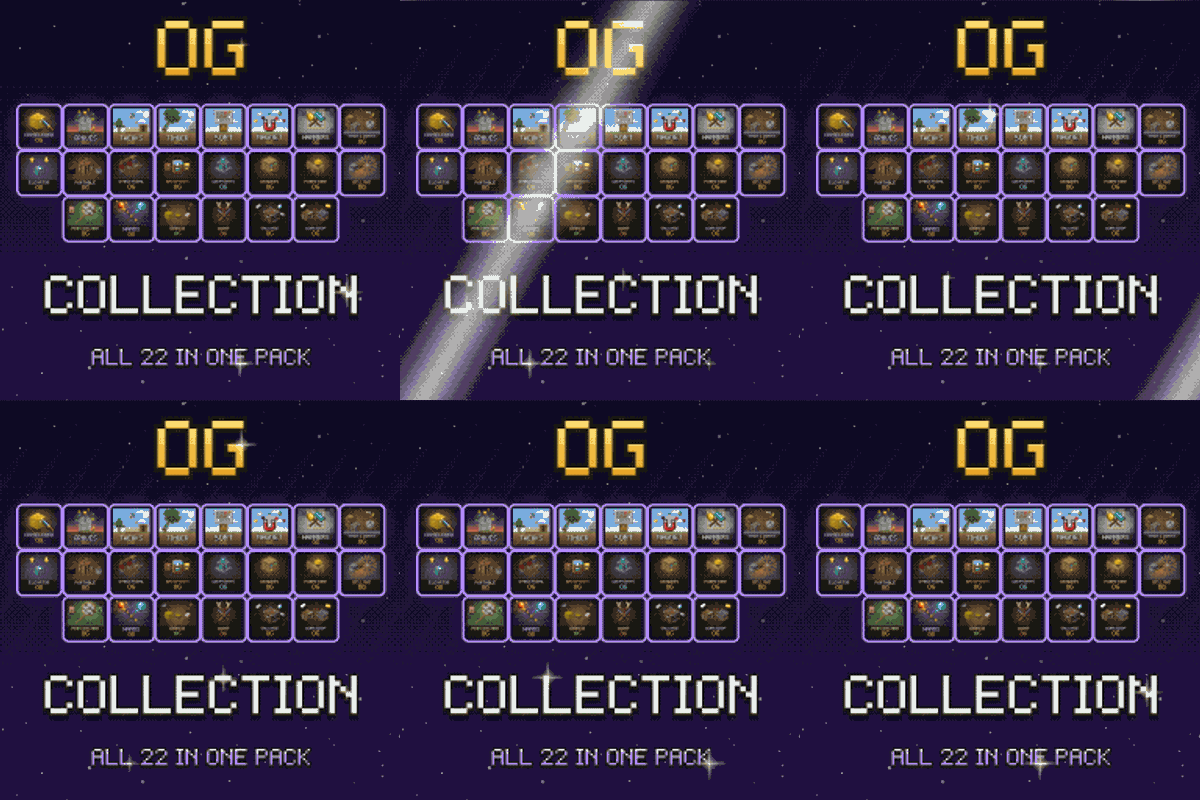
OG Collection
All twenty-two OG mods in one vanilla+ pack: chisel, graves, tweaks, timber, sorting, magnet, hammers, crates, elevators, workstations, physics, backpacks, waypoints, drawers, furniture, bellows, mob nets, wands, ranching, hunting, salvage, workshop.
 modpack
CurseForge · Minecraft
Ringbound
A Vanilla+ modpack built around the Ringworld mod, transforming Minecraft's world into a giant ring where you'll explore, build and survive in a whole new way.