
Hytale version
Back to mods 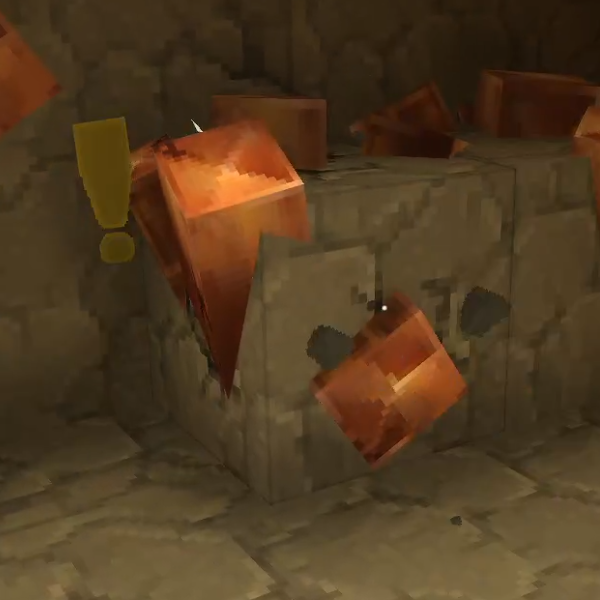
CurseForge · Hytale mod
Lucky Mining
Get more ores from mining, the more you mine in a row, the more ores you get.
Choose a version Pick your version below, then grab the matching file.
Quick answer
Which Lucky Mining release should I use?
Latest stable file LuckyMining-1.0.7.jar
Game version 0.6
Mod system Built-in Hytale mod system
Lucky Mining LuckyMining-1.0.7.jar targets 0.6. Do not install it as a separate client mod. Enable it on the world host—the local server in singleplayer or the dedicated server in multiplayer. No required dependencies listed for this file.
Where it goes
Where should Lucky Mining be installed in Hytale?
Do not install it as a separate client mod. Enable it on the world host—the local server in singleplayer or the dedicated server in multiplayer.
Separate client mod Not supported
World host / dedicated server Required
Mod system for this release Built-in Hytale mod system
Required install it here Optional supported, not mandatory Not supported do not install here Source doesn’t say do not assume
Put Hytale mods on the world host or dedicated server. Singleplayer runs a local server too; Hytale does not use separate client mods.
What else does Lucky Mining LuckyMining-1.0.7.jar need?
LuckyMining-1.0.7.jar. Change the file and its required mods may change too.
This file does not list any required mods. Do not add a library just because a different file uses it.
This file does not list any required or optional project dependencies. Check the creator notes before changing an existing world.
Before you install it
Add Lucky Mining without breaking your instance.
Built for Lucky Mining LuckyMining-1.0.7.jar. Pick another file and the loader, install side or required mods may change.
- 01
Stick to this file
Use LuckyMining-1.0.7.jar. It targets 0.6; another release may target a different game build or dependency set.
- 02
Bring the mods it needs
This file does not list any required mods. Do not add a library just because a different file uses it.
- 03
Enable it on the world host
Do not install it as a separate client mod. Enable it on the world host—the local server in singleplayer or the dedicated server in multiplayer.
- 04
Pick the file you checked
Use the “Get this file” button beside LuckyMining-1.0.7.jar. It opens that exact file at the source.
About this project
What does Lucky Mining add?




With Lucky Mining, everytime you mine an ore it has a chance to come back and you will have the oportunity to mining again. The more you mine in a row the higher chance it will have but if you take too long or you mine another block the base chance will reset.
You can configure most of it:
{
  "LuckStartChance": 0.4, -- The Starting Lucky Chance
  "LuckIncreaseChance": 0.02,  -- The Luck increase every time you mine a whitelisted ore
  "MaxTimeBetweenBlockBreaksInSeconds": 3, -- The max time between block breaking
  "WhitelistOres": [ -- The list of blocks that will have luck
    "Ore_Adamantite_",
    "Ore_Cobalt_",
    "Ore_Copper_",
    "Ore_Gold_",
    "Ore_Iron_",
    "Ore_Mithril_",
    "Ore_Onyxium_",
    "Ore_Silver_",
    "Ore_Thorium"
  ]
}

Project description from CurseForge.
Pick your setup
Lucky Mining releases for each Hytale build.
Choose the version and loader you play, then open the matching release.
Hytale version
0.5
1 loader buildCheck the dependencies, then try the file in a copied instance before changing a world you care about.
Recent files
Lucky Mining releases and Hytale builds
LuckyMining-1.0.7.jar
26 Aug 2026
Client Not supported Server Required Dependencies No extras listed Listed on Project page
Check the 0.6 setup 0.6 release
LuckyMining-1.0.6.jar
24 May 2026
Client Not supported Server Required Dependencies No extras listed Listed on Project page
Check the 0.5 setup 0.5 release
LuckyMining-1.0.5.jar
18 Feb 2026
Client Not supported Server Required Dependencies No extras listed Listed on Project page
Check the setup LuckyMining-1.0.4.jar
7 Feb 2026
Client Not supported Server Required Dependencies No extras listed Listed on Project page
Check the setup LuckyMining-1.0.3.jar
11 Jan 2026
Client Not supported Server Required Dependencies No extras listed Listed on Project page
Check the setup LuckyMining-1.0.2.jar
3 Jan 2026
Client Not supported Server Required Dependencies No extras listed Listed on Project page
Check the setup LuckyMining-1.0.1.jar
1 Jan 2026
Client Not supported Server Required Dependencies No extras listed Listed on Project page
Check the setup LuckyMining-1.0.0.jar
21 Dec 2025
Client Not supported Server Required Dependencies No extras listed Listed on Project page
Check the setup Looking for an older file? The official CurseForge project page is in Resources.
 mod
mod CurseForge · Hytale
Wan's Wonder Weapons
A collection of unique weapons for Hytale, new "relics" blending elemental power, dark magic, and a touch of absurdity!
 mod
mod CurseForge · Hytale
Age of Borealis
The Borealis Empire invades with the Sinful Flame. Read the Grimoire of Sin, forge zarkanite, stand with the Order - or open a tavern.
 mod
mod CurseForge · Hytale
Loot Fountains
Adds functionality for custom chests which release their loot as dropped items instead of providing an interface.