ClockHud-1.0.jar
13 Jan 2026
Client Not supported Server Required Dependencies No extras listed Listed on Project page
Check the setup 
CurseForge · Hytale mod
A sleek hotbar‑aligned clock that shows in‑game time and real‑world time at a glance
Quick answer
ChronoBar HUD ClockHud-1.0.jar targets Hytale. Do not install it as a separate client mod. Enable it on the world host—the local server in singleplayer or the dedicated server in multiplayer. No required dependencies listed for this file.
Where it goes
Do not install it as a separate client mod. Enable it on the world host—the local server in singleplayer or the dedicated server in multiplayer.
Put Hytale mods on the world host or dedicated server. Singleplayer runs a local server too; Hytale does not use separate client mods.
ClockHud-1.0.jar. Change the file and its required mods may change too.
This file does not list any required mods. Do not add a library just because a different file uses it.
This file does not list any required or optional project dependencies. Check the creator notes before changing an existing world.
Before you install it
Built for ChronoBar HUD ClockHud-1.0.jar. Pick another file and the loader, install side or required mods may change.
Use ClockHud-1.0.jar. It targets Hytale; another release may target a different game build or dependency set.
This file does not list any required mods. Do not add a library just because a different file uses it.
Do not install it as a separate client mod. Enable it on the world host—the local server in singleplayer or the dedicated server in multiplayer.
Use the “Get this file” button beside ClockHud-1.0.jar. It opens that exact file at the source.
About this project
A hotbar‑aligned clock HUD with a clean, futuristic look that keeps both in‑game time and real‑world time visible without clutter. Designed to sit just above the hotbar, it updates smoothly in the background and stays readable at a glance.
Project description from CurseForge.
Recent files
13 Jan 2026
Looking for an older file? The official CurseForge project page is in Resources.
 mod
modBelow Every Heaven is a horror mod for Hytale. Descend through seven dimensions, each ruled by a deadly creature and guarded by something that shouldn't exist.
 mod
modRaise dragons, master the elements, and rule the skies with legendary companions, elemental Miniwyverns, and aerial dragon combat.
 mod
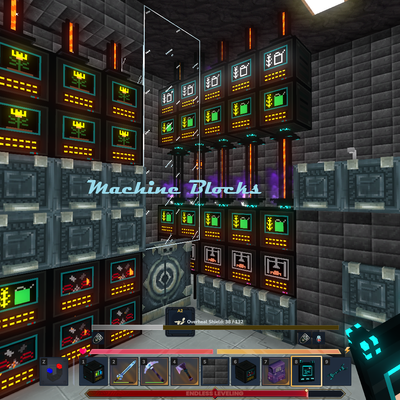
modMake your Hytale Factory dream come true using technology through a tiered discovery system. Mostly Single block machines (this is not for the faint of heart, they are expensive). Tech, furnace, crusher, plant, fuel, alloy, miner, crop, farm, ore