Unify-1.0-SNAPSHOT-all.jar
14 Jan 2026
Client Not supported Server Required Dependencies No extras listed Listed on Project page
Check the setup ![[Moonlight] Unify project artwork](https://media.forgecdn.net/avatars/1612/601/639039950565641806.png)
CurseForge · Hytale mod
A Discord Chat bridge for Hytale Servers.
Quick answer
[Moonlight] Unify Unify-1.0-SNAPSHOT-all.jar targets Hytale. Do not install it as a separate client mod. Enable it on the world host—the local server in singleplayer or the dedicated server in multiplayer. No required dependencies listed for this file.
Where it goes
Do not install it as a separate client mod. Enable it on the world host—the local server in singleplayer or the dedicated server in multiplayer.
Put Hytale mods on the world host or dedicated server. Singleplayer runs a local server too; Hytale does not use separate client mods.
Unify-1.0-SNAPSHOT-all.jar. Change the file and its required mods may change too.
This file does not list any required mods. Do not add a library just because a different file uses it.
This file does not list any required or optional project dependencies. Check the creator notes before changing an existing world.
Before you install it
Built for [Moonlight] Unify Unify-1.0-SNAPSHOT-all.jar. Pick another file and the loader, install side or required mods may change.
Use Unify-1.0-SNAPSHOT-all.jar. It targets Hytale; another release may target a different game build or dependency set.
This file does not list any required mods. Do not add a library just because a different file uses it.
Do not install it as a separate client mod. Enable it on the world host—the local server in singleplayer or the dedicated server in multiplayer.
Use the “Get this file” button beside Unify-1.0-SNAPSHOT-all.jar. It opens that exact file at the source.
About this project
Unify is a Discord chat bridge for Hytale servers.
It links in-game chat and a Discord channel so players and community members can communicate naturally across platforms.
Simple, lightweight, and focused on doing one thing well.
You will need:
Make sure the bot has:
Without webhook permissions, Unify cannot function.
Unify generates a config file that must be filled out.
Everything is required except the webhook URL. That part is handled automatically.
token = "YOUR_BOT_TOKEN_HERE"
guildId = 123456789012345678
chatChannelId = 123456789012345678
chatWebhookUrl = "AUTO_GENERATED"
tokenYour Discord bot token.
Keep this private. If it leaks, regenerate it immediately.
guildIdThe ID of the Discord server Unify should connect to.
chatChannelIdThe Discord channel where chat and death messages will appear.
chatWebhookUrlDo not modify this value.
Unify creates and maintains the webhook automatically.
From Hytale to Discord:
From Discord to Hytale:
Nothing appears in Discord
Webhook errors
Duplicate messages
Unify uses Discord webhooks to keep chat readable and avoid cluttering the channel with bot messages.
Logs usually explain issues clearly if something goes wrong.
Enjoy unified chat.
Project description from CurseForge.
Recent files
14 Jan 2026
Looking for an older file? The official CurseForge project page is in Resources.
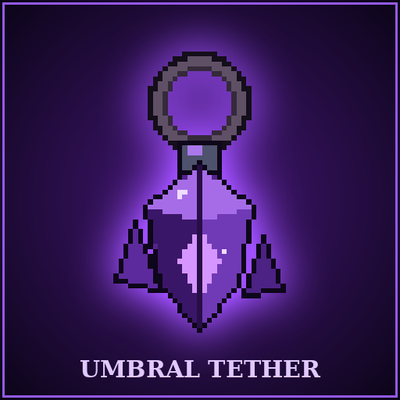 mod
modA Void-bound charm that pulls you back from death, at a price.
 mod
mod[Feedback welcomed] Turning Hytale into Fast-Paced ARPG, bringing New Combat style with Hytale Weapons, and Elemental powers
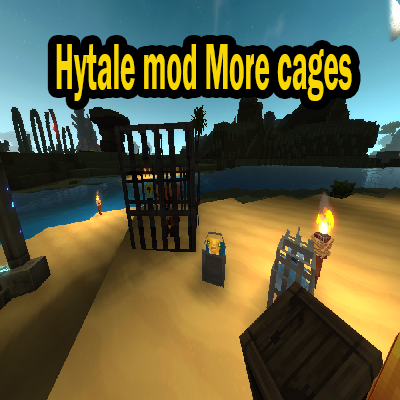 mod
modThis mod adds more ways to carry mobs in the game.