PMA-1.0.4.jar
17 Feb 2026
Client Not supported Server Required Dependencies No extras listed Listed on Project page
Check the setup 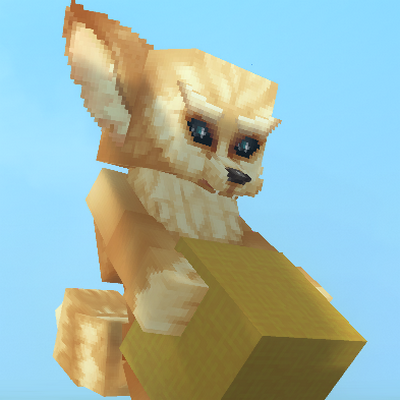
CurseForge · Hytale mod
PMA (Persistent Model Assignment) is a lightweight, server-side Hytale plugin that automatically remembers and reapplies player avatar models when they reconnect to the server.
Quick answer
PMA Persistent Model Assignment PMA-1.0.4.jar targets Hytale. Do not install it as a separate client mod. Enable it on the world host—the local server in singleplayer or the dedicated server in multiplayer. No required dependencies listed for this file.
Where it goes
Do not install it as a separate client mod. Enable it on the world host—the local server in singleplayer or the dedicated server in multiplayer.
Put Hytale mods on the world host or dedicated server. Singleplayer runs a local server too; Hytale does not use separate client mods.
PMA-1.0.4.jar. Change the file and its required mods may change too.
This file does not list any required mods. Do not add a library just because a different file uses it.
This file does not list any required or optional project dependencies. Check the creator notes before changing an existing world.
Before you install it
Built for PMA Persistent Model Assignment PMA-1.0.4.jar. Pick another file and the loader, install side or required mods may change.
Use PMA-1.0.4.jar. It targets Hytale; another release may target a different game build or dependency set.
This file does not list any required mods. Do not add a library just because a different file uses it.
Do not install it as a separate client mod. Enable it on the world host—the local server in singleplayer or the dedicated server in multiplayer.
Use the “Get this file” button beside PMA-1.0.4.jar. It opens that exact file at the source.
About this project
PMA (Persistent Model Assignment) is a lightweight, server-side Hytale plugin that automatically remembers and reapplies player avatar models when they reconnect to the server.
Once a player sets a model using Hytale’s built-in /model set command, PMA detects the command from the server log, saves the chosen model (and optional scale), and reapplies it every time the player joins — no client mods required.
✅ Automatic model persistence
Player models are restored on login without re-running commands
📏 Scale support
Supports --scale values, including:
--scale 0.5
--scale=0.5
--scale .5
🔓 Bypass scale limits support
Players should include --bypassScaleLimits when setting a scale.
Without this flag, Hytale enforces very small scale limits, and changes may be subtle or unnoticeable.
💾 Persistent storage
Model assignments are saved to disk and survive server restarts
🔁 Safe retry system
Models are applied only once the player entity is fully initialized
⚙️ Server-side only
No client mods, no packets, no command overrides
PMA tails the server log in real time
When a player runs:
/model set <model> [player] --scale <value> --bypassScaleLimits
PMA captures the model ID and scale from the log output
The model assignment is saved per player
On login, PMA:
Waits for the player entity to become valid
Applies the saved model and scale directly to the entity
Persists the assignment using Hytale’s PersistentModel component
Model assignments are stored in:
PMAData/models.properties
Format:
username=modelAssetId|scale
Example:
John_Doe=feran|0.25
(Entries without a scale automatically default to 1.0.)
PMA does not replace or modify the /model command
Always include --bypassScaleLimits when using --scale to ensure the change is noticeable
The plugin relies on standard server log output
Intended for player avatar models (non-static entities)
Roleplay servers
Persistent character customization
Servers that want player models to just stick between sessions
Project description from CurseForge.
Recent files
17 Feb 2026
Looking for an older file? The official CurseForge project page is in Resources.
 mod
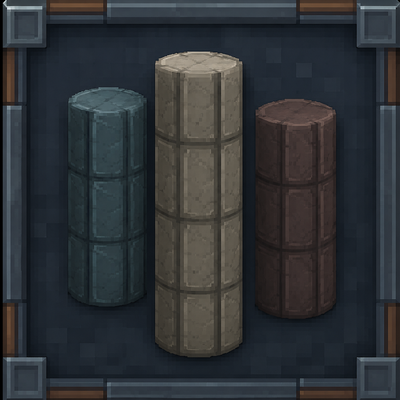
modA mod that adds rounded blocks. Currently has 26 total variants, all available vanilla brick and plank types of rounded hollow pillar/pipe blocks.
 mod
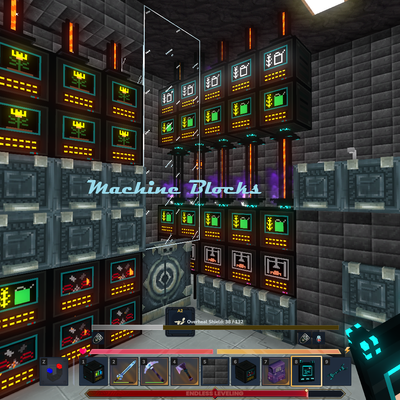
modMake your Hytale Factory dream come true using technology through a tiered discovery system. Mostly Single block machines (this is not for the faint of heart, they are expensive). Tech, furnace, crusher, plant, fuel, alloy, miner, crop, farm, ore
 mod
modThe Skylight Zone: Gimme Da' Loot is a Drop-List Addon for (Drops/Lootbags). - It Adds 3 New 'Lootbags' that have the chance to reward the player with Gemstones & Fragment Drops from The Skylight Gemstones Mod to NPCs and Containers.