ProximityChat-1.0.jar
16 Jan 2026
Client Not supported Server Required Dependencies No extras listed Listed on Project page
Check the setup 
CurseForge · Hytale mod
A proximity-based chat system where players can only see messages from others within a configurable distance, perfect for roleplay and immersive multiplayer servers.
Quick answer
Proximity Chat ProximityChat-1.0.jar targets Hytale. Do not install it as a separate client mod. Enable it on the world host—the local server in singleplayer or the dedicated server in multiplayer. No required dependencies listed for this file.
Where it goes
Do not install it as a separate client mod. Enable it on the world host—the local server in singleplayer or the dedicated server in multiplayer.
Put Hytale mods on the world host or dedicated server. Singleplayer runs a local server too; Hytale does not use separate client mods.
ProximityChat-1.0.jar. Change the file and its required mods may change too.
This file does not list any required mods. Do not add a library just because a different file uses it.
This file does not list any required or optional project dependencies. Check the creator notes before changing an existing world.
Before you install it
Built for Proximity Chat ProximityChat-1.0.jar. Pick another file and the loader, install side or required mods may change.
Use ProximityChat-1.0.jar. It targets Hytale; another release may target a different game build or dependency set.
This file does not list any required mods. Do not add a library just because a different file uses it.
Do not install it as a separate client mod. Enable it on the world host—the local server in singleplayer or the dedicated server in multiplayer.
Use the “Get this file” button beside ProximityChat-1.0.jar. It opens that exact file at the source.
About this project

ProximityChat is a permission-based proximity text chat mod that makes chat feel more immersive. Instead of global chat, players can only see messages from others who are nearby. This addon is focused at those running a server/community.
Proximity-Based Chat
All player messages are limited to players within a set distance.
Permission Controlled
There is permissions for commands, features, and bypassing proximity.
Custom Prefixes
Optional customizable [Local] prefix for proximity messages.
Configurable
Radius limits, messages, prefixes, and more can be customized.
/proximitychat or /pc – Show the help menu
/pc status – View the current proximity chat status and radius
/pc toggle – Enable or disable proximity chat
/pc radius <blocks> – Set the chat radius
/pc prefix toggle – Enable or disable the [Local] prefix
/pc prefix set <text> – Set a custom proximity chat prefix
/pc welcome toggle – Toggle the welcome message
/pc bypass <player> – Allow a player to bypass proximity chat
/pc revoke <player> – Remove bypass permission from a player
All commands are controlled through permissions. For full configuration options, permissions, and implementation details, check out the source code and documentation on GitHub.
Project description from CurseForge.
Recent files
16 Jan 2026
Looking for an older file? The official CurseForge project page is in Resources.
 mod
modRaise dragons, master the elements, and rule the skies with legendary companions, elemental Miniwyverns, and aerial dragon combat.
 mod
modBelow Every Heaven is a horror mod for Hytale. Descend through seven dimensions, each ruled by a deadly creature and guarded by something that shouldn't exist.
 mod
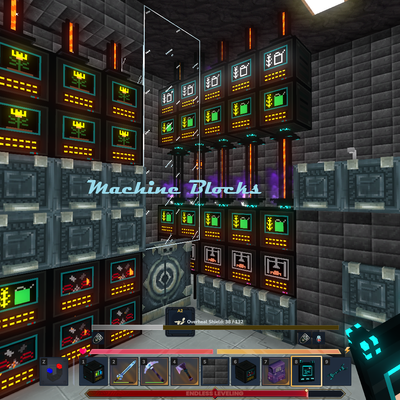
modMake your Hytale Factory dream come true using technology through a tiered discovery system. Mostly Single block machines (this is not for the faint of heart, they are expensive). Tech, furnace, crusher, plant, fuel, alloy, miner, crop, farm, ore