Hytale version
Back to mods 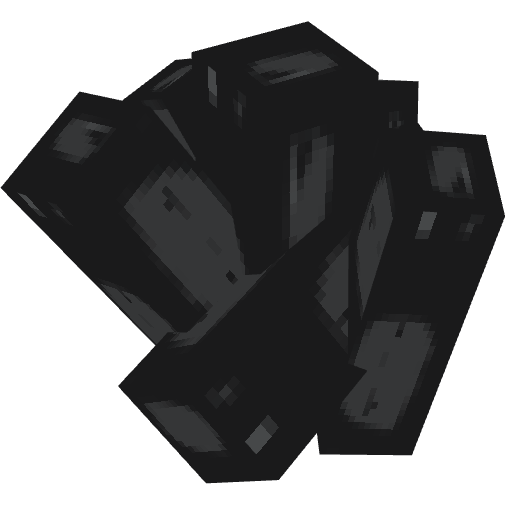
CurseForge · Hytale mod
Coal!
Natural generation of coal ore in Hytale (Y=10-90)
Choose a version Pick your version below, then grab the matching file.
Quick answer
Which Coal! release should I use?
Latest stable file CoalOre-2.0.9.jar
Game version 0.5
Mod system Built-in Hytale mod system
Coal! CoalOre-2.0.9.jar targets 0.5. Do not install it as a separate client mod. Enable it on the world host—the local server in singleplayer or the dedicated server in multiplayer. No required dependencies listed for this file.
Where it goes
Where should Coal! be installed in Hytale?
Do not install it as a separate client mod. Enable it on the world host—the local server in singleplayer or the dedicated server in multiplayer.
Separate client mod Not supported
World host / dedicated server Required
Mod system for this release Built-in Hytale mod system
Required install it here Optional supported, not mandatory Not supported do not install here Source doesn’t say do not assume
Put Hytale mods on the world host or dedicated server. Singleplayer runs a local server too; Hytale does not use separate client mods.
What else does Coal! CoalOre-2.0.9.jar need?
CoalOre-2.0.9.jar. Change the file and its required mods may change too.
This file does not list any required mods. Do not add a library just because a different file uses it.
This file does not list any required or optional project dependencies. Check the creator notes before changing an existing world.
Before you install it
Add Coal! without breaking your instance.
Built for Coal! CoalOre-2.0.9.jar. Pick another file and the loader, install side or required mods may change.
- 01
Stick to this file
Use CoalOre-2.0.9.jar. It targets 0.5; another release may target a different game build or dependency set.
- 02
Bring the mods it needs
This file does not list any required mods. Do not add a library just because a different file uses it.
- 03
Enable it on the world host
Do not install it as a separate client mod. Enable it on the world host—the local server in singleplayer or the dedicated server in multiplayer.
- 04
Pick the file you checked
Use the “Get this file” button beside CoalOre-2.0.9.jar. It opens that exact file at the source.
About this project
What does Coal! add?
Features
- Natural Generation - Coal ore spawns automatically in newly generated chunks
- Balanced Rarity - 90% of chunks contain ore, with 2-3 veins each (avg 5 veins/chunk)
- Depth-based Distribution - Ore spawns between Y=10-90, with higher density at lower depths
- Multiple Rock Types - Supports 17 different stone-like blocks across various biomes
- Creative Commands - Manual spawning tools for builders and testing
Project description from CurseForge.
Pick your setup
Coal! releases for each Hytale build.
Choose the version and loader you play, then open the matching release.
Check the dependencies, then try the file in a copied instance before changing a world you care about.
Recent files
Coal! releases and Hytale builds
CoalOre-2.0.9.jar
1 Aug 2026
Client Not supported Server Required Dependencies No extras listed Listed on Project page
Check the 0.5 setup 0.5 release
CoalOre-2.0.7.jar
19 Feb 2026
Client Not supported Server Required Dependencies No extras listed Listed on Project page
Check the setup CoalOre-2.0.6.jar
2 Feb 2026
Client Not supported Server Required Dependencies No extras listed Listed on Project page
Check the setup CoalOre-2.0.5.jar
24 Jan 2026
Client Not supported Server Required Dependencies No extras listed Listed on Project page
Check the setup CoalOre-2.0.3.jar
21 Jan 2026
Client Not supported Server Required Dependencies No extras listed Listed on Project page
Check the setup CoalOre-2.0.1.jar
20 Jan 2026
Client Not supported Server Required Dependencies No extras listed Listed on Project page
Check the setup CoalOre-2.0.0.jar
16 Jan 2026
Client Not supported Server Required Dependencies No extras listed Listed on Project page
Check the setup Looking for an older file? The official CurseForge project page is in Resources.
 mod
mod CurseForge · Hytale
PillarTech
An all-in-one tech progression mod. Influenced by Buildcraft, Computercraft, AE2, Galacticraft, planet crafter, satisfactory, and Factorio. Has everything you need to set up complex factories and later expand into space!
 mod
mod CurseForge · Hytale
Mine Sign
A yellow sign guiding brave miners through sprawling caves. It is bright yellow, practical, and easy to carry.
 mod
mod CurseForge · Hytale
Repair Workbench
Adds a new workbench that repairs items without durability loss for a small fee