WelcomeMessage-1.0.1.jar
20 Jan 2026
Client Not supported Server Required Dependencies No extras listed Listed on Project page
Check the setup 
CurseForge · Hytale mod
welcome message on screen
Quick answer
welcome message on screen WelcomeMessage-1.0.1.jar targets Hytale. Do not install it as a separate client mod. Enable it on the world host—the local server in singleplayer or the dedicated server in multiplayer. No required dependencies listed for this file.
Where it goes
Do not install it as a separate client mod. Enable it on the world host—the local server in singleplayer or the dedicated server in multiplayer.
Put Hytale mods on the world host or dedicated server. Singleplayer runs a local server too; Hytale does not use separate client mods.
WelcomeMessage-1.0.1.jar. Change the file and its required mods may change too.
This file does not list any required mods. Do not add a library just because a different file uses it.
This file does not list any required or optional project dependencies. Check the creator notes before changing an existing world.
Before you install it
Built for welcome message on screen WelcomeMessage-1.0.1.jar. Pick another file and the loader, install side or required mods may change.
Use WelcomeMessage-1.0.1.jar. It targets Hytale; another release may target a different game build or dependency set.
This file does not list any required mods. Do not add a library just because a different file uses it.
Do not install it as a separate client mod. Enable it on the world host—the local server in singleplayer or the dedicated server in multiplayer.
Use the “Get this file” button beside WelcomeMessage-1.0.1.jar. It opens that exact file at the source.
About this project
Greets players with customizable welcome messages and cinematic title screens when they join your Hytale server.
**First-time players** get a special welcome message
**Returning players** get a personalized "welcome back" message
Messages appear in **chat** and as **full-screen cinematic titles**
The plugin **automatically creates** a config file on first launch:
**Location**: mods/WelcomeMessage/config.json
Simply edit this file to change your messages:
{

"messages": {

"firstJoin": "Welcome to our amazing server",

"returnJoin": "Welcome back, hero"

}

}
Download WelcomeMessage-1.0.1.jar
Put it in your mods/ folder
Start your server
Edit mods/WelcomeMessage/config.json to customize messages
Restart and enjoy!
Project description from CurseForge.
Recent files
20 Jan 2026
16 Jan 2026
Looking for an older file? The official CurseForge project page is in Resources.
 mod
modPathforge adds PoE-inspired RPG progression to Hytale — leveling, attributes, a passive skill tree, and gear crafting with rarity and affixes — all in one hub UI.
 mod
modA Hytale Skyblock mod with portal progression: create multiple starts in one save, including Asteroid Starter, connect worlds with Rift Shard and World Teleporter, and automate your base with Life Essence-powered machines.
 mod
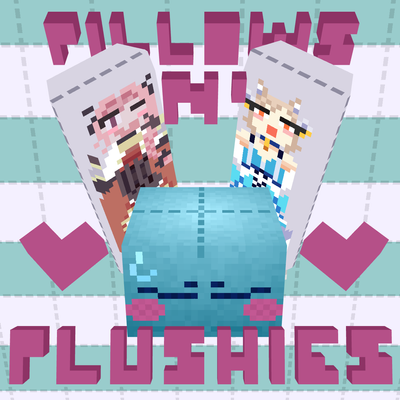
modweaponised femboy body pillows (dakimakura), cozy cushion blocks, plushie characters, silly fumo, futon bed, lain onesie mage robes (kigurumi), pillow hexstaff + hexbook + glyph guide for hexcode magic via patchly! anime ref: astolfo, ferris, rimuru, lain!