Coins-1.0.6.jar
25 Jan 2026
Client Not supported Server Required Dependencies No extras listed Listed on Project page
Check the setup 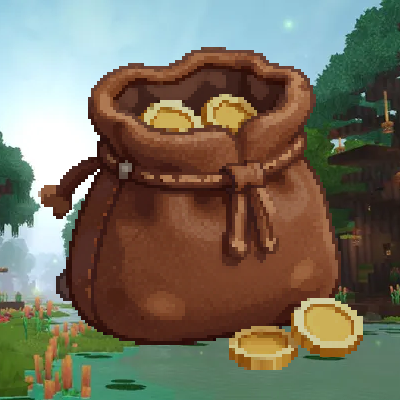
CurseForge · Hytale mod
A simple economy mod for Hytale that adds physical coins and a digital wallet system. Expandable.
Quick answer
Coins-1.0.6.jar targets Hytale. Do not install it as a separate client mod. Enable it on the world host—the local server in singleplayer or the dedicated server in multiplayer. No required dependencies listed for this file.
Where it goes
Do not install it as a separate client mod. Enable it on the world host—the local server in singleplayer or the dedicated server in multiplayer.
Put Hytale mods on the world host or dedicated server. Singleplayer runs a local server too; Hytale does not use separate client mods.
Coins-1.0.6.jar. Change the file and its required mods may change too.
This file does not list any required mods. Do not add a library just because a different file uses it.
This file does not list any required or optional project dependencies. Check the creator notes before changing an existing world.
Before you install it
Built for Coins-1.0.6.jar. Pick another file and the loader, install side or required mods may change.
Use Coins-1.0.6.jar. It targets Hytale; another release may target a different game build or dependency set.
This file does not list any required mods. Do not add a library just because a different file uses it.
Do not install it as a separate client mod. Enable it on the world host—the local server in singleplayer or the dedicated server in multiplayer.
Use the “Get this file” button beside Coins-1.0.6.jar. It opens that exact file at the source.
About this project
Bring a robust, physical, and digital economy to your Hytale server! Hytale Coins seamlessly integrates physical currency items with a modern digital wallet system, allowing players to trade, pay, and manage their wealth with ease.
/pay command.Tailor the mod to your server's needs with our comprehensive config.json. Below is the default setup with a detailed breakdown of every setting.
{
  "enableMobDeathDrops": true,
  "mobDeathDropRate": 0.1,
  "enableCropHarvestDrops": true,
  "cropHarvestDropRate": 0.2,
  "coinValues": {
    "Coin_Gold": 1000,
    "Coin_Emerald": 10000,
    "Coin_Silver": 100,
    "Coin_Iron": 10,
    "Coin_Diamond": 100000,
    "Coin_Copper": 1
  },
  "mobDeathDrops": {
    "Cow": 3,
    "Fox": 3
  },
  "payCommandPermission": "",
  "currencyNameSingular": "Coin",
  "currencyNamePlural": "Coins",
  "storageType": "JSON",
  "mysqlHost": "localhost",
  "mysqlPort": 3306,
  "mysqlDatabase": "hytale",
  "mysqlUser": "root",
  "mysqlPassword": ""
}
enableMobDeathDrops (true/false): Toggle whether mobs drop coins upon death.mobDeathDropRate (0.0 to 1.0): The probability (percentage) that a mob will drop coins. Default 0.1 is a 10% chance.enableCropHarvestDrops (true/false): Toggle whether harvesting crops rewards players with coins.cropHarvestDropRate (0.0 to 1.0): The probability that harvesting a crop will drop coins.coinValues: Define the value of each physical coin type in the base currency.mobDeathDrops: Specify the exact amount of base currency dropped by specific mob types.currencyNameSingular: The name of your currency in singular form (e.g., "Gold Piece").currencyNamePlural: The name of your currency in plural form (e.g., "Gold Pieces").payCommandPermission: Set a custom permission node required to use /pay. Leave empty ("") to allow all players in Adventure mode.storageType: Choose your backend. Options: "JSON" (files) or "MYSQL" (database).storageType is set to "MYSQL".mysqlHost: Database server address.mysqlPort: Database port (default 3306).mysqlDatabase: The schema name.mysqlUser & mysqlPassword: Connection credentials.| Command | Description | Permission |
|---|---|---|
/wallet |
Opens your digital wallet UI. | None |
/pay <player> <amount> |
Transfer currency to another player. | Configurable |
/economy <add/set> <player> <amount> |
Admin tools to manage balances. | coins.admin.economy |
mods folder.config.json in universe/mods/coins/ to customize your experience.Developed with ❤️ for the Hytale Community.
Project description from CurseForge.
Recent files
25 Jan 2026
19 Jan 2026
18 Jan 2026
17 Jan 2026
17 Jan 2026
17 Jan 2026
Looking for an older file? The official CurseForge project page is in Resources.
 mod
modTired of rummaging through dozens of chests across your base, but don't want to risk data loss because of mod? Then this is for you. Using standard Hytale storage to create a searchable storage system without the risk of a mod deleting your stuff.
 mod
modUpgrade Your Storage Game with CrateX!
 mod
modAn HTTP API and RCON for Hytale servers. Named keys with scopes, rate limits, an audit log of every change, an OpenAPI document and a docs page. Binds to 127.0.0.1 until you change it.