Hytale version
Back to mods 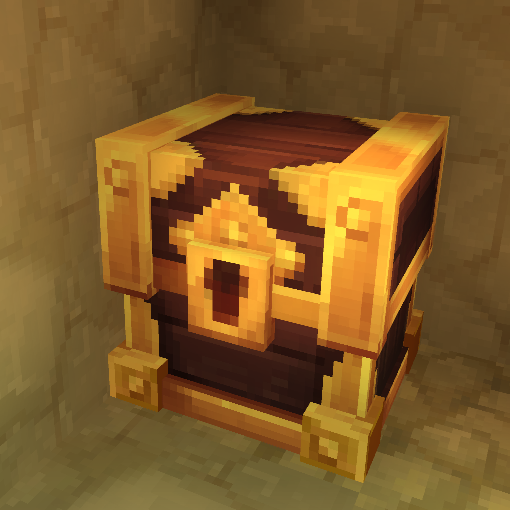
CurseForge · Hytale mod
Loot4Everyone
(Compatible with Chapter 1) Loot chests for every player without modifying the block and compatible with already generated worlds! You can also create, edit, delete, reset ANY loot chest! Config UI, anti-grief, random, auto reset and more!
Choose a version Pick your version below, then grab the matching file.
Quick answer
Which Loot4Everyone release should I use?
Latest stable file Loot4Everyone-1.3.10.jar
Game version 0.7
Mod system Built-in Hytale mod system
Loot4Everyone-1.3.10.jar targets 0.7. Do not install it as a separate client mod. Enable it on the world host—the local server in singleplayer or the dedicated server in multiplayer. No required dependencies listed for this file.
Where it goes
Where should Loot4Everyone be installed in Hytale?
Do not install it as a separate client mod. Enable it on the world host—the local server in singleplayer or the dedicated server in multiplayer.
Separate client mod Not supported
World host / dedicated server Required
Mod system for this release Built-in Hytale mod system
Required install it here Optional supported, not mandatory Not supported do not install here Source doesn’t say do not assume
Put Hytale mods on the world host or dedicated server. Singleplayer runs a local server too; Hytale does not use separate client mods.
What else does Loot4Everyone-1.3.10.jar need?
Loot4Everyone-1.3.10.jar. Change the file and its required mods may change too.
This file does not list any required mods. Do not add a library just because a different file uses it.
This file does not list any required or optional project dependencies. Check the creator notes before changing an existing world.
Before you install it
Add Loot4Everyone without breaking your instance.
Built for Loot4Everyone-1.3.10.jar. Pick another file and the loader, install side or required mods may change.
- 01
Stick to this file
Use Loot4Everyone-1.3.10.jar. It targets 0.7; another release may target a different game build or dependency set.
- 02
Bring the mods it needs
This file does not list any required mods. Do not add a library just because a different file uses it.
- 03
Enable it on the world host
Do not install it as a separate client mod. Enable it on the world host—the local server in singleplayer or the dedicated server in multiplayer.
- 04
Pick the file you checked
Use the “Get this file” button beside Loot4Everyone-1.3.10.jar. It opens that exact file at the source.
About this project
What does Loot4Everyone add?
Compatible with Chapter 1!
Loot4Everyone revamps loot chests so every player can have their own loot and let you create, edit, delete, reset ANY loot chests!
⚠️ Warning ⚠️
If you have loot chests that are already generated, you can regenerate them with /generatelc to add them in the system. Otherwise in new generated chunks it's automatic!
Features
- Configure the mod with the UI (Open it with /lootconfig)
- Know when you discover for the first time a loot chest! A message appear with a sound effect and you can have information about what's inside the loot chest! Config it with the UI or /setmessagerule (true or false) and add --world (ID of the world, ex: default) when using it with a server console!
- Sparkly particles when it's the first time you see a loot chest! Config it with the UI or /setparticlerule (true or false) and add --world (ID of the world, ex: default) when using it with a server console!
- Loot chest griefing protection! Config it with the UI or /setbreakrule (true or false) and add --world (ID of the world, ex: default) when using it with a server console!
- Random loot for every player! Config it with the UI or /setrandomrule (true or false) and add --world (ID of the world, ex: default) when using it with a server console!
- Automatic reset loot system! Config it with the UI or /setautoresetlc (no args to disable or use --mode / --days / --hours / --minutes / --seconds to set the auto reset interval) and add --world (ID of the world, ex: default) when using it with a server console!
- Reset loot chests! Look at a loot chest and do /resetlc to reset this chest for all players or specify the player by adding the arg --player and/or the arg --all true to reset all loot chests for the player provided with the arg or else for all players. And add --world (ID of the world, ex: default) when using it with a server console (you can only reset all chests of a player or all players)!
- Loot chest maker system! Create, edit, delete ANY loot chests!
Loot chest maker
- To select a loot chest or an item container, just look at it!
- Use any item container to generate a loot chest! With just /generatelc you generate automatically a loot chest based on the zone! You can add the arg --droplist to specify ANY droplist that your server has access (yes this should work with modded droplists!). If you prefer to make a custom droplist add items inside of the item container and just do /generatelc to have your custom loot chest!
- Edit any loot chest! You can do /editlc --droplist to change the droplist of the chest! You can also just do /editlc with custom loot chests to edit the items of your own droplist and after that just do /generatelc to confirm the changes.
- Delete any loot chest with /deletelc!
Roadmap
- Config loot chests to let people put items in them or not!
- Have multiple players opening the loot container at once!
- Enhance the performance of the data system in big worlds!
- Go beyond loot containers...
This mod is fully released but game updates can break the mod, so always check the mod description before a major update of the game and never use it in a pre-release unless i say you can do it!
If you find bugs feel free to report them or help me fix them if you want!
Project description from CurseForge.
Pick your setup
Loot4Everyone releases for each Hytale build.
Choose the version and loader you play, then open the matching release.
Hytale version
0.6
1 loader buildCheck the dependencies, then try the file in a copied instance before changing a world you care about.
Recent files
Loot4Everyone releases and Hytale builds
Loot4Everyone-1.3.10.jar
12 Oct 2026
Client Not supported Server Required Dependencies No extras listed Listed on Project page
Check the 0.7 setup 0.7 release
Loot4Everyone-1.3.9.jar
7 Sept 2026
Client Not supported Server Required Dependencies No extras listed Listed on Project page
Check the 0.6 setup 0.6 release
Loot4Everyone-1.3.8.jar
27 Aug 2026
Client Not supported Server Required Dependencies No extras listed Listed on Project page
Check the 0.6 setup 0.6 release
Loot4Everyone-1.3.7.jar
26 May 2026
Client Not supported Server Required Dependencies No extras listed Listed on Project page
Check the setup Loot4Everyone-1.3.6.jar
26 Mar 2026
Client Not supported Server Required Dependencies No extras listed Listed on Project page
Check the setup Loot4Everyone-1.3.5.jar
16 Mar 2026
Client Not supported Server Required Dependencies No extras listed Listed on Project page
Check the setup Loot4Everyone-1.3.4.jar
13 Mar 2026
Client Not supported Server Required Dependencies No extras listed Listed on Project page
Check the setup Loot4Everyone-1.3.3.jar
3 Mar 2026
Client Not supported Server Required Dependencies No extras listed Listed on Project page
Check the setup Loot4Everyone-1.3.2.jar
17 Feb 2026
Client Not supported Server Required Dependencies No extras listed Listed on Project page
Check the setup Loot4Everyone-1.3.1.jar
13 Feb 2026
Client Not supported Server Required Dependencies No extras listed Listed on Project page
Check the setup Loot4Everyone-1.3.0.jar
7 Feb 2026
Client Not supported Server Required Dependencies No extras listed Listed on Project page
Check the setup Loot4Everyone-1.2.1.jar
1 Feb 2026
Client Not supported Server Required Dependencies No extras listed Listed on Project page
Check the setup Looking for an older file? The official CurseForge project page is in Resources.
 mod
mod CurseForge · Hytale
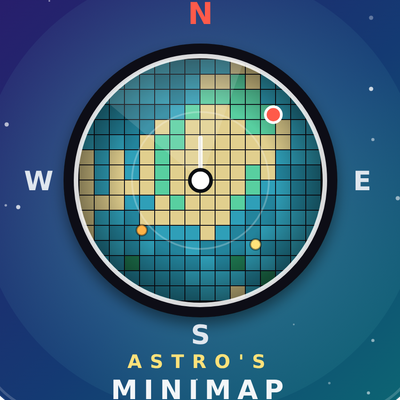
Astro's Minimap
A simple live on-screen minimap for Hytale with a rotating compass, radar, waypoints and a player-set size and update rate. It needs Astro's World Map.
 mod
mod CurseForge · Hytale
Astro's World Map
A persistent world map for Hytale that saves what you explore, adds waypoints, teleporting, cave mode, mob icons and per-player privacy, and powers Astro's Minimap.
 mod
mod CurseForge · Hytale
Dynamic Seasons
Adds 4 Seasons to the world, Greenhouse blocks, Seasonal Farming, Seasonal Fishing, Customizable Weather. It also adds Snow, (WIP) temperature system, Blood Moon ,Configurable Settings, and an optional Seasons Spellbook.