Quick answer
Which RunicKeeper release should I use?
Latest stable file RunicKeeper-1.4.3.jar
Game version Not listed
Mod system Built-in Hytale mod system
RunicKeeper-1.4.3.jar targets Hytale. Do not install it as a separate client mod. Enable it on the world host—the local server in singleplayer or the dedicated server in multiplayer. No required dependencies listed for this file.
Where it goes
Where should RunicKeeper be installed in Hytale?
Do not install it as a separate client mod. Enable it on the world host—the local server in singleplayer or the dedicated server in multiplayer.
Separate client mod Not supported
World host / dedicated server Required
Mod system for this release Built-in Hytale mod system
Required install it here Optional supported, not mandatory Not supported do not install here Source doesn’t say do not assume
Put Hytale mods on the world host or dedicated server. Singleplayer runs a local server too; Hytale does not use separate client mods.
What else does RunicKeeper-1.4.3.jar need?
RunicKeeper-1.4.3.jar. Change the file and its required mods may change too.
This file does not list any required mods. Do not add a library just because a different file uses it.
This file does not list any required or optional project dependencies. Check the creator notes before changing an existing world.
Before you install it
Add RunicKeeper without breaking your instance.
Built for RunicKeeper-1.4.3.jar. Pick another file and the loader, install side or required mods may change.
- 01
Stick to this file
Use RunicKeeper-1.4.3.jar. It targets Hytale; another release may target a different game build or dependency set.
- 02
Bring the mods it needs
This file does not list any required mods. Do not add a library just because a different file uses it.
- 03
Enable it on the world host
Do not install it as a separate client mod. Enable it on the world host—the local server in singleplayer or the dedicated server in multiplayer.
- 04
Pick the file you checked
Use the “Get this file” button beside RunicKeeper-1.4.3.jar. It opens that exact file at the source.
About this project
What does RunicKeeper add?
Runic Keeper
Master your inventory with the power of the runes.
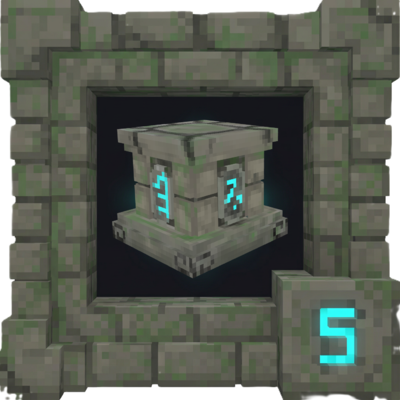
Runic Keeper is a Hytale mod that revolutionizes how you store and access your items. Inspired by popular "Magic Storage" systems, this mod introduces a new magical block that connects to all nearby chests, allowing you to view, search, and manage your entire storage system from a single, powerful interface.
What's New in v1.4.0? (The Sorting Update)
This update introduces Smart Sorting Runes, a new crafting station, and significant quality-of-life improvements. Managing your storage empire has never been easier!
New Feature: Runic Crafter & Sorting Runes
Introducing the Runic Crafter, a new workbench allowing you to create powerful runes that enforce order in your storage system.
- Runic Crafter Block: A new station for crafting runes. It can be crafted in a standard Workbench using 10 Iron Ingots and 20 Essence of the Void.
- (Note: Currently uses the Arcane Workbench model as a placeholder).
- Sorting Runes: Use these runes on chests to restrict them to specific item categories.
- Log Rune: Restricts chests to Logs and Wood types.
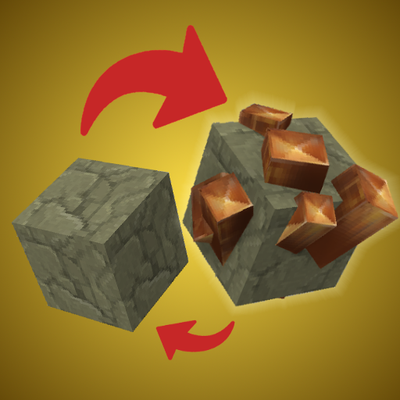
- Stone Rune: Restricts chests to Stone, Rock, and Cobblestone.
- Ore Rune: Restricts chests to Ores, Bars, and Gems.
- Weapon Rune: Restricts chests to Swords, Bows, Wands, and Axes.
- Smart Deposit Logic: The system now prioritizes filtered chests. If you have an empty chest marked "Ore" and deposit items, ore will go there first, even before filling non-filtered chests!
- Troubleshooting Tip: If items are not entering an empty filtered chest automatically, try placing a single matching item inside manually to "prime" it.
Improvements & Fixes
Double Chest Support:
- Sealing & Filtering: Using a Runic Seal or Sorting Rune on a Double Chest now automatically applies the effect to both halves. No more desync!
- Migration Notice: Due to backend changes, please delete old JSON files (
sealed_chests.json, chest_filters.json) in the config folder before updating to ensure Double Chest support works correctly.
Mod Compatibility:
- Storage Drawers Fix: Resolved a critical issue where Runic Keeper failed to scan or interact with storage drawers correctly. The scanner now intelligently handles unique container implementations to prevent ghost items or detection failures.
UI Enhancements:
- Expanded Sidebar: The category sidebar has been expanded to include more filtering options: Wood, Stone, Crafting, Plants, and Materials.
- Layout: Sidebar now supports a 2-column grid layout for better visibility.
Backend & Logic:
- Improved Scanning: Optimized the
StorageScanner to use object identity checks. This ensures accurate counting and prevents double-counting items in complex setups.
- Priority Logic: Fixed a bug where filtered chests would be ignored if they were empty.
Key Features
- Centralized Storage Network: Access every item in surrounding chests without opening them individually.
- Seal Your Chests! Craft a Runic Seal to lock specific chests. Sealed chests are ignored when depositing items, allowing you to create "Read-Only" storage for special gear or loot that won't get cluttered.
- Smart Filtering (New!): Use Sorting Runes to create dedicated storage for Ores, Wood, Weapons, and more.
- Powerful & Intuitive UI:
- Search Bar: Instantly find any item by name.
- One-Click Management: Use header buttons like "Quick Stack" (deposits matching items) and "Put All" (clears your backpack, ignoring your hotbar) to manage your inventory effortlessly.
- Advanced Sorting: Cycle between sorting items by Quantity, Type, or Name.
- Full Inventory View: See your entire player inventory and hotbar integrated directly into the UI.
- Native Tooltips: Hover over any item in the network to see its name and details.
Getting Started
1. Craft the Blocks
- Runic Keeper: Crafted at a Tinkering Workbench (5x Iron Ingot, 1x Voidheart, 4x Wooden Chest).
- Runic Crafter: Crafted at a standard Workbench (10x Iron Ingot, 20x Essence of the Void).
- Runic Seal: Crafted at a Tinkering Workbench (2x Void Essence, 5x Marble Cobble, 1x Iron Ingot).
2. Setup Your Network
- Place Your Keeper: Place the Runic Keeper block centrally among your chests.
- Open the Network: Press F on the Runic Keeper to open the storage interface.
- Organize: Use Sorting Runes to designate specific chests for Ores or Wood, or use the Runic Seal to protect your valuable gear from accidental deposits.
Configuration
You can adjust the scanning radius to fit your base layout.
- Command:
/runicradius <number> (Default: 5, Max: 50)
- Config File: Located at
mods/RunicKeeper/config.json.
Roadmap
Runic Keeper is in active development. Here’s what’s coming next:
- More Filter Runes: Expanding the variety of sorting runes for even finer control.
- Visual Updates: New custom models and textures for the Runic Crafter and other blocks.
- Visual Network Feedback: Particle effects or overlays to easily see which chests are connected and which are sealed.
Honorable Mentions & Showcases
@Zenouv - all credits for him for updating model with new texture and animations!
Project description from CurseForge.
Recent files
RunicKeeper releases and Hytale builds
12 Apr 2026
Client Not supported Server Required Dependencies No extras listed Listed on Project page
Check the setup → 3 Apr 2026
Client Not supported Server Required Dependencies No extras listed Listed on Project page
Check the setup → 8 Mar 2026
Client Not supported Server Required Dependencies No extras listed Listed on Project page
Check the setup → 15 Feb 2026
Client Not supported Server Required Dependencies No extras listed Listed on Project page
Check the setup → 7 Feb 2026
Client Not supported Server Required Dependencies No extras listed Listed on Project page
Check the setup → 30 Jan 2026
Client Not supported Server Required Dependencies No extras listed Listed on Project page
Check the setup → 26 Jan 2026
Client Not supported Server Required Dependencies No extras listed Listed on Project page
Check the setup → 23 Jan 2026
Client Not supported Server Required Dependencies No extras listed Listed on Project page
Check the setup → 23 Jan 2026
Client Not supported Server Required Dependencies No extras listed Listed on Project page
Check the setup → 21 Jan 2026
Client Not supported Server Required Dependencies No extras listed Listed on Project page
Check the setup → 19 Jan 2026
Client Not supported Server Required Dependencies No extras listed Listed on Project page
Check the setup → 18 Jan 2026
Client Not supported Server Required Dependencies No extras listed Listed on Project page
Check the setup →