VoiceChat-1.0.0.jar
22 Jan 2026
Client Not supported Server Required Dependencies No extras listed Listed on Project page
Check the setup 
CurseForge · Hytale mod
The best Real Time proximity Voice Chat for Hytale
Quick answer
Proximity Voice Chat VoiceChat-1.0.0.jar targets Hytale. Do not install it as a separate client mod. Enable it on the world host—the local server in singleplayer or the dedicated server in multiplayer. No required dependencies listed for this file.
Where it goes
Do not install it as a separate client mod. Enable it on the world host—the local server in singleplayer or the dedicated server in multiplayer.
Put Hytale mods on the world host or dedicated server. Singleplayer runs a local server too; Hytale does not use separate client mods.
VoiceChat-1.0.0.jar. Change the file and its required mods may change too.
This file does not list any required mods. Do not add a library just because a different file uses it.
This file does not list any required or optional project dependencies. Check the creator notes before changing an existing world.
Before you install it
Built for Proximity Voice Chat VoiceChat-1.0.0.jar. Pick another file and the loader, install side or required mods may change.
Use VoiceChat-1.0.0.jar. It targets Hytale; another release may target a different game build or dependency set.
This file does not list any required mods. Do not add a library just because a different file uses it.
Do not install it as a separate client mod. Enable it on the world host—the local server in singleplayer or the dedicated server in multiplayer.
Use the “Get this file” button beside VoiceChat-1.0.0.jar. It opens that exact file at the source.
About this project
The first proximity-based voice chat for Hytale! Get close to players and start communicating with your voice in real-time.
Feel free to give suggestions, ask for support, and PLEASE report every bug you find! ALL of them WILL be fixed!
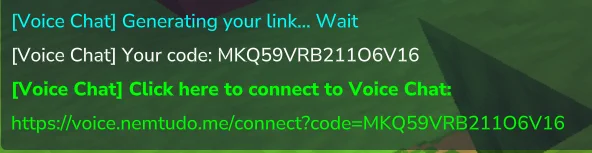
/voicechatThe generated link contains a Code. You can manually access:
https://hytaleweb.nemtudo.me/voicechat/connect
And enter the code yourself.
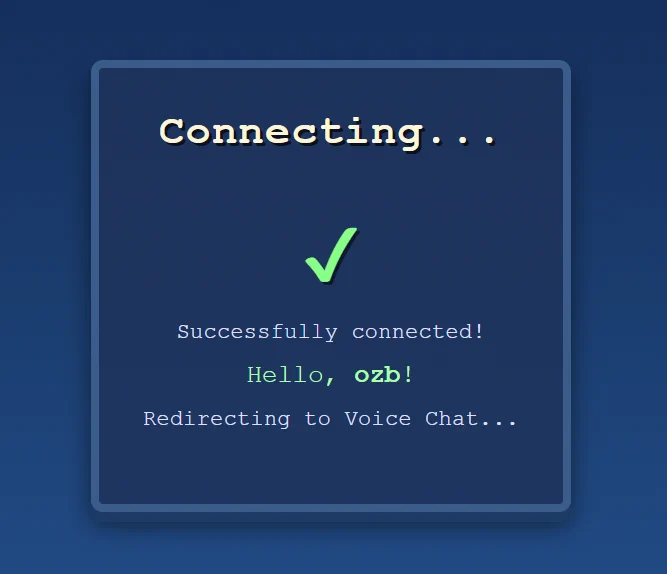
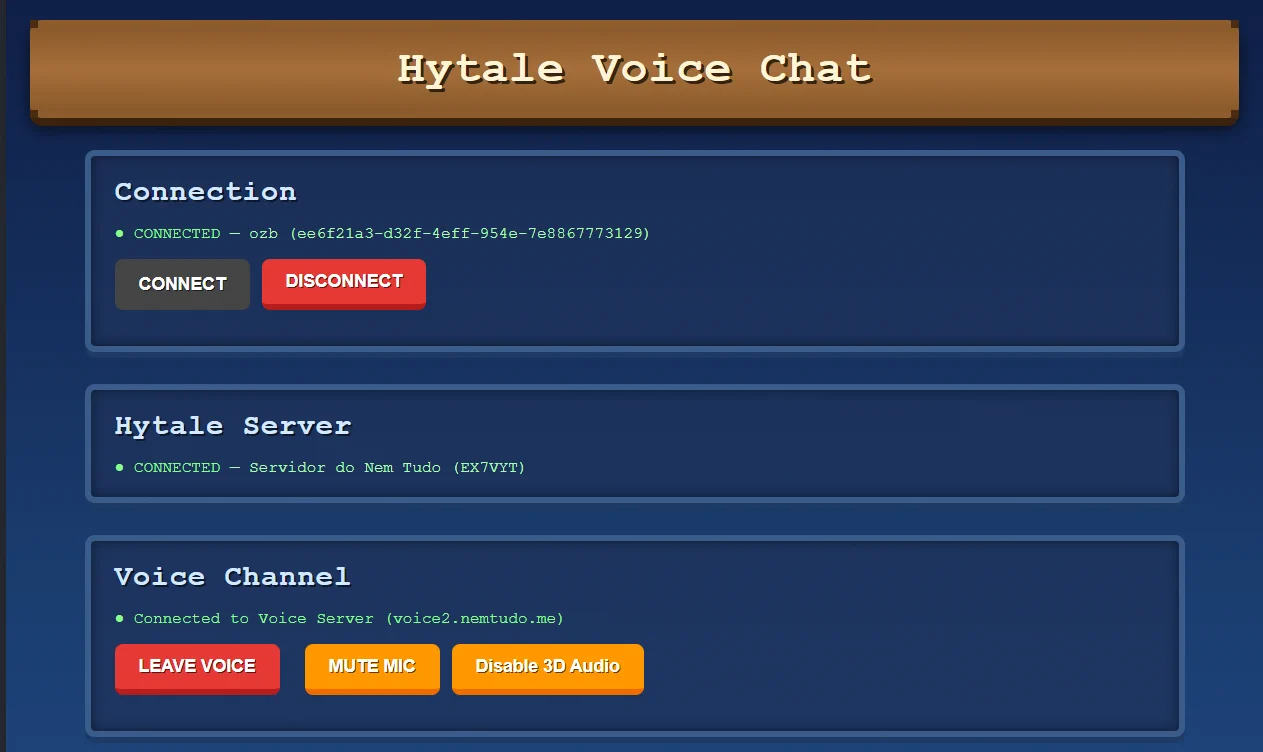
Once you connect your browser to your player, the link will always be voice.nemtudo.me and you can access it without using commands.
code can access voice chat as you. Keep it private!VoiceChat.jar/mods folderNemTudo_VoiceChat folder with configuration filesTo activate the plugin, you need to register your server and obtain credentials:
Server IdServer TokenVoiceChat.json located in the mods/NemTudo_VoiceChat folder/voicechat reload to reload the configuration| Command | Description |
|---|---|
/voicechat |
Get your voice chat access link |
/voicechat connect |
Generate a link with code to connect in a new browser |
/voicechat reload |
Reload configuration (admin only) |
Note: This mod is still in early development. Features, stability, and documentation will improve over time. Discord: https://discord.gg/nemtudo
Project description from CurseForge.
Recent files
22 Jan 2026
19 Jan 2026
19 Jan 2026
18 Jan 2026
Looking for an older file? The official CurseForge project page is in Resources.
 mod
modAdds a brand-new Labyrinth Dimension featuring a vast desert surface and an endless maze stretching deep below. Discover unique locations and face a variety of dangerous new enemies as you explore its depths!
 mod
modExtended Backpacks adds additional backpack inventory slot upgrades to Hytale, allowing you to carry more items on your adventures. Expand your storage and keep your gear organized like never before!
 mod
modAdds a souls/RPG precision combat mechanic where if you block at the instant where you are supposed to take damage (perfect parry), you don't lose stamina, deflect some damage, and eventually stun the attacker upon exhausting their stamina.