TravelAnchors-1.0.3-fix.jar
17 Feb 2026
Client Not supported Server Required Dependencies No extras listed Listed on Project page
Check the setup 
CurseForge · Hytale mod
Low-range teleporters for base with elevator functional
Quick answer
Travel Anchors TravelAnchors-1.0.3-fix.jar targets Hytale. Do not install it as a separate client mod. Enable it on the world host—the local server in singleplayer or the dedicated server in multiplayer. No required dependencies listed for this file.
Where it goes
Do not install it as a separate client mod. Enable it on the world host—the local server in singleplayer or the dedicated server in multiplayer.
Put Hytale mods on the world host or dedicated server. Singleplayer runs a local server too; Hytale does not use separate client mods.
TravelAnchors-1.0.3-fix.jar. Change the file and its required mods may change too.
This file does not list any required mods. Do not add a library just because a different file uses it.
This file does not list any required or optional project dependencies. Check the creator notes before changing an existing world.
Before you install it
Built for Travel Anchors TravelAnchors-1.0.3-fix.jar. Pick another file and the loader, install side or required mods may change.
Use TravelAnchors-1.0.3-fix.jar. It targets Hytale; another release may target a different game build or dependency set.
This file does not list any required mods. Do not add a library just because a different file uses it.
Do not install it as a separate client mod. Enable it on the world host—the local server in singleplayer or the dedicated server in multiplayer.
Use the “Get this file” button beside TravelAnchors-1.0.3-fix.jar. It opens that exact file at the source.
About this project
Adds a travel anchor block for easy home/base navigation
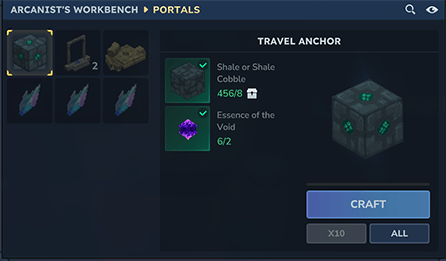
After crafting, you can use travel anchors in two ways:
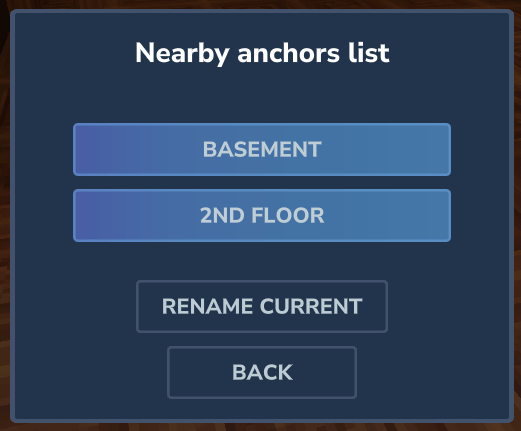
If you are a server owner, you can change the [maximumDistance] value in config (mods/deos_TravelAnchors/TravelAnchors.json) to change how far you can travel between two named anchors
Project description from CurseForge.
Recent files
17 Feb 2026
1 Feb 2026
24 Jan 2026
19 Jan 2026
18 Jan 2026
Looking for an older file? The official CurseForge project page is in Resources.
 mod
modPick up every block including chests by holding right mouse button with an empty slot
 mod
modDraw arrows, icons and numbers on floors and walls with chalk, in 7 colours, with glow chalk and messages.
 mod
modAn in-game control panel for server owners: edit config.json, mod settings, player preferences, permissions and key binds for commands.