SimpleClock-0.0.7.jar
10 Feb 2026
Client Not supported Server Required Dependencies No extras listed Listed on Project page
Check the setup 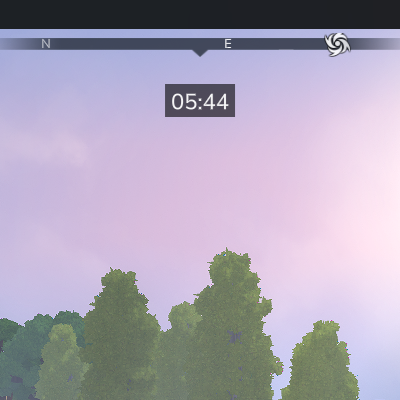
CurseForge · Hytale mod
Mod adds simple clock time for your world
Quick answer
SimpleClock-0.0.7.jar targets Hytale. Do not install it as a separate client mod. Enable it on the world host—the local server in singleplayer or the dedicated server in multiplayer. No required dependencies listed for this file.
Where it goes
Do not install it as a separate client mod. Enable it on the world host—the local server in singleplayer or the dedicated server in multiplayer.
Put Hytale mods on the world host or dedicated server. Singleplayer runs a local server too; Hytale does not use separate client mods.
SimpleClock-0.0.7.jar. Change the file and its required mods may change too.
This file does not list any required mods. Do not add a library just because a different file uses it.
This file does not list any required or optional project dependencies. Check the creator notes before changing an existing world.
Before you install it
Built for SimpleClock-0.0.7.jar. Pick another file and the loader, install side or required mods may change.
Use SimpleClock-0.0.7.jar. It targets Hytale; another release may target a different game build or dependency set.
This file does not list any required mods. Do not add a library just because a different file uses it.
Do not install it as a separate client mod. Enable it on the world host—the local server in singleplayer or the dedicated server in multiplayer.
Use the “Get this file” button beside SimpleClock-0.0.7.jar. It opens that exact file at the source.
About this project
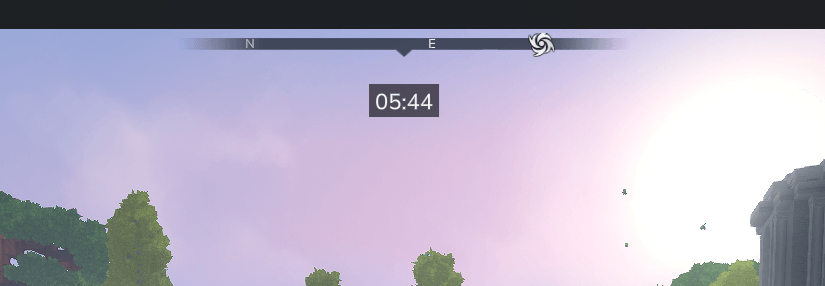

A simple quality-of-life mod that adds a clean in-game clock to your world.
World Clock helps you keep track of time without cluttering your screen or breaking immersion. It’s lightweight and configurable.
{
  "ClockPattern": "hh:mm",
  "ClockPosition": "center",
  "WidthClockArea": 77,
  "BackgroundColorEnabled": true,
  "FontSize": 16,
  "WorldsWithClockEnabled": [
    "default"
  ]
}
ClockPattern Defines how the time is displayed.
Examples:
HH:mm → 20:45yyyy-MMM-dd HH:mm → 0001-Jan-01 20:45hh:mm a → 08:45 am / pm'time:' hh:mm a → time: 08:45 am / pmClockPosition Sets the position of the clock on the screen. Possible values: left, center, right
WidthClockArea Controls the width of the clock background area.
Increase this value if the time format is longer or appears cramped.
BackgroundColorEnabled Enables or disables background color.
FontSize Changes the size of the clock text.
WorldsWithClockEnabled List of worlds where the clock is visible.
The default world is enabled by default.
If you have any problems, go to Issues tab and add new issue.
Project description from CurseForge.
Recent files
10 Feb 2026
26 Jan 2026
26 Jan 2026
25 Jan 2026
25 Jan 2026
24 Jan 2026
Looking for an older file? The official CurseForge project page is in Resources.
 mod
modAdds a functional water well that acts as an infinite water source, allowing players to draw unlimited water with a bucket or watering can
 mod
modAuthentic Japanese props and items for Creative and Exploration mode
 mod
modAdds new armor, weapons, and soldier variants. Soldiers will patrol and fight off any hostile mobs.