BetterLookAt-0.3.1.jar
8 Feb 2026
Client Not supported Server Required Dependencies No extras listed Listed on Project page
Check the setup 
CurseForge · Hytale mod
Better Look At is a Hytale mod that displays real-time information about the blocks and entities you are looking at
Quick answer
Better Look At BetterLookAt-0.3.1.jar targets Hytale. Do not install it as a separate client mod. Enable it on the world host—the local server in singleplayer or the dedicated server in multiplayer. No required dependencies listed for this file.
Where it goes
Do not install it as a separate client mod. Enable it on the world host—the local server in singleplayer or the dedicated server in multiplayer.
Put Hytale mods on the world host or dedicated server. Singleplayer runs a local server too; Hytale does not use separate client mods.
BetterLookAt-0.3.1.jar. Change the file and its required mods may change too.
This file does not list any required mods. Do not add a library just because a different file uses it.
This file does not list any required or optional project dependencies. Check the creator notes before changing an existing world.
Before you install it
Built for Better Look At BetterLookAt-0.3.1.jar. Pick another file and the loader, install side or required mods may change.
Use BetterLookAt-0.3.1.jar. It targets Hytale; another release may target a different game build or dependency set.
This file does not list any required mods. Do not add a library just because a different file uses it.
Do not install it as a separate client mod. Enable it on the world host—the local server in singleplayer or the dedicated server in multiplayer.
Use the “Get this file” button beside BetterLookAt-0.3.1.jar. It opens that exact file at the source.
About this project
Better Look At enhances gameplay by displaying detailed, contextual information about blocks, entities, containers, and systems directly in the HUD. The HUD appears automatically when you look at something and is designed to be lightweight, informative, and highly configurable.
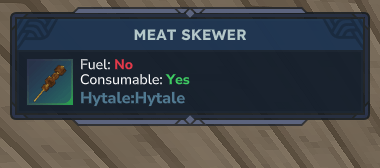
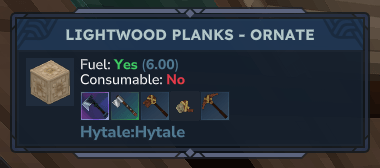
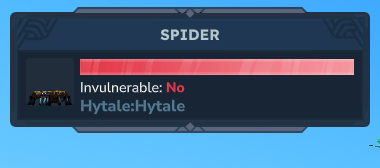
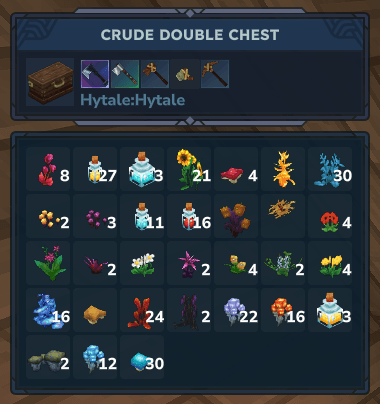
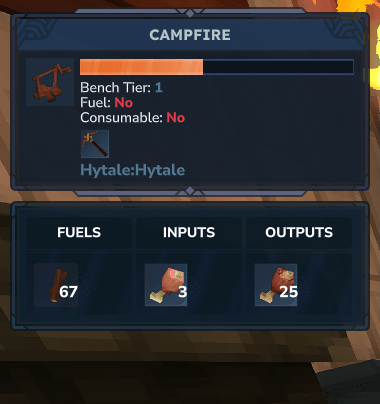
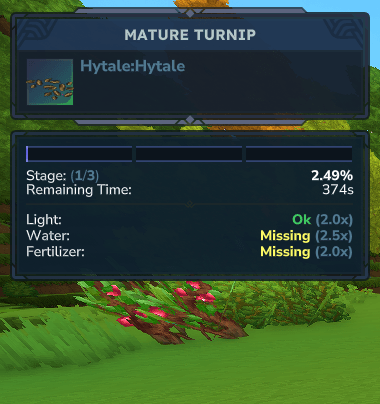
/bla chest --visibility={show, hide}/bla chest --scale={xsm, sm, md, lg, xlg}/bla rt --visibility={show, hide}/bla rt --scale={xsm, sm, md, lg, xlg}The HUD is enabled by default and appears automatically when you look at a block, entity, or system.
For advanced control, the mod provides a command-based configuration system.
You can use either the full command or the short alias: /betterlookat or /bla
/bla {show,hide}/bla position {top-left,top-center,top-right}/bla chest --visibility={show,hide}/bla chest --scale={xsm,sm,md,lg,xlg}/bla rt --visibility={show,hide}/bla rt --scale={xsm,sm,md,lg,xlg}The mod is actively developed and continues to evolve. Planned features include:
Better Look At is currently in ALPHA. While stability and features continue to improve, you may still encounter bugs or incomplete systems.
Feedback, bug reports, and feature suggestions are always welcome and help shape future versions ❤️
Feedback, bug reports, and feature suggestions are highly appreciated and directly help improve the mod. The goal is to keep Better Look At updated, stable, and increasingly useful for everyone who chooses to use it.
Project description from CurseForge.
Recent files
8 Feb 2026
7 Feb 2026
30 Jan 2026
25 Jan 2026
Looking for an older file? The official CurseForge project page is in Resources.
 mod
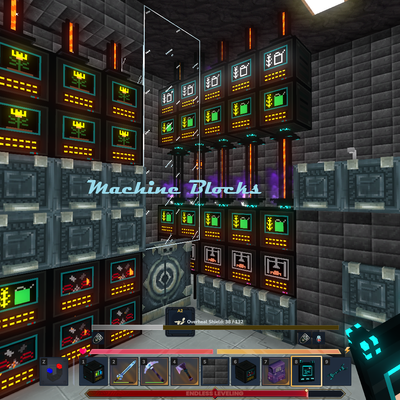
modMake your Hytale Factory dream come true using technology through a tiered discovery system. Mostly Single block machines (this is not for the faint of heart, they are expensive). Tech, furnace, crusher, plant, fuel, alloy, miner, crop, farm, ore
 mod
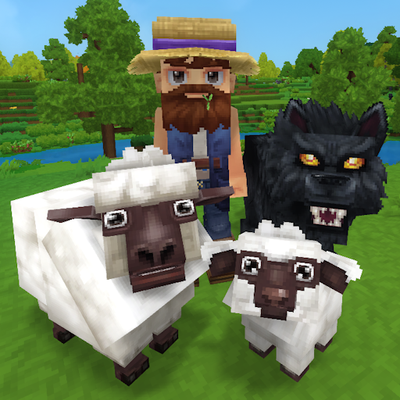
modTame, breed, care for, fight with, level up and more all vanilla animals. Train beasts as combat pets, breed livestock for the best harvesting efficiency, and so much more!
 mod
modMob taming framework and asset patcher. Breeding, traits, leveling, tame management UI, easier interaction chains, capture/spawn items that store metadata, ownership/tamed status, lots of behavior components and more!