Hytale version
Back to mods 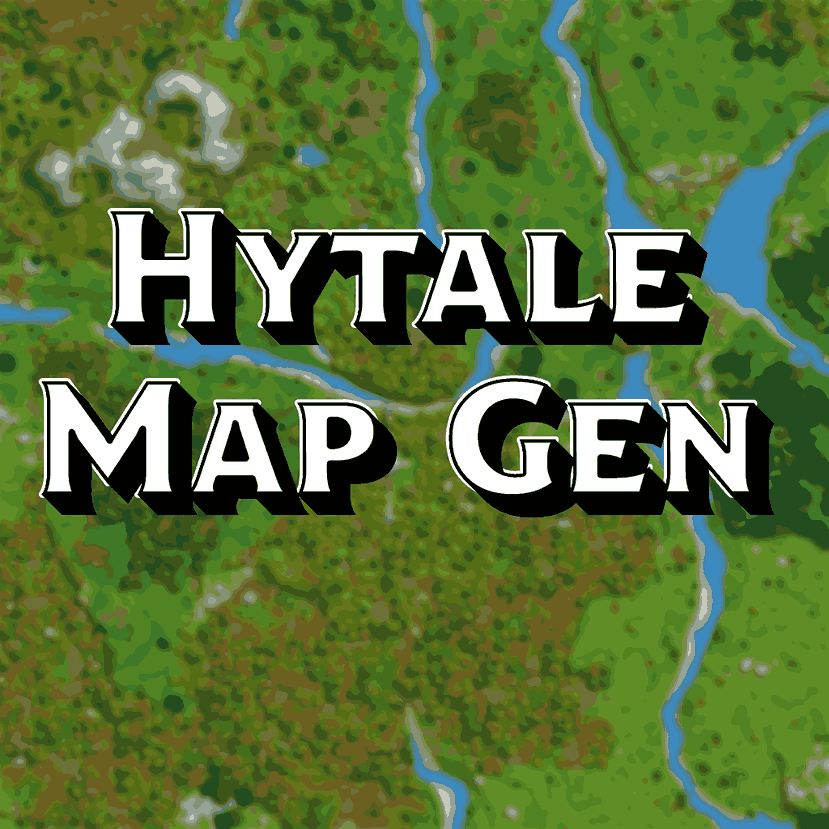
CurseForge · Hytale mod
Map Gen - Web Map
Create a beautful PNG of your current map and view it live!
Choose a version Pick your version below, then grab the matching file.
Quick answer
Which Map Gen - Web Map release should I use?
Latest stable file MapGen-1.4.3.jar
Game version 0.7
Mod system Built-in Hytale mod system
Map Gen - Web Map MapGen-1.4.3.jar targets 0.7. Do not install it as a separate client mod. Enable it on the world host—the local server in singleplayer or the dedicated server in multiplayer. No required dependencies listed for this file.
Where it goes
Where should Map Gen - Web Map be installed in Hytale?
Do not install it as a separate client mod. Enable it on the world host—the local server in singleplayer or the dedicated server in multiplayer.
Separate client mod Not supported
World host / dedicated server Required
Mod system for this release Built-in Hytale mod system
Required install it here Optional supported, not mandatory Not supported do not install here Source doesn’t say do not assume
Put Hytale mods on the world host or dedicated server. Singleplayer runs a local server too; Hytale does not use separate client mods.
What else does Map Gen - Web Map MapGen-1.4.3.jar need?
MapGen-1.4.3.jar. Change the file and its required mods may change too.
This file does not list any required mods. Do not add a library just because a different file uses it.
This file does not list any required or optional project dependencies. Check the creator notes before changing an existing world.
Before you install it
Add Map Gen - Web Map without breaking your instance.
Built for Map Gen - Web Map MapGen-1.4.3.jar. Pick another file and the loader, install side or required mods may change.
- 01
Stick to this file
Use MapGen-1.4.3.jar. It targets 0.7; another release may target a different game build or dependency set.
- 02
Bring the mods it needs
This file does not list any required mods. Do not add a library just because a different file uses it.
- 03
Enable it on the world host
Do not install it as a separate client mod. Enable it on the world host—the local server in singleplayer or the dedicated server in multiplayer.
- 04
Pick the file you checked
Use the “Get this file” button beside MapGen-1.4.3.jar. It opens that exact file at the source.
About this project
What does Map Gen - Web Map add?
MapGen - Real World Map Generator for Hytale
A powerful Hytale plugin that generates beautiful, high-resolution maps using authentic terrain data from Hytale's WorldMapManager API.
Features
- Real Terrain Data: Uses Hytale's WorldMapManager API for authentic maps
- Multiple Map Sizes: From quick 5x5 chunks to massive 100x100 chunk maps
- Player-Centered: Maps generated around your current location
- Progress Tracking: Real-time updates during generation
- Auto-Saved: Saved to maps/ folder with world names and timestamps
Available Commands
Unified Command System
All map generation is now handled through the unified /mapgen command:
/mapgen- Shows help and all available options/mapgen small- Quick 5x5 chunk map/mapgen 256- Medium 16x16 chunk map/mapgen large- Detailed 25x25 chunk map/mapgen 4k- High-res 30x30 chunk map/mapgen 8k- Ultra high-res 60x60 chunk map/mapgen world- Massive 100x100 chunk map (This can take a moment)/mapgen all- Generate all sizes at once (This can take a moment)/mapgen help- Shows detailed help with examples
Examples:
/mapgen 4k- Generate 4K map/mapgen help- Show detailed help
Map Sizes & Details
| Command | Size | Chunks | Resolution | Generation Time | Use Case |
|---|---|---|---|---|---|
small |
5x5 | 25 | 160x160 | ~5 seconds | Quick overview |
256 |
16x16 | 256 | 1024x1024 | ~15 seconds | Medium detail |
large |
25x25 | 625 | 800x800 | ~30 seconds | High detail |
4k |
30x30 | 900 | 3840x3840 | ~45 seconds | 4K quality |
8k |
60x60 | 3600 | 7680x7680 | ~3 minutes | 8K quality |
world |
100x100 | 10000 | 6400x6400 | ~8 minutes | World-scale |
File Output
Maps are automatically saved to the maps/ folder with descriptive filenames:
Format: worldname_terrain_size_timestamp.png
Examples:
testing_terrain_30x30chunks_20260201_035605.pngmyworld_terrain_60x60chunks_20260201_120000.png
Technical Details
How It Works
- WorldMapManager API: Uses Hytale's official map generation system
- Chunk Processing: Processes each chunk individually for accuracy
- Real Data: No artificial effects - pure terrain data from the game
- Geometric Shading: Uses Hytale's built-in height-based shading
- Player Position: Centers maps around your current location
Performance
- Async Processing: Non-blocking generation won't freeze the server
- Progress Updates: Real-time feedback during generation
- Memory Efficient: Processes chunks individually to minimize memory usage
- Error Handling: Graceful fallbacks for unloaded chunks
Installation
- Download the latest
MapGen-[version].jar - Place in your Hytale
UserData/Mods/folder - Restart your Hytale server
- Use
/mapgenor/mapto see all available commands
Requirements
- Hytale Server (latest version)
- Java 25 or higher
- Sufficient disk space for map images
Support
Need help or have questions?
Discord Community: https://discord.gg/YUxuTa4ZzX - Get help, report bugs, and discuss features
Credits
Created by Patrick Jr.
CurseForge: https://www.curseforge.com/members/patrickjr/projects
License
All rights reserved. This mod is provided as-is for use with Hytale servers.
Project description from CurseForge.
Pick your setup
Map Gen - Web Map releases for each Hytale build.
Choose the version and loader you play, then open the matching release.
Hytale version
0.5
1 loader buildCheck the dependencies, then try the file in a copied instance before changing a world you care about.
Recent files
Map Gen - Web Map releases and Hytale builds
MapGen-1.4.3.jar
13 Oct 2026
Client Not supported Server Required Dependencies No extras listed Listed on Project page
Check the 0.7 setup 0.7 release
MapGen-1.4.2
29 May 2026
Client Not supported Server Required Dependencies No extras listed Listed on Project page
Check the 0.5 setup 0.5 release
MapGen-1.4.1
28 Mar 2026
Client Not supported Server Required Dependencies No extras listed Listed on Project page
Check the setup MapGen 1.4.0
27 Feb 2026
Client Not supported Server Required Dependencies No extras listed Listed on Project page
Check the setup MapGen 1.3.0
19 Feb 2026
Client Not supported Server Required Dependencies No extras listed Listed on Project page
Check the setup MapGen 1.2.0
1 Feb 2026
Client Not supported Server Required Dependencies No extras listed Listed on Project page
Check the setup MapGen 1.1.0
1 Feb 2026
Client Not supported Server Required Dependencies No extras listed Listed on Project page
Check the setup MapGen 1.0.0
1 Feb 2026
Client Not supported Server Required Dependencies No extras listed Listed on Project page
Check the setup Looking for an older file? The official CurseForge project page is in Resources.
 mod
mod CurseForge · Hytale
Spark lantern pets merchant
A merchant-themed version of Spark Lantern Pets, adapted to work correctly with the CurseForge app. A merchant will sell pets that light your way.
 mod
mod CurseForge · Hytale
Spark lantern pets
Explore Orbis with a floating spark pet by your side. Bright and always close, these companions turn every adventure into a shared journey.
 mod
mod CurseForge · Hytale
Orechards
A tree resource generating plugin