MouseKnight.ModularArmorCosmeticPackV1.3.7.zip
11 Feb 2026
Client Not supported Server Required Dependencies No extras listed Listed on Project page
Check the setup 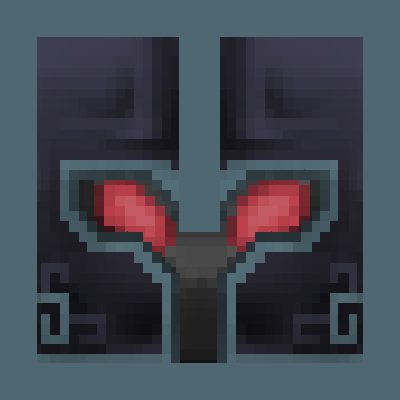
CurseForge · Hytale mod
A collection of character cosmetics for use with Lalyan Cosmetic Core. Splits several armor pieces into separate cosmetics and adds many retextures to mix and match as you please.
Quick answer
Cosmetic Pack: Modular Armor MouseKnight.ModularArmorCosmeticPackV1.3.7.zip targets Hytale. Do not install it as a separate client mod. Enable it on the world host—the local server in singleplayer or the dedicated server in multiplayer. No required dependencies listed for this file.
Where it goes
Do not install it as a separate client mod. Enable it on the world host—the local server in singleplayer or the dedicated server in multiplayer.
Put Hytale mods on the world host or dedicated server. Singleplayer runs a local server too; Hytale does not use separate client mods.
MouseKnight.ModularArmorCosmeticPackV1.3.7.zip. Change the file and its required mods may change too.
This file does not list any required mods. Do not add a library just because a different file uses it.
This file does not list any required or optional project dependencies. Check the creator notes before changing an existing world.
Before you install it
Built for Cosmetic Pack: Modular Armor MouseKnight.ModularArmorCosmeticPackV1.3.7.zip. Pick another file and the loader, install side or required mods may change.
Use MouseKnight.ModularArmorCosmeticPackV1.3.7.zip. It targets Hytale; another release may target a different game build or dependency set.
This file does not list any required mods. Do not add a library just because a different file uses it.
Do not install it as a separate client mod. Enable it on the world host—the local server in singleplayer or the dedicated server in multiplayer.
Use the “Get this file” button beside MouseKnight.ModularArmorCosmeticPackV1.3.7.zip. It opens that exact file at the source.
About this project
Requires Lalyan Cosmetic Core: https://www.curseforge.com/hytale/mods/lalyan-cosmetic-core
This mod adds a new level of granularity to armor customization, splitting the default 4 armor pieces into over 10 and adding 7 new color variations. These armors are cosmetic only and have no statistical value.
Using Lalyan Cosmetic Core, you can mix and match any combination of armor piece and color variation. The multi-Select checkbox can be used to apply multiple pieces at a time. To access Lalyan Cosmetic Core, craft a Cosmetic Wardrobe at a Builders Workbench using hardwood. Each cosmetic can be right clicked to access their alternate variants.
The UI can be a little finicky when applying many cosmetics at once and you may have to toggle some default cosmetics off to prevent clipping.
Consider using my antlers and horns pack in combination with this one for even more options: https://www.curseforge.com/hytale/mods/cosmetic-pack-horns-antlers-and-more
Current armors implemented:
Todo list:
If you have a preference on which armor is added next, let me know in the comments below.
Project description from CurseForge.
Recent files
11 Feb 2026
9 Feb 2026
6 Feb 2026
5 Feb 2026
3 Feb 2026
2 Feb 2026
2 Feb 2026
Looking for an older file? The official CurseForge project page is in Resources.
 mod
modA content expansion for Hytale
 mod
modAdds a brand-new Labyrinth Dimension featuring a vast desert surface and an endless maze stretching deep below. Discover unique locations and face a variety of dangerous new enemies as you explore its depths!
 mod
modEnchanting for Hytale: 30 books, Enchanter NPC, craftable enchanting table, token economy, glowing enchanted items. Power & Durability I-V for every weapon, armor & tool - even from other plugins. Pure server-side.