TemperaturePlugin-0.7.2.jar
2 Apr 2026
Client Not supported Server Required Dependencies No extras listed Listed on Project page
Check the setup 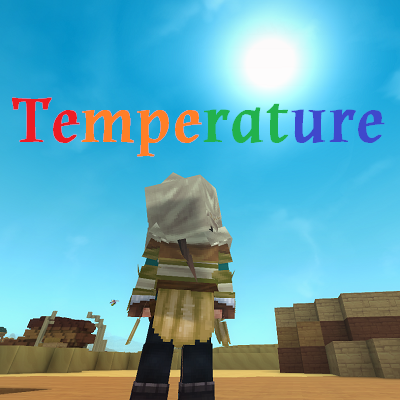
CurseForge · Hytale mod
This mod adds a temperature system to different biomes. Some are hotter/colder than others, and proper armor/clothes must be worn to counteract them.
Quick answer
Survival Overhaul - Temperature TemperaturePlugin-0.7.2.jar targets Hytale. Do not install it as a separate client mod. Enable it on the world host—the local server in singleplayer or the dedicated server in multiplayer. No required dependencies listed for this file.
Where it goes
Do not install it as a separate client mod. Enable it on the world host—the local server in singleplayer or the dedicated server in multiplayer.
Put Hytale mods on the world host or dedicated server. Singleplayer runs a local server too; Hytale does not use separate client mods.
TemperaturePlugin-0.7.2.jar. Change the file and its required mods may change too.
This file does not list any required mods. Do not add a library just because a different file uses it.
This file does not list any required or optional project dependencies. Check the creator notes before changing an existing world.
Before you install it
Built for Survival Overhaul - Temperature TemperaturePlugin-0.7.2.jar. Pick another file and the loader, install side or required mods may change.
Use TemperaturePlugin-0.7.2.jar. It targets Hytale; another release may target a different game build or dependency set.
This file does not list any required mods. Do not add a library just because a different file uses it.
Do not install it as a separate client mod. Enable it on the world host—the local server in singleplayer or the dedicated server in multiplayer.
Use the “Get this file” button beside TemperaturePlugin-0.7.2.jar. It opens that exact file at the source.
About this project
MultipleHud or AutoMultiHud is required if using any other mod that adds elements on your HUD.
0.7.2 - Fixed an issue with snow/ice ID detection on blocks - occasionally it would detect the wrong blocks as being "snow" or "ice" and make the player cold. It should correctly ID proper snow/ice blocks now and not blocks that aren't snow or ice.
0.7.1 - Modified some logic for day and night time bonuses, now it should get colder at night during and after 23:00, not earlier when the sun was still out. Day bonuses start at 7, and at dusk/dawn there's no bonuses. Also adjusted some numbers for nighttime so it shouldn't get as cold in some warmer biomes.
Temperature should cool or heat up at slower base rate overall (about half what it was).
0.7.0 - Update to avoid 0.6.0 reupload issues. Cleaned up some files and updated server version to current.
This is an early version and may have bugs or imbalances.
Survival Overhaul aims to bring a hardcore survival experience to Hytale, inspired by games and mods like RLCraft, Escape From Tarkov, and Outward. Temperature adds a body temperature system that reacts to your biome, the time of day, your altitude, nearby blocks, and what you are wearing.
Being in different biomes affects your temperature. Check it with /temperature. Go too hot or cold and you take damage every 10 seconds, scaling with severity. An on-screen HUD shows your current temperature as a progress bar with a severity label and live indicators for what is affecting you. Visual screen effects appear when you are close to the damage threshold.
What affects your temperature: biome, time of day (hot biomes may freeze at night for example, or cold biomes just get colder), altitude and depth, nearby lava or campfire, nearby snow or ice blocks, swimming in water, and shelter from blocks above you.
If too cold, stand near a lit campfire or go underground. If too hot, find shade, jump in some water, or go underground into a cave.
Armor and clothing protect you by directly offsetting the temperature you feel. Enough protection can fully cancel out a biomes effects. Cold protection comes from wool, fur, cotton, and leather. Heat protection comes from linen, silk, and cotton. More pieces worn means more total protection. Clothing items are provided to craft in the Weaver's Loom, but if custom armor has "Wool" or "Linen", or any of the other types above in their name, it will also provide protection.
Underlays let you add temperature protection under any armor. Craft an Underlay Pouch and Heat or Cold Underlays at the Weaver's Loom. The pouch has 4 slots for head, chest, arms, and legs. Each underlay only works if you have armor in the matching slot. You can mix and match cold and heat underlays freely across slots. Underlay and pouch models are placeholder for now.
Going bare in hot environments also helps. Each empty armor slot gives a small passive heat resistance bonus.
The Weaver's Loom is crafted at the Workbench and contains recipes for clothing, fabric materials, and underlays. Cotton comes from seeds grown and processed at the Farmer's Workbench (level 2). Note: recipes are not fully balanced yet. Feel free to leave suggestions if they seem too easy or difficult!
Type /temperature to see your current temperature, biome, and armor protection values.
The config file is temperature_config.json in your world's main folder, created automatically on first launch. Every major value is tunable - biome temperatures, damage thresholds and timing, day/night modifiers, altitude/depth gradient, campfire/lava/water/snow ranges, and armor protection values per material.
Planned additions include weather affecting temperature (rain, wind, snow), food and drinks affecting temperature, better balanced crafting recipes, and continued overall balance passes.
Built as part of a larger planned survival overhaul. Pairs well with my other mods, Mortal Wounds and Fatigue.
Feedback and suggestions are welcome.
THIS IS AN EARLY VERSION AND I WILL BE UPDATING AS OFTEN AS I CAN AND AS NEEDED.
Project description from CurseForge.
Recent files
2 Apr 2026
30 Mar 2026
30 Mar 2026
28 Mar 2026
4 Mar 2026
3 Mar 2026
1 Mar 2026
10 Feb 2026
5 Feb 2026
Looking for an older file? The official CurseForge project page is in Resources.
 mod
modCollectible talismans that grant passive stat bonuses and special abilities.
 mod
modAdds a brand-new Labyrinth Dimension featuring a vast desert surface and an endless maze stretching deep below. Discover unique locations and face a variety of dangerous new enemies as you explore its depths!
 mod
modTowns And Nations is a Hytale plugin that lets players create, manage, and expand towns and nations with territory control, alliances, and strategic warfare.