
FeedEntity-1.0.6.jar
1 Jun 2026
Client Not supported Server Required Dependencies No extras listed Listed on Project page
Check the setup 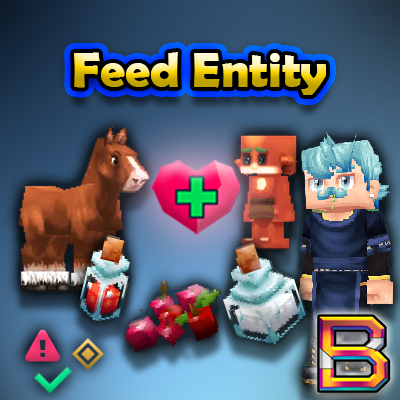
CurseForge · Hytale mod
Share food and consumables with players and NPCs in Hytale! Hold an item, aim at your target, and press G to feed them.
Quick answer
FeedEntity-1.0.6.jar targets Hytale. Do not install it as a separate client mod. Enable it on the world host—the local server in singleplayer or the dedicated server in multiplayer. No required dependencies listed for this file.
Where it goes
Do not install it as a separate client mod. Enable it on the world host—the local server in singleplayer or the dedicated server in multiplayer.
Put Hytale mods on the world host or dedicated server. Singleplayer runs a local server too; Hytale does not use separate client mods.
FeedEntity-1.0.6.jar. Change the file and its required mods may change too.
This file does not list any required mods. Do not add a library just because a different file uses it.
This file does not list any required or optional project dependencies. Check the creator notes before changing an existing world.
Before you install it
Built for FeedEntity-1.0.6.jar. Pick another file and the loader, install side or required mods may change.
Use FeedEntity-1.0.6.jar. It targets Hytale; another release may target a different game build or dependency set.
This file does not list any required mods. Do not add a library just because a different file uses it.
Do not install it as a separate client mod. Enable it on the world host—the local server in singleplayer or the dedicated server in multiplayer.
Use the “Get this file” button beside FeedEntity-1.0.6.jar. It opens that exact file at the source.
About this project
Share food and consumables with players and NPCs in Hytale! Hold an item, aim at your target, and press G to feed them.
FeedEntity lets you share consumable items with nearby players AND NPCs by pressing G while looking at them. Perfect for team play, healing your horse mid-combat, or sharing potions with friends.
The recipient gets healed and other nearby players see floating +HP text above the target's head. Feeding sounds play in 3D spatial audio at the recipient's position.
Main Commands:
/feed - Feed the nearest entity with item in hand/feed help - Show all commands/feed credits - Show mod creditsPer-Player Toggles: config.json
/feed npc <on/off> - Toggle NPC feeding (default: on)/feed ui <on/off> - Toggle confirmation UI before feeding (default: on)/feed reticle <on/off> - Toggle aim reticle icon (default: on)/feed text self <on/off> - Toggle self-heal HUD above your health bar (default: on)/feed text entity <on/off> - Toggle floating +HP text above NPCs/players (default: on)/feed particles <on/off> - Toggle heart particles (default: on)/feed sounds <on/off> - Toggle all feeding sounds (default: on)Customization: player_colors.json
/feed color <circle/text> <hex> - Set your progress bar colors (default: white)/feed shadow <on/off> - Toggle progress bar drop shadow (default: on)/feed vol <feeding/completion> <0-2> - Set your audio volumes (default: 1.75/1.5)Other Settings: config.json
/feed dist <1-10> - Set feeding distance in blocks (default: 5)/feed time <0-3.0> - Set feeding duration (default: 2.5)/feed info - Show your current settings/feed reset - Reset all settings to defaultSystem Commands: config.json
/feed on - Enable feeding system/feed off - Disable feeding (allows normal item drops)/feed consent yes/no - Allow/deny others from feeding you (default: yes)/feed prompt <on/off> - Toggle recipient confirmation prompt (default: off)/feed reload - Reload config from diskWhen feeding potions, you'll hear immersive audio cues:
Drag Sound: Plays at the giver's position when feeding starts
Drink Sound: Plays at the recipient's position 1250ms later
Drop Sound: Plays at the giver's position if feeding is interrupted
These special sounds only play for potions - regular food uses standard eating sounds.
Every player can customize their own experience! All toggles are saved per-player:
Visual Toggles:
Audio Toggles:
Gameplay Toggles:
Settings are automatically saved and persist across sessions.
New players automatically see a welcome message explaining the G-key mechanic. This only shows once per player.
%APPDATA%\Hytale\UserData\Mods\Created by BeyondSmash
Testing: Squawk, Sir_WIDE, Wiji
Found a bug or have a suggestion? Join our Discord!
Project description from CurseForge.
Recent files
1 Jun 2026
27 Mar 2026
7 Mar 2026
17 Feb 2026
9 Feb 2026
6 Feb 2026
Looking for an older file? The official CurseForge project page is in Resources.
 mod
modweaponised femboy body pillows (dakimakura), cozy cushion blocks, plushie characters, silly fumo, futon bed, lain onesie mage robes (kigurumi), pillow hexstaff + hexbook + glyph guide for hexcode magic via patchly! anime ref: astolfo, ferris, rimuru, lain!
 mod
modadds a fully playable Shaman class to the Endless class system, focused on elemental totems, support power, area control, and scaling class progression. Shaman
 mod
modA class expansion for **Endless Leveling** that adds two new Paladin abilities.