autoeat-1.1.1.jar
13 Feb 2026
Client Not supported Server Required Dependencies No extras listed Listed on Project page
Check the setup 
CurseForge · Hytale mod
Automatically eats food and drinks potions from your inventory when your health drops low, so you never die fumbling for a snack mid-fight.
Quick answer
autoeat-1.1.1.jar targets Hytale. Do not install it as a separate client mod. Enable it on the world host—the local server in singleplayer or the dedicated server in multiplayer. No required dependencies listed for this file.
Where it goes
Do not install it as a separate client mod. Enable it on the world host—the local server in singleplayer or the dedicated server in multiplayer.
Put Hytale mods on the world host or dedicated server. Singleplayer runs a local server too; Hytale does not use separate client mods.
autoeat-1.1.1.jar. Change the file and its required mods may change too.
This file does not list any required mods. Do not add a library just because a different file uses it.
This file does not list any required or optional project dependencies. Check the creator notes before changing an existing world.
Before you install it
Built for autoeat-1.1.1.jar. Pick another file and the loader, install side or required mods may change.
Use autoeat-1.1.1.jar. It targets Hytale; another release may target a different game build or dependency set.
This file does not list any required mods. Do not add a library just because a different file uses it.
Do not install it as a separate client mod. Enable it on the world host—the local server in singleplayer or the dedicated server in multiplayer.
Use the “Get this file” button beside autoeat-1.1.1.jar. It opens that exact file at the source.
About this project
Server-side mod that automatically eats food and drinks potions for you when your health gets low. No more dying because you forgot to eat mid-fight.
The mod watches your health every 500ms. When it drops below your configured threshold, it picks the best food item from your inventory and eats it for you. Cheap food gets used first so you don't waste your good stuff, and potions are saved for when things get really bad. You can also set per-item priority levels (1-5) to control exactly which foods get eaten first.
| Command | Alias | What it does |
|---|---|---|
/autoeat |
/ae |
Opens the settings GUI |
/autoeat toggle |
/ae t |
Toggles auto-eat on/off |
/autoeat settings |
/ae s |
Opens settings GUI |
/autoeat status |
/ae i |
Shows current config in chat |
/autoeat allow |
/ae y |
Allows the food item you're holding |
/autoeat block |
/ae n |
Blocks the food item you're holding |
/autoeat list |
/ae ls |
Lists all blocked items |
Type /autoeat to open a full settings page with three tabs:
Project description from CurseForge.
Recent files
13 Feb 2026
13 Feb 2026
Looking for an older file? The official CurseForge project page is in Resources.
 mod
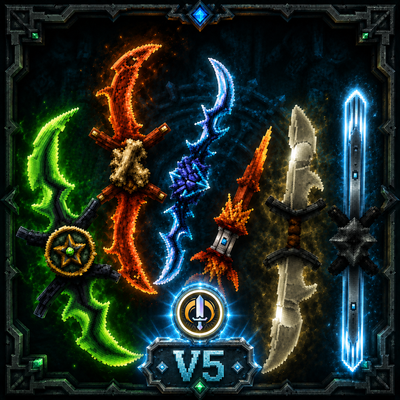
mod**Twinfang Glaives** adds a growing collection of dual-wielded glaives to Hytale.
 mod
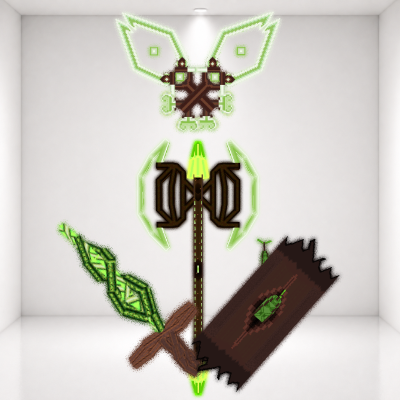
modThe WoodLand 'Series' Four Weapons to help fight of the chaos
 mod
modZeto Gambling adds fully functional fantasy casino machines to Hytale, including slot machines and claw machines with configurable rewards.