
BusyBubble-1.2.4.jar
1 Jun 2026
Client Not supported Server Required Dependencies No extras listed Listed on Project page
Check the setup 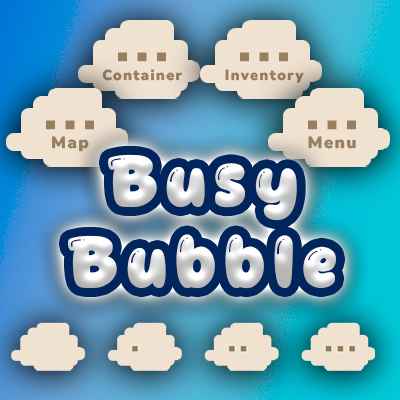
CurseForge · Hytale mod
A thought bubble appears above your head when you open menus - visible to other players but not to you. Like a little "..." cloud that lets everyone know you're busy rummaging through your inventory/menu.
Quick answer
BusyBubble-1.2.4.jar targets Hytale. Do not install it as a separate client mod. Enable it on the world host—the local server in singleplayer or the dedicated server in multiplayer. No required dependencies listed for this file.
Where it goes
Do not install it as a separate client mod. Enable it on the world host—the local server in singleplayer or the dedicated server in multiplayer.
Put Hytale mods on the world host or dedicated server. Singleplayer runs a local server too; Hytale does not use separate client mods.
BusyBubble-1.2.4.jar. Change the file and its required mods may change too.
This file does not list any required mods. Do not add a library just because a different file uses it.
This file does not list any required or optional project dependencies. Check the creator notes before changing an existing world.
Before you install it
Built for BusyBubble-1.2.4.jar. Pick another file and the loader, install side or required mods may change.
Use BusyBubble-1.2.4.jar. It targets Hytale; another release may target a different game build or dependency set.
This file does not list any required mods. Do not add a library just because a different file uses it.
Do not install it as a separate client mod. Enable it on the world host—the local server in singleplayer or the dedicated server in multiplayer.
Use the “Get this file” button beside BusyBubble-1.2.4.jar. It opens that exact file at the source.
About this project
A thought bubble appears above your head when you open menus - visible to other players but not to you. Like a little "…" cloud that lets everyone know you're busy rummaging through your inventory/menu.
When you open your inventory, a chest, the map, or any other menu, a comic-style thought bubble pops up above your character's head. Other players nearby can see it, but you can't see your own - so it's a natural social cue without cluttering your own screen.
Each menu type has its own unique ellipsis art, and the bubble plays a smooth intro animation (small cloud puff, medium cloud puff, then the full thought bubble fades in) before looping.
The bubble clears automatically when you close the menu or move.
Other players within range see the whole sequence. You don't see your own bubble at all.
/bbub - Toggle busy bubbles on/off for yourself/bbub color - Open the color picker GUI (live bubble preview)/bbub color #RRGGBB - Set a custom bubble color via hex code/bbub color reset - Reset to default beige/bbub status - Show your current state and tracking info/bbub range - Show current visibility range/bbub range <blocks> - Set how far away players can see bubbles (default: 40)/bbub anim on|off - Toggle animated vs static bubble (default: on)/bbub debug - Toggle seeing your own bubble (for testing)/bbub help - Show all commands/bbub debug if you want to see it yourself for testing./bbub anim off) - shows all 3 dots immediately instead of animating them one by one. The trade-off: no animation, but the bubble fades away much faster when you close the menu (~1.5s vs ~5s) and has a shorter cooldown (1s vs 4s).%APPDATA%\Hytale\UserData\Mods\Found a bug or have a suggestion? Join our Discord!
New Features:
/bbub color) - interactive color picker with a live bubble texture preview that recolors in real-time/bbub color #RRGGBB, reset with /bbub color resetNew Feature:
/bbub anim off) - new per-player option that shows all 3 dots immediately (no frame-by-frame animation), with a quick fade-out (~1.5s) and shorter cooldown (1s) for a snappier feelProject description from CurseForge.
Recent files
1 Jun 2026
27 Mar 2026
13 Mar 2026
11 Mar 2026
10 Mar 2026
9 Mar 2026
2 Mar 2026
19 Feb 2026
17 Feb 2026
Looking for an older file? The official CurseForge project page is in Resources.
 mod
modMob taming framework and asset patcher. Breeding, traits, leveling, tame management UI, easier interaction chains, capture/spawn items that store metadata, ownership/tamed status, lots of behavior components and more!
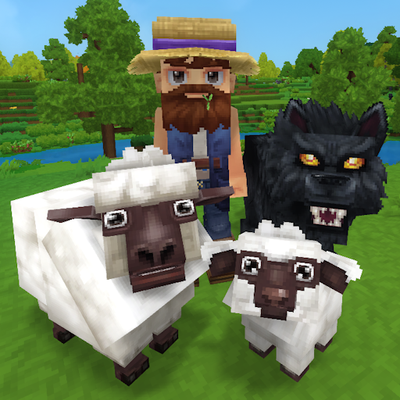 mod
modTame, breed, care for, fight with, level up and more all vanilla animals. Train beasts as combat pets, breed livestock for the best harvesting efficiency, and so much more!
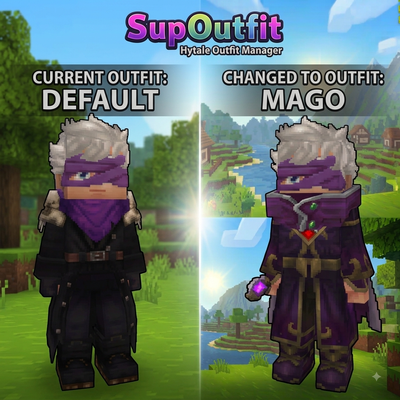 mod
modServer-side outfit management system with commands and custom UI support.