Hytale version
Back to mods 
CurseForge · Hytale mod
AdvancedInfo
A highly customizable Hytale server plugin that adds a real-time information HUD to your screen. Keep track of your exact coordinates, current biome, world time, and inspect targets with dynamic health bars - all fully configurable per player.
Choose a version Pick your version below, then grab the matching file.
Quick answer
Which AdvancedInfo release should I use?
Latest stable file AdvancedInfo-1.3.0.jar
Game version 0.7
Mod system Built-in Hytale mod system
AdvancedInfo-1.3.0.jar targets 0.7. Do not install it as a separate client mod. Enable it on the world host—the local server in singleplayer or the dedicated server in multiplayer. No required dependencies listed for this file.
Where it goes
Where should AdvancedInfo be installed in Hytale?
Do not install it as a separate client mod. Enable it on the world host—the local server in singleplayer or the dedicated server in multiplayer.
Separate client mod Not supported
World host / dedicated server Required
Mod system for this release Built-in Hytale mod system
Required install it here Optional supported, not mandatory Not supported do not install here Source doesn’t say do not assume
Put Hytale mods on the world host or dedicated server. Singleplayer runs a local server too; Hytale does not use separate client mods.
What else does AdvancedInfo-1.3.0.jar need?
AdvancedInfo-1.3.0.jar. Change the file and its required mods may change too.
This file does not list any required mods. Do not add a library just because a different file uses it.
This file does not list any required or optional project dependencies. Check the creator notes before changing an existing world.
Before you install it
Add AdvancedInfo without breaking your instance.
Built for AdvancedInfo-1.3.0.jar. Pick another file and the loader, install side or required mods may change.
- 01
Stick to this file
Use AdvancedInfo-1.3.0.jar. It targets 0.7; another release may target a different game build or dependency set.
- 02
Bring the mods it needs
This file does not list any required mods. Do not add a library just because a different file uses it.
- 03
Enable it on the world host
Do not install it as a separate client mod. Enable it on the world host—the local server in singleplayer or the dedicated server in multiplayer.
- 04
Pick the file you checked
Use the “Get this file” button beside AdvancedInfo-1.3.0.jar. It opens that exact file at the source.
About this project
What does AdvancedInfo add?
AdvancedInfo
A Hytale server plugin that displays a configurable information HUD with real-time data about the player's surroundings and current target.
The panel is registered as its own keyed HUD, so it coexists with other mods' custom HUDs.

HUD Panels
- Time - the server's current wall-clock time.
- Biome - the name of the biome the player is standing in.
- Position - the player's current XYZ coordinates.
- World Time - the in-game world time.
- Zone - the zone and tier the player is currently in.
- Target - the name and health of the entity or block the player is looking at, with an optional health bar.
- Captions - labels shown next to each HUD value.
- Timezone Offset - the UTC offset of the active timezone shown next to the time (hidden by default; requires a timezone to be set).
Storage Panel
A second panel that appears while the player looks at a storage block (chest, barrel, …) and lists its contents: one icon per item type with the total count, sorted from the largest count to the smallest.
- Has its own alignment, independent of the info panel; with the same alignment it is shown below the info panel.
- By default it is shown and placed where the info panel is.
- Uses the width and background opacity of the info panel. The size of the item icons and counts has its own setting (
/ai storage size), which only changes how many items fit in a row. - The counts have a black outline for readability on light icons; it can be turned off (
/ai storage outline off). - The number of item rows is limited (
/ai storage rows); further items are summarised as+N. - With the SimpleClaims mod installed, the contents of a storage block in a claimed chunk are only shown to players who may open it there.

Target Health Bar
- Two display styles:
below(bar underneath the name) andoverlay(name rendered on top of the bar). - Health-gradient color: transitions from red through orange and yellow to green based on remaining health.
- Can be toggled independently from the target panel.

Settings UI
Run /ai ui to open the in-game settings page. It configures all options without typing commands and is split into tabs:
- Info - the info panel:
- Visibility - toggle each HUD panel on or off individually.
- Alignment - choose horizontal (
left,center,right) and vertical (top,bottom) position. - Time - switch between 12-hour and 24-hour format, select a timezone from a dropdown, or type any IANA timezone ID directly, and choose how the world day is shown (hidden, day of the year, total days).
- Target Health Bar - choose the display style (
overlayorbelow).
- Storage - the storage panel: show or hide it, its alignment, the maximum number of item rows (1-6), the item size (10-32) and the outline around the counts.
- Display - sliders for the font size (8-32) and the panel background opacity (0-100 %), shared by both panels.
Use SAVE to apply and close, RESET DEFAULTS to restore all settings, or Close to discard unsaved changes.
Commands
All commands use /advanced-info or the alias /ai.
| Command | Description |
|---|---|
/ai ui |
Open the in-game settings UI. |
/ai show <element> |
Show a specific HUD element. |
/ai hide <element> |
Hide a specific HUD element. |
/ai show captions |
Show all HUD element captions. |
/ai hide captions |
Hide all HUD element captions. |
/ai show all |
Show all HUD elements. |
/ai hide all |
Hide all HUD elements. |
/ai time <12|24> |
Set the time display format to 12-hour or 24-hour. |
/ai day <none|year|total> |
Show no day, the day of the in-game year (default) or the total number of days since the world started in the world time row. |
/ai timezone <zone> |
Set the timezone for the time display using an IANA zone ID (e.g. Europe/Prague, America/New_York, UTC). |
/ai align <h> <v> |
Set both horizontal and vertical alignment at once. |
/ai halign <left|center|right> |
Set the horizontal alignment of the HUD panel. |
/ai valign <top|bottom> |
Set the vertical alignment of the HUD panel. |
/ai healthbar <below|overlay> |
Set the health bar display style. |
/ai font <size> |
Set the font size of the HUD labels (range: 8-32, default: 18). |
/ai opacity <percent> |
Set the panel background opacity (range: 0-100, default: 60). |
/ai storage align <h> <v> |
Set the horizontal and vertical alignment of the storage panel. |
/ai storage rows <n> |
Set the maximum number of item rows in the storage panel (range: 1-6, default: 2). |
/ai storage size <n> |
Set the size of the item icons and counts in the storage panel (range: 10-32, default: 18). |
/ai storage outline <on|off> |
Turn the black outline around the item counts in the storage panel on or off (default: on). |
/ai status |
Print the current visibility and configuration of all HUD elements. |
/ai reset |
Reset all settings to their default values. |
Available elements for show/hide: time, biome, position, worldtime, zone, target, healthbar, timezone, storage.
Permissions
Every player can use the mod by default. Server admins can take parts of it away, either for single players or for a whole group, by adding a deny entry (a permission prefixed with -).
| Permission | Grants |
|---|---|
advancedinfo.command |
The /ai command and all its subcommands. |
advancedinfo.command.<subcommand> |
A single subcommand, e.g. advancedinfo.command.ui or advancedinfo.command.show.healthbar. |
advancedinfo.health |
Seeing the target's health (the numbers next to its name and the health bar). Without it, the health options are also hidden from the settings UI. |
advancedinfo.storage |
Seeing the contents of the targeted storage block in the storage panel. Without it, the panel, its settings tab and the /ai storage settings are unavailable. |
Examples:
- Hide target health from one player:
/perm user add <uuid> -advancedinfo.health - Hide target health for all regular players:
/perm group add hytale:Adventurer -advancedinfo.health(groups that inherit fromhytale:Adventurerare affected too;hytale:Adminkeeps it through*unless you add the deny entry there as well) - Hide storage contents for all regular players:
/perm group add hytale:Adventurer -advancedinfo.storage - Disallow the
/aicommand for one player:/perm user add <uuid> -advancedinfo.command
The same entries can be written to permissions.json directly.
Settings
All settings are saved per-player and persist across sessions. Settings introduced in future versions are automatically migrated with sensible defaults.
Changelog
See CHANGELOG.md for the full version history.
Project description from CurseForge.
Pick your setup
AdvancedInfo releases for each Hytale build.
Choose the version and loader you play, then open the matching release.
Check the dependencies, then try the file in a copied instance before changing a world you care about.
Recent files
AdvancedInfo releases and Hytale builds
AdvancedInfo-1.3.0.jar
19 Oct 2026
Client Not supported Server Required Dependencies No extras listed Listed on Project page
Check the 0.7 setup 0.7 release
AdvancedInfo-1.2.0.jar
18 Oct 2026
Client Not supported Server Required Dependencies No extras listed Listed on Project page
Check the 0.7 setup 0.7 release
AdvancedInfo-1.1.0.jar
17 Oct 2026
Client Not supported Server Required Dependencies No extras listed Listed on Project page
Check the 0.7 setup 0.7 release
AdvancedInfo-1.0.0-SNAPSHOT.jar
1 Mar 2026
Client Not supported Server Required Dependencies No extras listed Listed on Project page
Check the setup Looking for an older file? The official CurseForge project page is in Resources.
 mod
mod CurseForge · Hytale
HedgeTale - Dark Arts & Old Magic
Bring witchcraft and the unknown to Hytale. Become a Hedgewitch or Witch Hunter, uncover ancient secrets, explore mysterious places, and grow your power.
 mod
mod CurseForge · Hytale
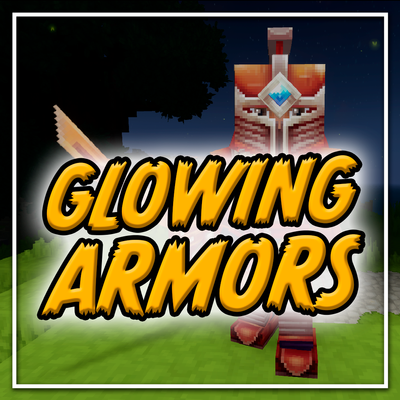
Glowing armors
Adds glowing and light emitting variants for standard armors
 mod
mod CurseForge · Hytale
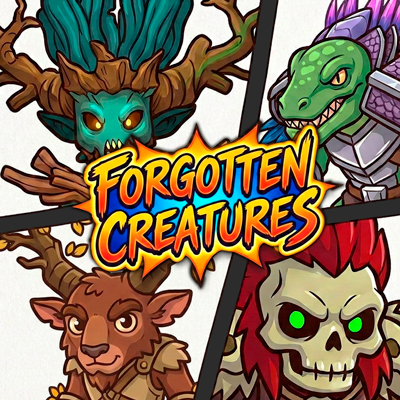
Forgotten Creatures
Add hidden and exclusive creatures with balanced natural spawns in your world.