GraveProtocol-1.0.1.jar
28 Apr 2026
Client Not supported Server Required Dependencies No extras listed Listed on Project page
Check the setup 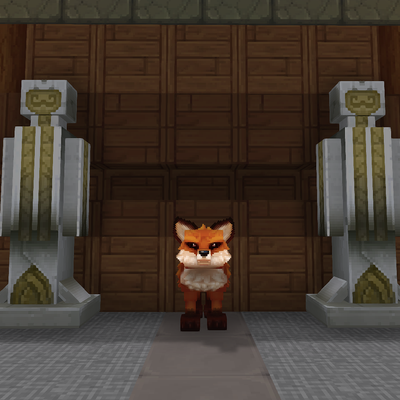
CurseForge · Hytale mod
A Tower defense minigame for hytale
Quick answer
Grave Protocol GraveProtocol-1.0.1.jar targets Hytale. Do not install it as a separate client mod. Enable it on the world host—the local server in singleplayer or the dedicated server in multiplayer. No required dependencies listed for this file.
Where it goes
Do not install it as a separate client mod. Enable it on the world host—the local server in singleplayer or the dedicated server in multiplayer.
Put Hytale mods on the world host or dedicated server. Singleplayer runs a local server too; Hytale does not use separate client mods.
GraveProtocol-1.0.1.jar. Change the file and its required mods may change too.
This file does not list any required mods. Do not add a library just because a different file uses it.
This file does not list any required or optional project dependencies. Check the creator notes before changing an existing world.
Before you install it
Built for Grave Protocol GraveProtocol-1.0.1.jar. Pick another file and the loader, install side or required mods may change.
Use GraveProtocol-1.0.1.jar. It targets Hytale; another release may target a different game build or dependency set.
This file does not list any required mods. Do not add a library just because a different file uses it.
Do not install it as a separate client mod. Enable it on the world host—the local server in singleplayer or the dedicated server in multiplayer.
Use the “Get this file” button beside GraveProtocol-1.0.1.jar. It opens that exact file at the source.
About this project
A Tower Defense game-mode plugin for Hytale, built by HaRo0.
GraveProtocol turns a Hytale server world into a fully-featured tower defense experience. Players interact with Lynn, a custom NPC guide, to access the shop, prestige menu, and wave-based level progression. During a run they buy and upgrade towers to intercept waves of enemies before they reach their target — all driven by a data-driven asset pipeline that makes adding new content as simple as dropping a file into the right folder.
The Grave Menu provides three actions:
| Action | Description |
|---|---|
| Shop | Browse and unlock towers using earned currency. |
| Prestige | Advance to the next prestige tier once all levels are cleared. |
| Start Level | Launch the next wave level for your current prestige. |
GraveProtocol/Levels, GraveProtocol/Waves).GraveProtocol/Enemies) are referenced by their model asset IDs and spawned per wave.| Asset Folder | Type | Description |
|---|---|---|
GraveProtocol/Levels |
Level |
Level definitions linked to a prestige. |
GraveProtocol/Waves |
Wave |
Wave definitions with enemy lists and timing. |
GraveProtocol/Enemies |
Enemy |
Enemy archetypes (model, stats). |
GraveProtocol/Towers |
Tower |
Tower definitions (attack type, range, cost, upgrades). |
GraveProtocol/Prestiges |
Prestige |
Prestige tiers and their instance targets. |
GraveProtocol-x.x.x.jarmods/ folder.GraveProtocol is built on Hytale's ECS (Entity Component System) runtime.
| Component | Purpose |
|---|---|
GPPlayerDataComponent |
Stores per-player currency, unlocked towers, prestige & level index. |
GPInstanceComponent |
Tracks which tower-defense instance a player is currently in. |
LynnComponent |
Marks an entity as a Lynn NPC. |
LynnAttackerComponent |
Marks an entity as an enemy that towers should target. |
TowerComponent |
Block-level component storing the tower placed on that block. |
| System | Purpose |
|---|---|
TowerAttackSystem |
Tick-driven; queries all TowerComponent blocks, finds enemies in range, and delegates to the configured attack type. |
LynnDamageSystem |
Handles incoming damage events for Lynn Attacker entities. |
LynnDeathSystem |
Handles Lynn NPC death/removal. |
LynnAttackerDeathSystem |
Awards currency and cleans up attacker entities on death. |
| Interaction ID | Trigger | Effect |
|---|---|---|
OpenLynnMenu |
Use on Lynn NPC | Opens LynnMenuUi. |
OpenTowerMenu |
Use on tower/empty block | Opens TowerPurchaseUi or TowerUpgradeUi. |
EnterTowerDefenseInstance |
Use on entry block | Teleports player into a tower-defense instance. |
The current map was made by xSpring check it out here.
See LICENSE for details.
Made with ❤️ by HaRo0
Project description from CurseForge.
Recent files
28 Apr 2026
28 Apr 2026
Looking for an older file? The official CurseForge project page is in Resources.
 mod
modweaponised femboy body pillows (dakimakura), cozy cushion blocks, plushie characters, silly fumo, futon bed, lain onesie mage robes (kigurumi), pillow hexstaff + hexbook + glyph guide for hexcode magic via patchly! anime ref: astolfo, ferris, rimuru, lain!
 mod
modA working mobile phone for every player: messages, group chats, voice calls and a social feed, on a smartphone or a classic keypad handset.
 mod
modWield the Arcane Focus in your off hand and power Fire and Ice Staves with Mana! Save precious essence and inventory space, with seamless essence fallback when Mana runs dry.