Hytale version
Back to mods 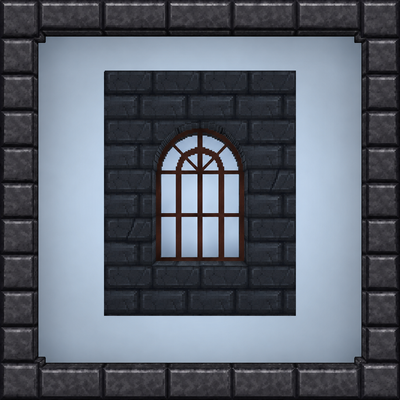
CurseForge · Hytale mod
Bjaxus's Windows (LIGHT)
This is a lite version of the Bjaxus's Windows mod tailored for large modpacks to prevent texture and icon atlas overflow, serving as a temporary fix until this issue is resolved in Hytale
Choose a version Pick your version below, then grab the matching file.
Quick answer
Which Bjaxus's Windows (LIGHT) release should I use?
Latest stable file BjaxusWindows_0.3.1(LIGHT).zip
Game version 0.5
Mod system Built-in Hytale mod system
Bjaxus's Windows (LIGHT) BjaxusWindows_0.3.1(LIGHT).zip targets 0.5. Do not install it as a separate client mod. Enable it on the world host—the local server in singleplayer or the dedicated server in multiplayer. No required dependencies listed for this file.
Where it goes
Where should Bjaxus's Windows (LIGHT) be installed in Hytale?
Do not install it as a separate client mod. Enable it on the world host—the local server in singleplayer or the dedicated server in multiplayer.
Separate client mod Not supported
World host / dedicated server Required
Mod system for this release Built-in Hytale mod system
Required install it here Optional supported, not mandatory Not supported do not install here Source doesn’t say do not assume
Put Hytale mods on the world host or dedicated server. Singleplayer runs a local server too; Hytale does not use separate client mods.
What else does Bjaxus's Windows (LIGHT) BjaxusWindows_0.3.1(LIGHT).zip need?
BjaxusWindows_0.3.1(LIGHT).zip. Change the file and its required mods may change too.
This file does not list any required mods. Do not add a library just because a different file uses it.
This file does not list any required or optional project dependencies. Check the creator notes before changing an existing world.
Before you install it
Add Bjaxus's Windows (LIGHT) without breaking your instance.
Built for Bjaxus's Windows (LIGHT) BjaxusWindows_0.3.1(LIGHT).zip. Pick another file and the loader, install side or required mods may change.
- 01
Stick to this file
Use BjaxusWindows_0.3.1(LIGHT).zip. It targets 0.5; another release may target a different game build or dependency set.
- 02
Bring the mods it needs
This file does not list any required mods. Do not add a library just because a different file uses it.
- 03
Enable it on the world host
Do not install it as a separate client mod. Enable it on the world host—the local server in singleplayer or the dedicated server in multiplayer.
- 04
Pick the file you checked
Use the “Get this file” button beside BjaxusWindows_0.3.1(LIGHT).zip. It opens that exact file at the source.
About this project
What does Bjaxus's Windows (LIGHT) add?
This is a lite version of the Bjaxus's Windows mod tailored for large modpacks to prevent texture and icon atlas overflow, serving as a temporary fix until this issue is resolved in Hytale.
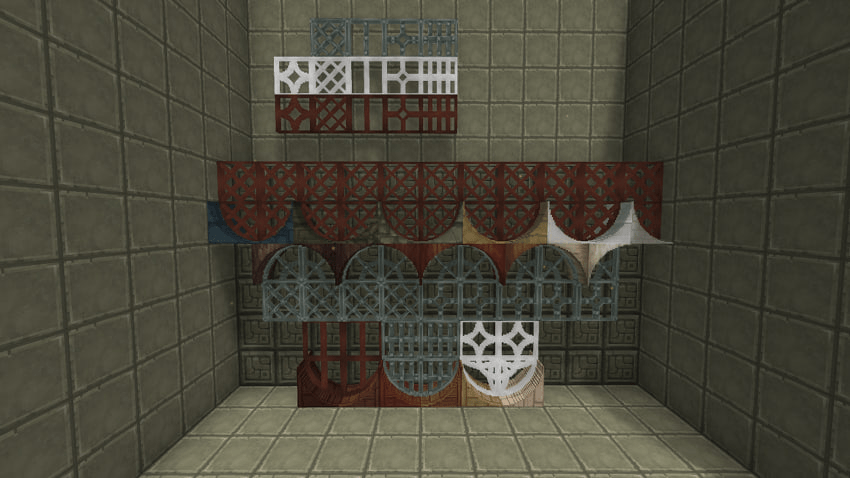
0.3.1 version included 26 arch textures:
Rock (Brick): basalt, chalk, marble, quartzite, shale, stone
Rock (Cobble): basalt, marble, quartzite, shale, stone
Trunk: ash, aspen, beech, birch, cedar, fir, maple, oak, redwood
Wood: darkwood, drywood, hardwood, lightwood, redwood, softwood
And 3 frame textures: hard/darkwood, iron and marble. Also, fixed an issue where iron windows were mined with an axe — they are now mined with a pickaxe.
How to install:
- Just drop .zip file to your mods folder: %appdata%\Hytale\user_data\mods
- In your world settings check the box next to the "BjaxusArches"
For servers:
Just drop .zip file to your mods folder: %mods/server/mods
My mod ideas are very complex and time-consuming to implement, so I'd appreciate your support. You can find a donation link on my Twitch.
Huge thanks to every creator who features my mod in their reviews — you guys are seriously awesome, I can't thank you enough. For those wondering how to pronounce my nickname, it’s 'Bzhakhoos' (Бжахус in Russian, with the stress on the A).
Project description from CurseForge.
Pick your setup
Bjaxus's Windows (LIGHT) releases for each Hytale build.
Choose the version and loader you play, then open the matching release.
Check the dependencies, then try the file in a copied instance before changing a world you care about.
Recent files
Bjaxus's Windows (LIGHT) releases and Hytale builds
BjaxusWindows_0.3.1(LIGHT).zip
30 Jun 2026
Client Not supported Server Required Dependencies No extras listed Listed on Project page
Check the 0.5 setup 0.5 release
Looking for an older file? The official CurseForge project page is in Resources.
 mod
mod CurseForge · Hytale
Japanese Things
Authentic Japanese props and items for Creative and Exploration mode
 mod
mod CurseForge · Hytale
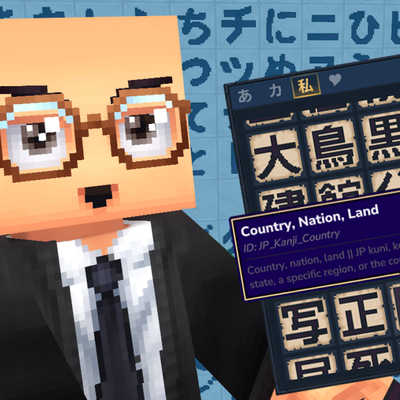
Japanese Writing
Craft Hiragana, Katakana and Kanji to place on blocks in your world, use them to name things and places helping with immersive Japanese language learning.
 mod
mod CurseForge · Hytale
Full Teleporters
Link, name, share and manage your teleporters your way. No config files. No complexity. Just warp.