Hytale version
Back to mods 
CurseForge · Hytale mod
Lodestar
Smooth, stutter-free minimap with a live cave view, 6 map styles including Topographic, creature faces, custom pins with tracking, death recovery and a zone, time and weather panel.
Choose a version Pick your version below, then grab the matching file.
Quick answer
Which Lodestar release matches 0.7?
Best match for your filters Lodestar-1.1.2.jar
Game version 0.7
Mod system Built-in Hytale mod system
Lodestar-1.1.2.jar targets 0.7. Do not install it as a separate client mod. Enable it on the world host—the local server in singleplayer or the dedicated server in multiplayer. No required dependencies listed for this file.
Where it goes
Where should Lodestar be installed in Hytale?
Do not install it as a separate client mod. Enable it on the world host—the local server in singleplayer or the dedicated server in multiplayer.
Separate client mod Not supported
World host / dedicated server Required
Mod system for this release Built-in Hytale mod system
Required install it here Optional supported, not mandatory Not supported do not install here Source doesn’t say do not assume
Put Hytale mods on the world host or dedicated server. Singleplayer runs a local server too; Hytale does not use separate client mods.
What else does Lodestar-1.1.2.jar need?
Lodestar-1.1.2.jar on 0.7. Every mod below is checked against that same setup.
This file does not list any required mods. Do not add a library just because a different file uses it.
This file does not list any required or optional project dependencies. Check the creator notes before changing an existing world.
Before you install it
Add Lodestar without breaking your instance.
Built for Lodestar-1.1.2.jar on 0.7. Pick another file and the loader, install side or required mods may change.
- 01
Stick to this file
Use Lodestar-1.1.2.jar. It targets 0.7; another release may target a different game build or dependency set.
- 02
Bring the mods it needs
This file does not list any required mods. Do not add a library just because a different file uses it.
- 03
Enable it on the world host
Do not install it as a separate client mod. Enable it on the world host—the local server in singleplayer or the dedicated server in multiplayer.
- 04
Pick the file you checked
Use the “Get this file” button beside Lodestar-1.1.2.jar. It opens that exact file at the source.
About this project
What does Lodestar add?

A smooth, good-looking minimap for Hytale that follows you on the surface and underground, and looks the way you want.
Lodestar puts a live map on your screen without the stutters, freezes or flicker other minimaps can bring. Pictures are built in the background and moved as whole images, so the map glides with you even when you're exploring new land.
Make it yours: pick from 7 frame designs, 10 colours and 6 map styles, go round or square, and put the map anywhere on your screen. The menu shows each look as a picture before you pick it.

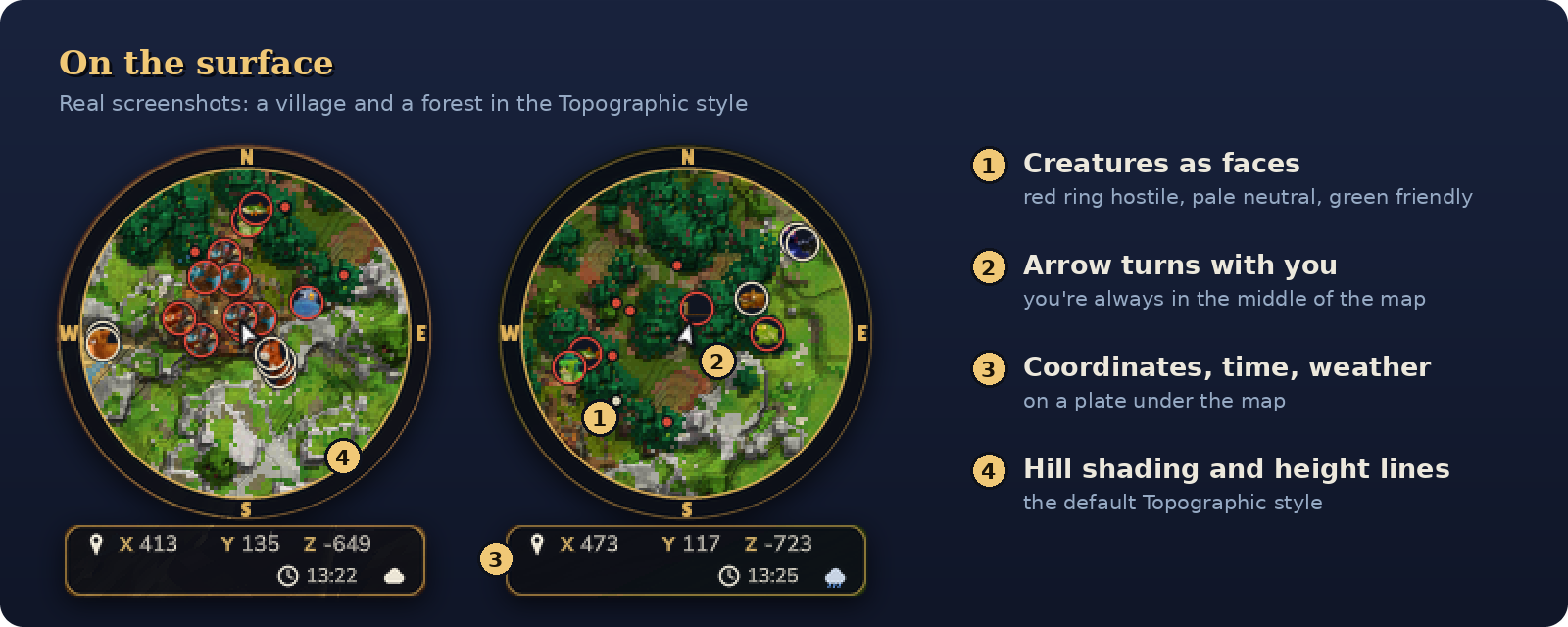
Smooth minimap
- Round or square, at three zoom levels: Far, Normal and Near
- A smoothly turning arrow in the middle shows where you're facing
- Built for performance: no texture reloads, no hitches when entering new areas, and no background work while you stand still
Creatures on the map
- Nearby creatures and players appear as face icons, or simple dots, or not at all
- Colour-coded rings: red for hostile, pale for neutral, green for friendly
Info under the map
- A clean plate with your coordinates, zone name, time of day and weather
- Underground it also shows how deep you are
Two menus
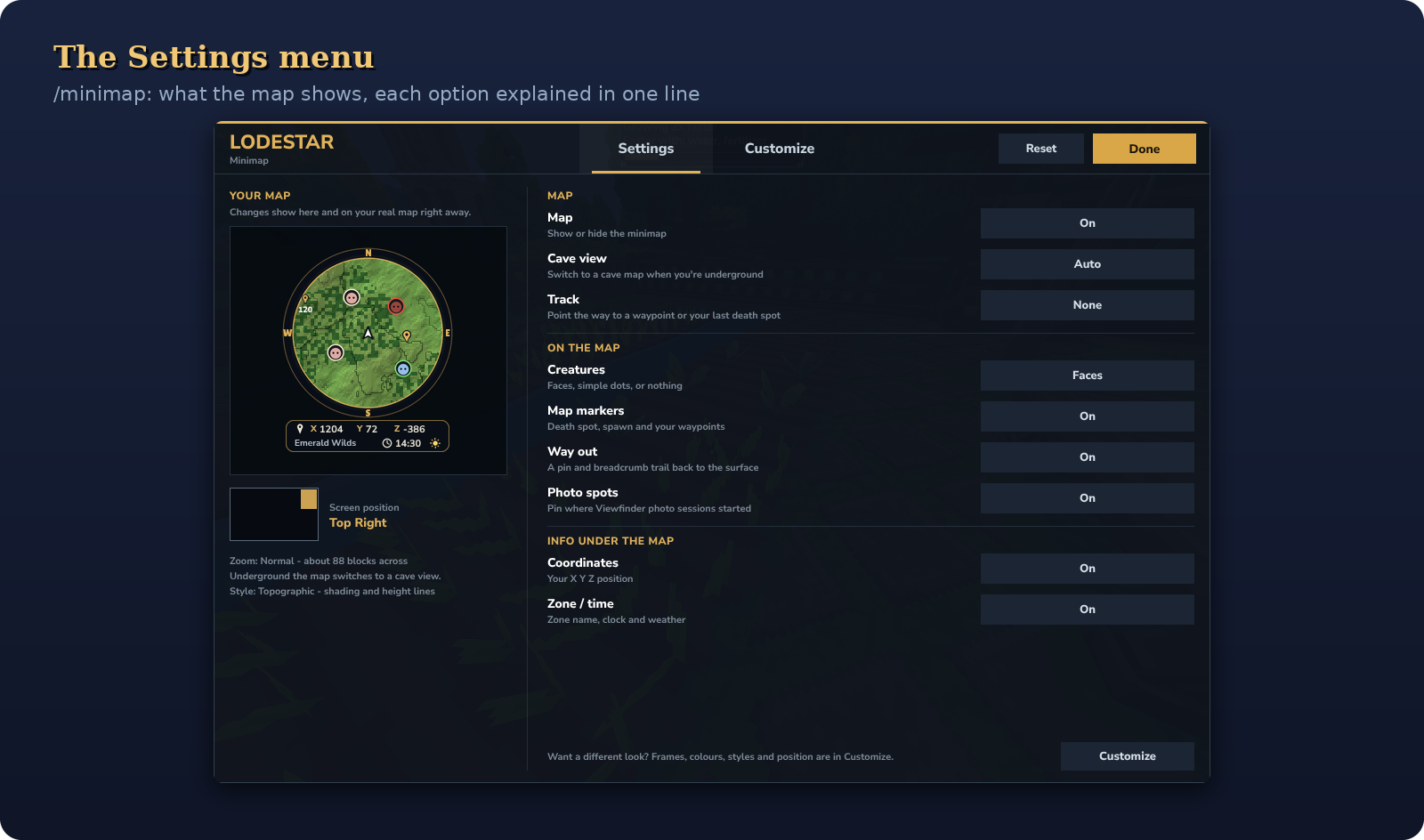
/minimapopens Settings: what the map shows, with every option explained in one line/minimap lookopens Customize: how the map looks (see below)- A live preview of your map sits next to both, and your real map changes as you click
- Settings are saved per player

Frames
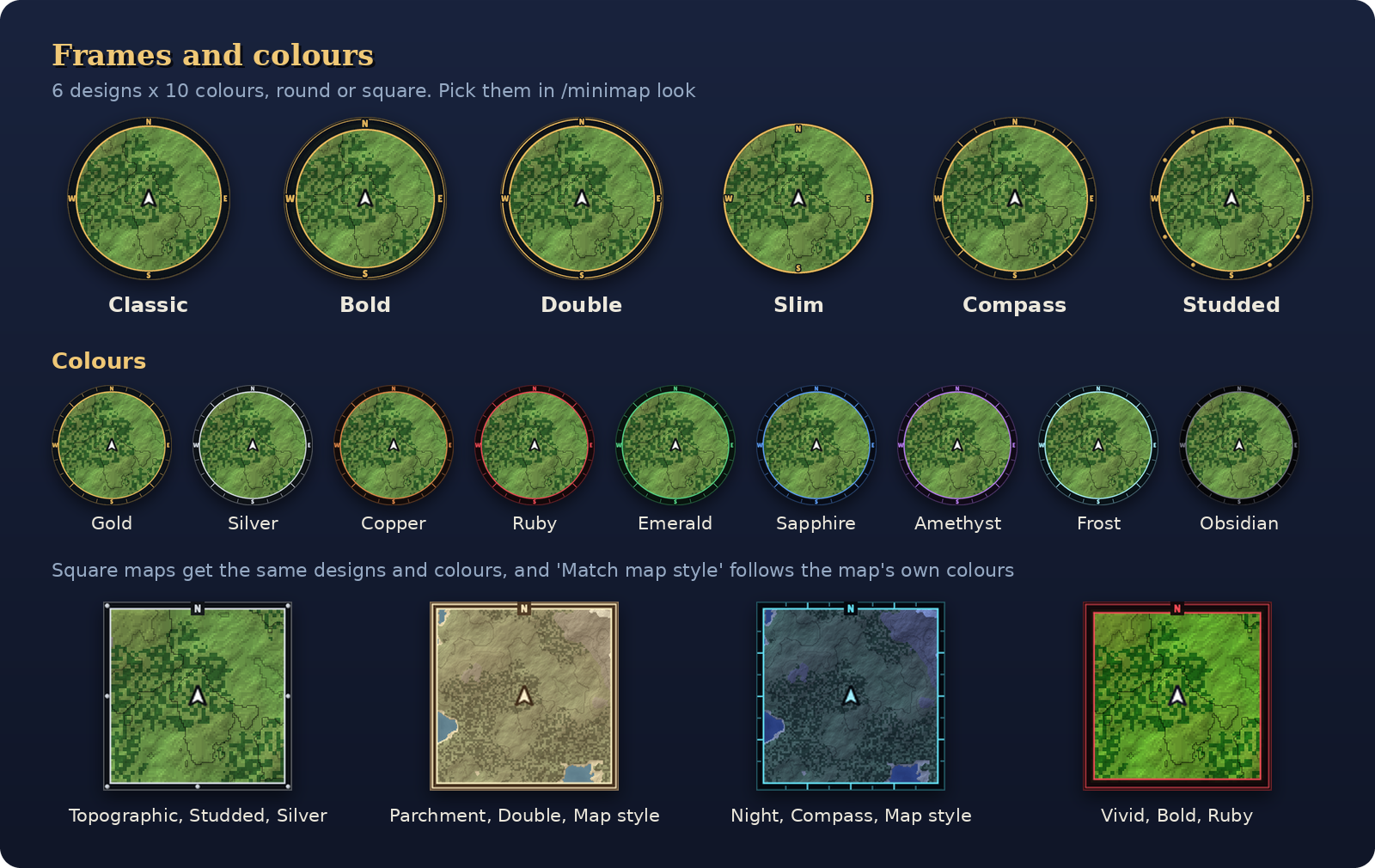
- 7 designs: Classic, Bold, Double, Slim, Compass (tick marks like a compass dial), Studded and None
- 10 colours: Gold, Silver, Copper, Ruby, Emerald, Sapphire, Amethyst, Frost, Obsidian, or Match map style
- Match map style gives the frame the colours of your map style, and switches to the Night colours with the map after dark
- Every design and colour works on round and square maps, and the N/E/S/W letters match the frame
Put it anywhere
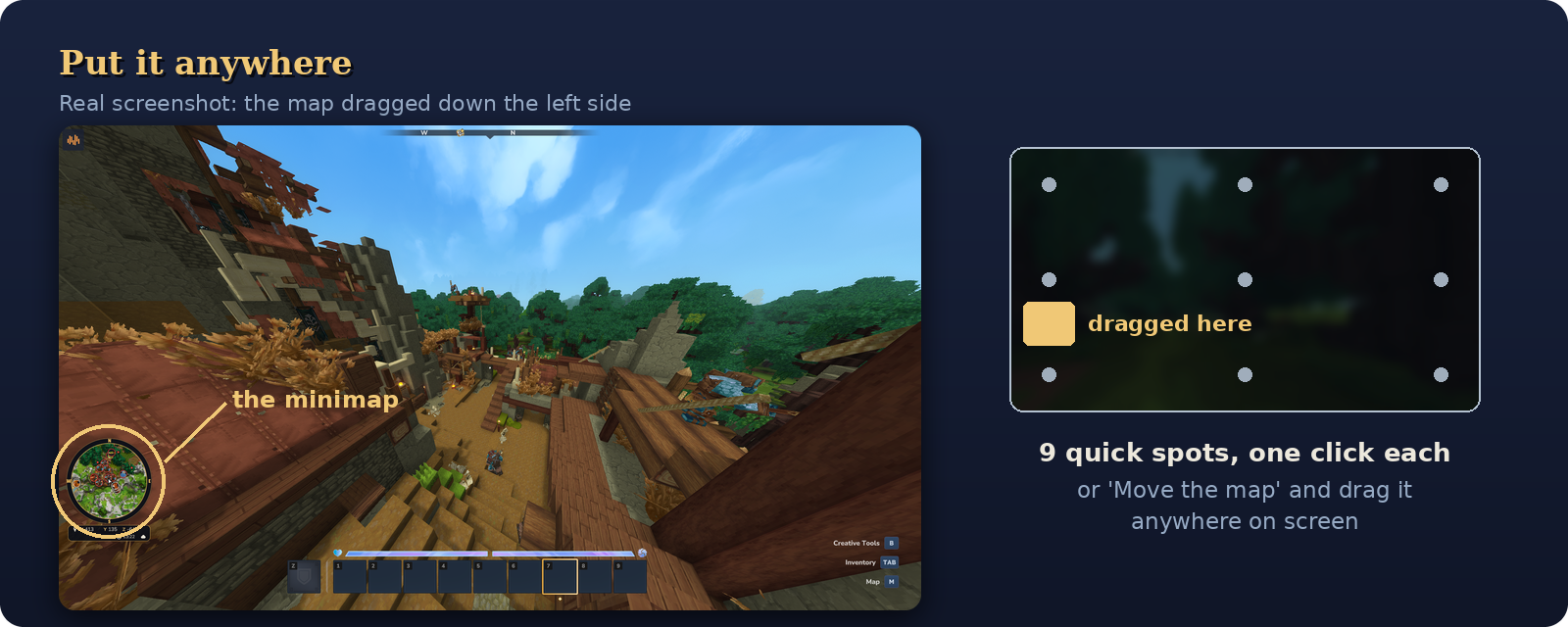
- 9 quick spots: any corner, the middle of any edge, or the centre, one click each
- Move the map: click to pick it up, move your mouse, and click again to drop it anywhere. Your real map follows the mouse while you move it.
- The position is kept as a share of your screen, so the map never ends up off screen at a different window size
- Bottom gap: keeps the map clear of the ability bar when it's low on the screen
See it before you pick it
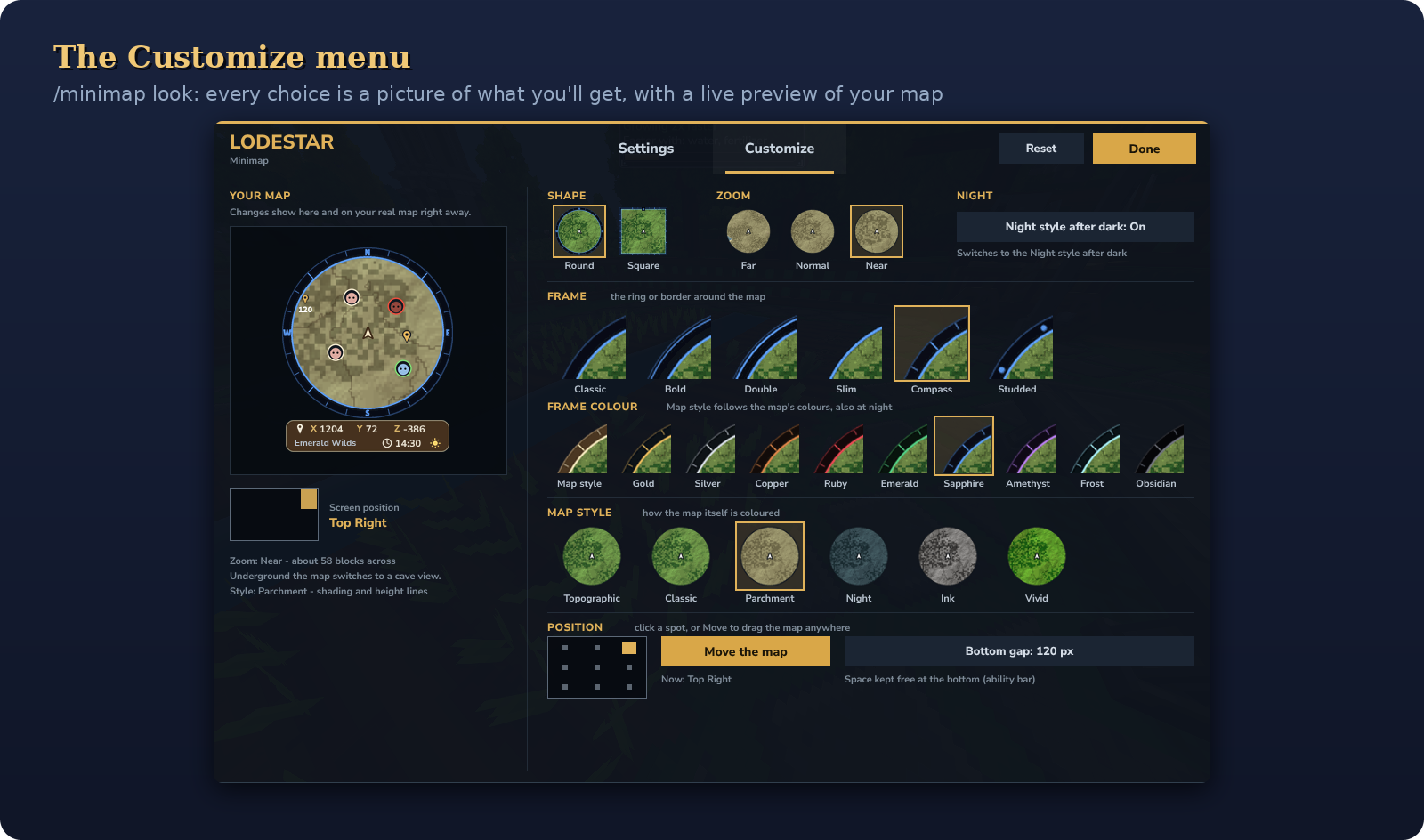
- Shape, zoom, frame, colour and map style are all shown as small pictures of what you'd get
- Frames and colours are shown as close-ups of the rim, so the details are easy to compare
- The one you're using has a gold outline

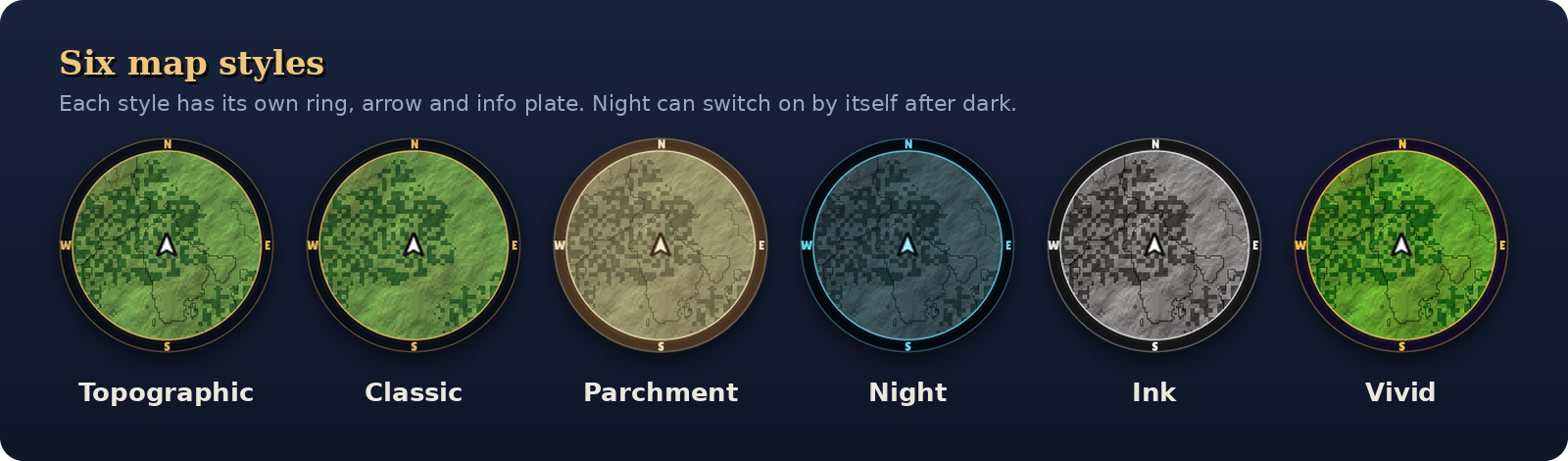
- Topographic (default): hill shading and height lines
- Classic: the game's own colours with soft shading
- Parchment, Night, Ink and Vivid
- Night style after dark: the map switches to Night by itself from 7 pm to 6 am, and back in the morning
- Each style has its own ring, arrow and info plate

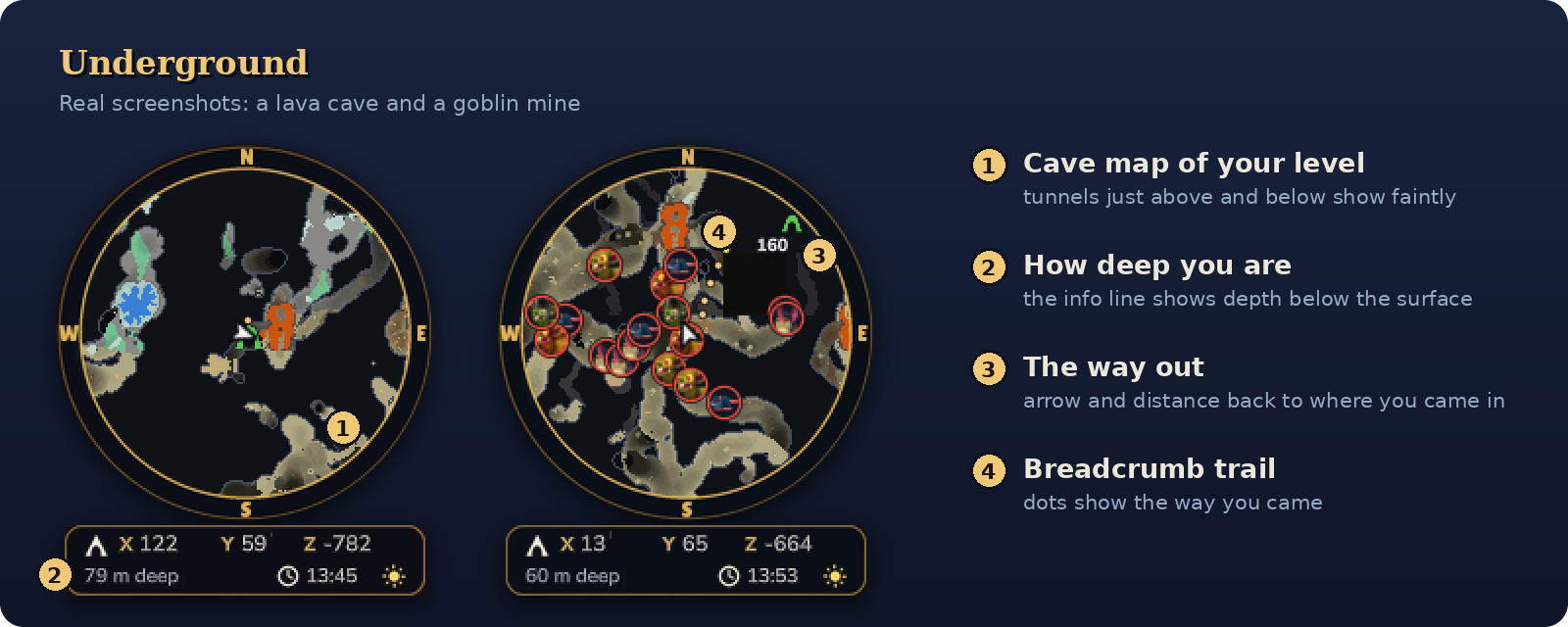
- Head underground and the map switches to a cave map of the level you're on
- Works in tight tunnels and huge open caverns
- Cave memory: tunnels just above and below you show faintly in the rock
- Roofs, trees and buildings don't fool it into thinking you're underground
- Depth: the info plate shows how far below the surface you are
- Way out: the spot where you went underground is marked automatically. Follow it (
/pin out) and Lodestar leads you back to daylight. - Breadcrumb trail: faint dots on the cave map show the way you came

/pinopens the Atlas, a pin manager with no typing needed- Mark the spot you're standing on, name it, and pick from 12 symbols and 9 colours
- A live compass shows each pin's direction, distance and height difference
- Follow any pin: a gold marker shows the way on the minimap, even when it's far off-screen
- Death recovery: when you die, your death spot is tracked automatically and clears itself when you get back to it
- Share places: send a pin to everyone nearby with one click, or to one player with
/pin sendto - Server places: admins can mark spots like spawn and shops for everyone
- Photo spots: with the Viewfinder photo mode mod, the spot where you start a photo session gets a camera pin

| Command | What it does |
|---|---|
/minimap (or /mmap, /lodestar) |
Open the menu on Settings |
/minimap look |
Open the menu on Customize |
/pin |
Open the Atlas (pin manager) |
/pin add <name> |
Pin your current spot |
/pin remove <name> |
Delete a pin |
/pin list |
List your pins |
/pin track <name> |
Follow a pin (/pin track death for your last death spot) |
/pin untrack |
Stop following |
/pin out |
Follow the way out of the cave you're in |
/pin share <name> |
Share a pin with players within 100 blocks |
/pin sendto <player> <name> |
Send a pin to one player |
/pin server list |
List the server's places |
/pin server add <name> / remove <name> |
Add or remove a server place (needs lodestar.serverpins) |
/minimap reload |
Reload the server settings (needs lodestar.admin) |

Everything is on by default. To turn something off for everyone, edit config.properties in Lodestar's data folder and use /minimap reload. Options you turn off show as "Off (server)" in players' menus, so nobody wonders why a switch does nothing.
| Setting | What it does | Default |
|---|---|---|
creatures |
Creature faces and dots on the minimap | true |
players |
Other players on the minimap (turn off for PvP) | true |
caveView |
The cave map underground (off = always the surface) | true |
coordinates |
Coordinates under the map | true |
wayOut |
The way out pin and breadcrumb trail underground | true |
sharing |
Players can share pins with players near them | true |
serverPins |
Show the server's places | true |
photoSpots |
Camera pins for Viewfinder photo sessions | true |
Permissions (change them with the game's /perm commands)
| Permission | Lets players | Default |
|---|---|---|
lodestar.share |
Share pins | Everyone |
lodestar.serverpins |
Add and remove server places | Admins |
lodestar.admin |
Use /minimap reload |
Admins |

- Drop the Lodestar jar into your
Modsfolder. - Enable Lodestar for your world.
- Join the game. The minimap appears in the top-right corner. Type
/minimap lookto make it yours.

- Built for Hytale 0.7.x, and runs on 0.7.3
- Works alongside BetterMap. Lodestar uses
/pininstead of/waypoint, so the commands don't clash. - Updating from an older Lodestar? Your settings carry over, and a map you had in a corner stays in that corner.
Found a bug or have an idea? Leave a comment. A screenshot and where it happened (surface or cave, which style and frame) help a lot.
Find your way. Follow the star.
Project description from CurseForge.
Pick your setup
Lodestar releases for each Hytale build.
Choose the version and loader you play, then open the matching release.
Check the dependencies, then try the file in a copied instance before changing a world you care about.
Recent files
Lodestar releases and Hytale builds
Lodestar-1.1.2.jar
22 Oct 2026
Client Not supported Server Required Dependencies No extras listed Listed on Project page
Check the 0.7 setup 0.7 release
Lodestar-1.1.1.jar
19 Oct 2026
Client Not supported Server Required Dependencies No extras listed Listed on Project page
Check the 0.7 setup 0.7 release
Lodestar-1.1.0.jar
18 Oct 2026
Client Not supported Server Required Dependencies No extras listed Listed on Project page
Check the 0.7 setup 0.7 release
Lodestar-1.0.0.jar
16 Oct 2026
Client Not supported Server Required Dependencies No extras listed Listed on Project page
Check the 0.7 setup 0.7 release
Looking for an older file? The official CurseForge project page is in Resources.
 mod
CurseForge · Hytale
Control Core
An in-game control panel for server owners: edit config.json, mod settings, player preferences, permissions and key binds for commands.
 mod
CurseForge · Hytale
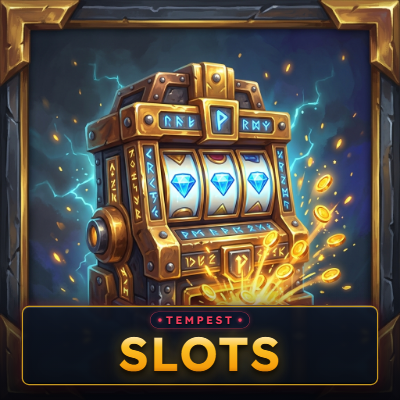
Tempest Slots – Animated Slot Machines & Jackpot
Animated slot machines with reels, lights and a coin fountain, a progressive jackpot, and bets players choose.
 mod
CurseForge · Hytale
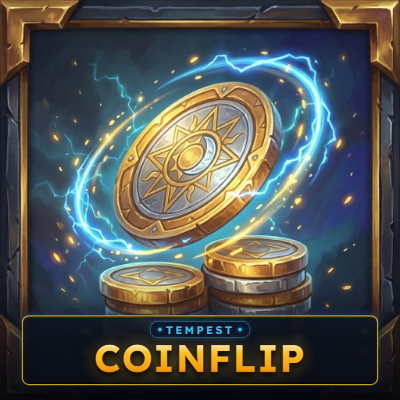
Tempest Coinflip – Provably Fair SHA-256 1v1 Wager Rooms & Live Coin Spin
Coinflip rooms for your server: two players stake coins and a 22-frame spinning Gold/Silver coin decides, with live spectators, crash-safe escrow, and SHA-256 provably fair seed verification. Works with any economy.