Hytale version
Back to mods 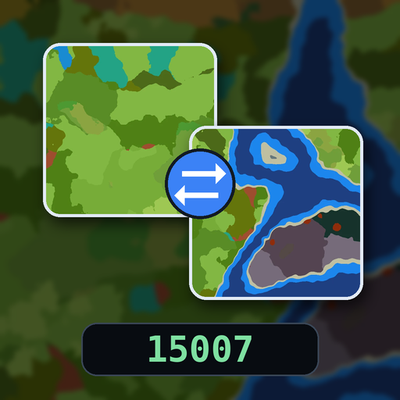
CurseForge · Hytale mod
OrbisSeedsUtils
See your seed with /seed and look it up on a seed map. Try any seed on a new map and switch back anytime. Nothing gets deleted.
Choose a version Pick your version below, then grab the matching file.
Quick answer
Which OrbisSeedsUtils release matches 0.7?
Best match for your filters orbisseedsutils-1.6.jar
Game version 0.7
Mod system Built-in Hytale mod system
orbisseedsutils-1.6.jar targets 0.7. Do not install it as a separate client mod. Enable it on the world host—the local server in singleplayer or the dedicated server in multiplayer. No required dependencies listed for this file.
Where it goes
Where should OrbisSeedsUtils be installed in Hytale?
Do not install it as a separate client mod. Enable it on the world host—the local server in singleplayer or the dedicated server in multiplayer.
Separate client mod Not supported
World host / dedicated server Required
Mod system for this release Built-in Hytale mod system
Required install it here Optional supported, not mandatory Not supported do not install here Source doesn’t say do not assume
Put Hytale mods on the world host or dedicated server. Singleplayer runs a local server too; Hytale does not use separate client mods.
What else does orbisseedsutils-1.6.jar need?
orbisseedsutils-1.6.jar on 0.7. Every mod below is checked against that same setup.
This file does not list any required mods. Do not add a library just because a different file uses it.
This file does not list any required or optional project dependencies. Check the creator notes before changing an existing world.
Before you install it
Add OrbisSeedsUtils without breaking your instance.
Built for orbisseedsutils-1.6.jar on 0.7. Pick another file and the loader, install side or required mods may change.
- 01
Stick to this file
Use orbisseedsutils-1.6.jar. It targets 0.7; another release may target a different game build or dependency set.
- 02
Bring the mods it needs
This file does not list any required mods. Do not add a library just because a different file uses it.
- 03
Enable it on the world host
Do not install it as a separate client mod. Enable it on the world host—the local server in singleplayer or the dedicated server in multiplayer.
- 04
Pick the file you checked
Use the “Get this file” button beside orbisseedsutils-1.6.jar. It opens that exact file at the source.
About this project
What does OrbisSeedsUtils add?
OrbisSeedsUtils
Summary: Check your seed, try any seed on a new map, and switch back whenever you want. Nothing gets replaced.
Description
Type /seed to see the seed of the map you're on, then copy it and paste it into the seed box on orbisseeds.com to see it on the map.
Found a seed you like? Paste it into the same window and create a new map from it.
A map here is an extra piece of terrain inside your current save. It's not a new save. You keep your character and just move between maps.
How it works
- Your old map stays exactly as you left it: buildings, chests, everything.
- You keep your inventory and recipes when you switch.
- You return to the exact spot where you left. The first time you enter a map, you arrive at its spawn point.
- Every map keeps its own markers and respawn points.
The /seed window
- Current seed at the top. Click it, press Ctrl+A, then Ctrl+C to copy. Save bookmarks it.
- Maps: your original map and every other map in your save. Press Go to travel, or Back to return to the map you came from.
- New map: enter a seed and an optional name, then press Create map. Random picks a seed for you. An empty name becomes
seed-<seed>, and duplicate names get a number. - Saved seeds: keep favorites with a note (up to 50 per player). Use fills the seed into the form.
Permissions
By default only server operators can use /seed. To let other players use it, grant:
orbisseedsutils.command.seed: open the window and see the seedorbisseedsutils.command.seed.create: create maps (includes travelling)orbisseedsutils.command.seed.travel: travel between maps, but not create them
Compatibility
Hytale server 0.7.2 and newer.
Find seeds
Project description from CurseForge.
Pick your setup
OrbisSeedsUtils releases for each Hytale build.
Choose the version and loader you play, then open the matching release.
Check the dependencies, then try the file in a copied instance before changing a world you care about.
Recent files
OrbisSeedsUtils releases and Hytale builds
orbisseedsutils-1.6.jar
25 Oct 2026
Client Not supported Server Required Dependencies No extras listed Listed on Project page
Check the 0.7 setup 0.7 release
orbisseedsutils-1.5.jar
25 Oct 2026
Client Not supported Server Required Dependencies No extras listed Listed on Project page
Check the 0.7 setup 0.7 release
orbisseedsutils-1.4.1.jar
24 Oct 2026
Client Not supported Server Required Dependencies No extras listed Listed on Project page
Check the 0.7 setup 0.7 release
1.1.0
22 Oct 2026
Client Not supported Server Required Dependencies No extras listed Listed on Project page
Check the 0.7 setup 0.7 release
1.0.0
21 Oct 2026
Client Not supported Server Required Dependencies No extras listed Listed on Project page
Check the 0.7 setup 0.7 release
Looking for an older file? The official CurseForge project page is in Resources.
 mod
mod CurseForge · Hytale
Experimental In-Game Wardrobe
Experimental UI for avatar customization in-game
 mod
mod CurseForge · Hytale
Laya Companion
A 100% Free AI powered companion for Hytale: it follows, talks, remembers, mines, gathers, farms, harvests, and fights beside you.
 mod
mod CurseForge · Hytale
Minecraft Resource Pack Loader
Give your Hytale server the look of Minecraft: blocks, leaves, ores, plants, stairs, creatures, icons and even the sun and moon.