Hytale version
Back to mods 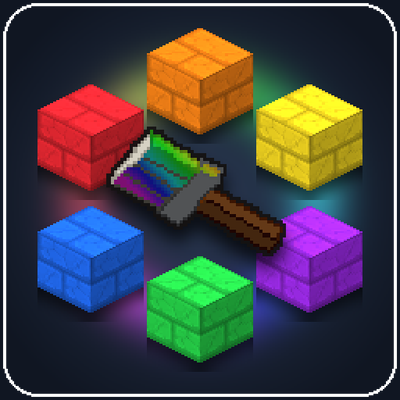
CurseForge · Hytale mod
PaintAnything
Paint any block, door, statue, or piece of furniture in any custom RGB color using a craftable Paint Brush and interactive color wheel!
Choose a version Pick your version below, then grab the matching file.
Quick answer
Which PaintAnything release matches 0.7?
Best match for your filters PaintAnything-1.0.4.jar
Game version 0.7
Mod system Built-in Hytale mod system
PaintAnything-1.0.4.jar targets 0.7. Do not install it as a separate client mod. Enable it on the world host—the local server in singleplayer or the dedicated server in multiplayer. No required dependencies listed for this file.
Where it goes
Where should PaintAnything be installed in Hytale?
Do not install it as a separate client mod. Enable it on the world host—the local server in singleplayer or the dedicated server in multiplayer.
Separate client mod Not supported
World host / dedicated server Required
Mod system for this release Built-in Hytale mod system
Required install it here Optional supported, not mandatory Not supported do not install here Source doesn’t say do not assume
Put Hytale mods on the world host or dedicated server. Singleplayer runs a local server too; Hytale does not use separate client mods.
What else does PaintAnything-1.0.4.jar need?
PaintAnything-1.0.4.jar on 0.7. Every mod below is checked against that same setup.
This file does not list any required mods. Do not add a library just because a different file uses it.
This file does not list any required or optional project dependencies. Check the creator notes before changing an existing world.
Before you install it
Add PaintAnything without breaking your instance.
Built for PaintAnything-1.0.4.jar on 0.7. Pick another file and the loader, install side or required mods may change.
- 01
Stick to this file
Use PaintAnything-1.0.4.jar. It targets 0.7; another release may target a different game build or dependency set.
- 02
Bring the mods it needs
This file does not list any required mods. Do not add a library just because a different file uses it.
- 03
Enable it on the world host
Do not install it as a separate client mod. Enable it on the world host—the local server in singleplayer or the dedicated server in multiplayer.
- 04
Pick the file you checked
Use the “Get this file” button beside PaintAnything-1.0.4.jar. It opens that exact file at the source.
About this project
What does PaintAnything add?
PaintAnything lets you recolor almost any block, light source, door, piece of furniture, boat, or statue in Hytale into any custom RGB color using a craftable Paint Brush or Paint Bucket.
Whether you want bright bricks, pastel wooden roofs, custom-colored doors, stained stone statues, or glowing colored torches and lanterns, you can paint blocks right in the world while keeping their original textures and details.
How to Use:
- Hold a Paint Brush or Paint Bucket in your hand.
- Right-Click to open the Color Picker:
- Click anywhere on the Color Picker to choose a color.
- Enter any custom #RRGGBB Hex Code for an exact color match.
- Save colors to your Favorites panel on the right to quickly use them again.
- Click Clear to wash paint off your tool so you can return blocks back to their default look.
- Left-Click any block in the world to paint it:
- Paint Brush colors a single block (or a full door/furniture piece).
- Paint Bucket fills all connected blocks of the same type and color at once (great for walls, roofs, or whole trees).
- Ctrl + Left-Click on torches, candles, campfires, braziers, or lanterns with flames to paint the flame/glow itself and change the color of the light it gives off.
- Middle-Click any block while holding a brush or bucket to copy its color directly onto your tool (or Ctrl + Middle-Click to copy a painted flame color).
Colored Lights & Flames:
- Single-Piece Lights (glowing crystals, glowing mushrooms, simple lanterns, pumpkin lamps, etc.): Painting the block automatically changes the color of the light it emits to match.
- Two-Part Lights (torches, candles, chandeliers, braziers, campfires, etc.): Normal Left-Click paints the main block body (like the torch wood or campfire logs) without changing the light. Holding Ctrl + Left-Click paints the flame/glow particles and changes the emitted light to that color, so you can mix and match any body color with any flame color.
Coloring Book Mode:
When starting a new world, a prompt will let you toggle Coloring Book Mode on or off. If enabled, the entire world starts out white so you can color it in yourself with the Paint Brush and Paint Bucket.
Crafting Recipes:
You can craft both tools right from your Fieldcraft (Pocket Crafting) menu (Tab) or any crafting bench:
Paint Brush:
- 1x Stick
- 1x Bolt of Wool
Paint Bucket:
- 3x Iron Bar
- 2x Stick
(You can also spawn them in Creative Mode or with the /paintbrush command.)
Features:
- Custom RGB Colors & Hex Codes: Pick any #RRGGBB color. Both the Paint Brush bristles and the Paint Bucket paint change color in your hand and hotbar to match what you picked.
- Colored Lighting & Custom Flames: Recolor the actual light emitted by light-up blocks, and independently paint the flames and glow on torches, candles, braziers, and campfires with Ctrl + Left-Click.
- Favorites & Color Eyedropper: Save your go-to colors in the Favorites list (shared between the brush and bucket) or Middle-Click any block in the world to grab its color.
- Paint Bucket Flood Fill: Quickly paint connected walls, floors, roofs, tree trunks, or leaf canopies of the same block type and color in one click.
- Coloring Book World Option: Optional mode when creating a new world that turns all blocks white so you can color the world in from scratch.
- Multiple Tools in Hotbar: Each brush and bucket remembers its own color, so you can keep several colors ready in your hotbar at once.
- Keeps Block Details & 3D Models: Recolors the block while keeping brick lines, wood grain, shading, and 3D models (including doors, beds, benches, statues, and boats).
- Multi-Block & Door Support: Painting or clearing a double door or multi-block object updates all connected parts while keeping rotation and open/closed states.
- Clean Block Drops: Breaking a painted block drops its normal unpainted item so your inventory never gets cluttered.
Project description from CurseForge.
Pick your setup
PaintAnything releases for each Hytale build.
Choose the version and loader you play, then open the matching release.
Check the dependencies, then try the file in a copied instance before changing a world you care about.
Recent files
PaintAnything releases and Hytale builds
PaintAnything-1.0.4.jar
9 Nov 2026
Client Not supported Server Required Dependencies No extras listed Listed on Project page
Check the 0.7 setup 0.7 release
PaintAnything-1.0.3.jar
7 Nov 2026
Client Not supported Server Required Dependencies No extras listed Listed on Project page
Check the 0.7 setup 0.7 release
PaintAnything-1.0.2.jar
6 Nov 2026
Client Not supported Server Required Dependencies No extras listed Listed on Project page
Check the 0.7 setup 0.7 release
PaintAnything-1.0.1.jar
5 Nov 2026
Client Not supported Server Required Dependencies No extras listed Listed on Project page
Check the 0.7 setup 0.7 release
PaintAnything-1.0.0.jar
4 Nov 2026
Client Not supported Server Required Dependencies No extras listed Listed on Project page
Check the 0.7 setup 0.7 release
Looking for an older file? The official CurseForge project page is in Resources.
 mod
CurseForge · Hytale
Hycon - Rcon panel
Hycon is a web-based admin panel for Hytale servers. Manage players, kick or ban users, run console commands, monitor live logs, and view server statistics, all from your browser. Free and open source!
 mod
CurseForge · Hytale
Adventure Town
Bringing human life back to hytale with towns, cities, and adventurers to help you on your personal quests!
 mod
CurseForge · Hytale
Waterfalls
Server-side waterfall effects: foam, mist, spray, ripples and a rushing sound wherever falling water hits a pool.