Apothic Attributes Needed by Apothic Materials apothic_materials-1.0.0-neoforge-26.1.2.jar
requiredMatching file found Matched file: Apothic-Attributes 26.1.2-3.1.0

CurseForge · Minecraft mod
An addon for Apotheosis that adds crafting recipes for rarity materials.
Quick answer
Apothic Materials apothic_materials-1.0.0-neoforge-26.1.2.jar targets 26.1.2 with NeoForge. The project page does not say whether this file belongs on the client, dedicated server, or both. All 6 required mods have matching files.
Where it goes
The project page does not say whether this file belongs on the client, dedicated server, or both.
The source does not explicitly classify this release as client-only or server-only.
apothic_materials-1.0.0-neoforge-26.1.2.jar. Change the file and its required mods may change too.
Install Apothic Attributes, Apotheosis, Placebo, Patchouli and 2 more first. We found matching files for this game-version and loader setup. 11 come through another mod in the chain.
11 extra mods were pulled in by other dependencies. Indented rows show who needs each one. We only count dependency files that match this setup. A file for another loader does not fill the gap.
Before you install it
Built for Apothic Materials apothic_materials-1.0.0-neoforge-26.1.2.jar. Pick another file and the loader, install side or required mods may change.
Use apothic_materials-1.0.0-neoforge-26.1.2.jar. It targets 26.1.2 with NeoForge; another release may have different loader, side or dependency requirements.
Install Apothic Attributes, Apotheosis, Placebo, Patchouli and 2 more first. We found matching files for this game-version and loader setup. 11 come through another mod in the chain.
The project page does not say whether this file belongs on the client, dedicated server, or both.
Use the “Get this file” button beside apothic_materials-1.0.0-neoforge-26.1.2.jar. It opens that exact file at the source.
About this project
Apotheosis introduces rarity materials, ranging from common to mythic, which can only be obtained by defeating monsters. As you progress, you'll likely find yourself accumulating lower-tier materials with no practical use.
This mod addresses that issue by adding crafting recipes for each rarity level, allowing you to upgrade materials by combining multiple lower-tier ones.
This ensures that even common materials remain valuable throughout your journey, while not being overpowered (you'll still need 600+ common materials to craft just one mythic material).
Common material (no changes):

Uncommon material (x5 common materials):

Rare material (x5 uncommon materials):

Epic material (x5 rare materials)

Mythic material (x5 epic materials)

This mod requires Apotheosis and Apothic Attributes installed.
JEI is recommended for recipes but not required.
Add the .jar mod file into your mods folder.
Alternatively, you can browse the CurseForge launcher for the mod (if it doesn't show up, try typing the autor's name). Once found, click "Install" to add it to your modpack.
You are free to include this mod in any modpack, public or private.
 Download my projects on CurseForge
 Download my projects on Modrinth
Donate on Paypal
Project description from CurseForge.
Pick your setup
Choose the version and loader you play, then open the matching release.
Check the dependencies, then try the file in a copied instance before changing a world you care about.
Recent files
25 Aug 2026
24 Jan 2025
24 Jan 2025
24 Jan 2025
24 Jan 2025
Looking for an older file? The official CurseForge project page is in Resources.
 mod
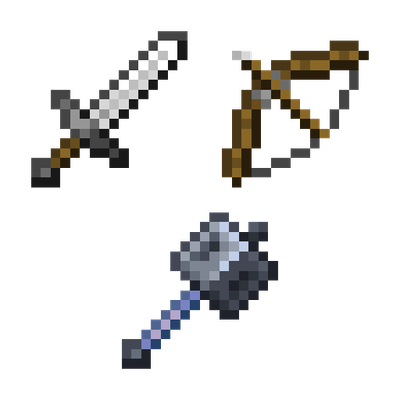
Tired of balancing mob stats? This mod adds 3 physical damage types + 1 neutral type, and 6 resistance tiers for mobs. Damage scales up or down based on resistance—hit for 999, or deal zero! Fine-tune everything via detailed config.
 mod
See live crop growth, time until harvest, and blocked hopper output for Botany Pots directly in the Jade tooltip.
 mod
Provide players with a game mode that simulates *Escape from Tarkov*.