Fabric API Needed by Fabric Trade 1.5.1 for Minecraft 26.3
requiredMatching file found Matched file: [26.3] Fabric API 0.161.0+26.3

CurseForge · Minecraft mod
Server-Sided Fabric Mod that lets players /trade items.
Quick answer
Fabric Trade 1.5.1 for Minecraft 26.3 targets 26.3 with Fabric. The project page does not say whether this file belongs on the client, dedicated server, or both. All 1 required mods have matching files.
Where it goes
The project page does not say whether this file belongs on the client, dedicated server, or both.
The source does not explicitly classify this release as client-only or server-only.
Fabric Trade 1.5.1 for Minecraft 26.3. Change the file and its required mods may change too.
Install Fabric API first. We found matching files for this game-version and loader setup.
We only count dependency files that match this setup. A file for another loader does not fill the gap.
Before you install it
Built for Fabric Trade 1.5.1 for Minecraft 26.3. Pick another file and the loader, install side or required mods may change.
Use Fabric Trade 1.5.1 for Minecraft 26.3. It targets 26.3 with Fabric; another release may have different loader, side or dependency requirements.
Install Fabric API first. We found matching files for this game-version and loader setup.
The project page does not say whether this file belongs on the client, dedicated server, or both.
Use the “Get this file” button beside Fabric Trade 1.5.1 for Minecraft 26.3. It opens that exact file at the source.
About this project
A simple server-sided mod to give players the ability to trade items safely with other players anywhere else on the server.
/trade Opens a GUI to select a player to trade/trade <player> Requests to trade with the specified player/tradeaccept [player] Accepts an incoming trade request from the specified player/tradedeny [player] Denies an incoming trade request from the specified player/tradecancel [player] Cancels an outgoing trade request to the specified playerConfiguration can be done through the properties file generated when loaded on a server or through commands.
/tradeconfig cooldown <0+> Sets the number of seconds before a player can trade with another player again/tradeconfig timeout <0+> Sets the number of seconds before a trade request expires/tradeconfig cooldown-mode <WHO_INITIATED/BOTH_USERS> Sets whether only the trade initiator must wait the cooldown, or both participants/tradeconfig logCommandUsage <true/false> Sets whether successful command executions are logged to the server consoleTrade uses the Fabric Permissions API (bundled via BorisLib) for command permissions. Each node has a fallback vanilla permission level for servers without a permissions mod.
| Node | Default | Description |
|---|---|---|
trade.trade.gui |
ALL |
Open the trade GUI (/trade with no argument) |
trade.trade.others |
ALL |
Initiate a trade request with another player (/trade <player>) |
trade.tradeaccept |
ALL |
Accept an incoming trade request |
trade.tradedeny |
ALL |
Deny an incoming trade request |
trade.tradecancel |
ALL |
Cancel an outgoing trade request |
Config commands are generated dynamically by BorisLib per config value.
| Node | Default | Description |
|---|---|---|
trade.config |
GAMEMASTERS |
List all config values |
trade.config.<name>.get |
GAMEMASTERS |
Read a specific config value |
trade.config.<name>.set |
GAMEMASTERS |
Change a specific config value |
All server-side Fabric mods — no client installation required.
| Mod | Description | Links | |
|---|---|---|---|
 |
Arcana Novum | Minecraft's biggest server-only full-feature Magic Mod! Adds powerful items, multiblocks and bosses! |    |
 |
Ancestral Archetypes | A highly configurable, Origins-style mod that lets players pick a mob to gain unique abilities! | |
 |
Ender Nexus | Highly configurable /home, /spawn, /warp, /tpa and /rtp commands all in one, and individually disablable. | |
 |
Fabric Mail | An in-game virtual mailbox system for sending packages and messages between online and offline players. | |
 |
Fabric Trade | Adds /trade, a secure player-to-player trading interface. | |
 |
Limited AFK | AFK detection and management with configurable kick thresholds for servers. | |
 |
Links in Chat | Makes URLs posted in chat clickable. | |
By using this project in any form, you hereby give your "express assent" for the terms of the license of this project, and acknowledge that I, BorisShoes, have fulfilled my obligation under the license to "make a reasonable effort under the circumstances to obtain the express assent of recipients to the terms of this License.
Project description from CurseForge.
Pick your setup
Choose the version and loader you play, then open the matching release.
Check the dependencies, then try the file in a copied instance before changing a world you care about.
Recent files
trade-1.5.1+26.3.jar
16 Sept 2026
17 Jun 2026
8 Jun 2026
1 Apr 2026
25 Jan 2026
15 Dec 2025
30 Oct 2025
23 Aug 2025
23 Aug 2025
20 Aug 2025
Looking for an older file? The official CurseForge project page is in Resources.
 mod
modImprove your Create FPS when shaderpack is on, up to 50%
 mod
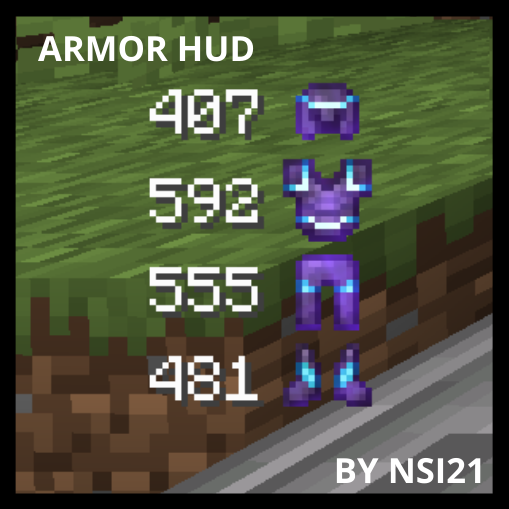
modThis mod will show you your armor durability
 mod
modReduce MSPT spikes and server freezes caused by chunk generation and speed it up.