Forge Config Screens [Archived] Optional for Pixelshot [NEOFORGE] [1.21.1] Pixelshot-v21.1.1
optionalNo matching file
CurseForge · Minecraft mod
High-resolution screenshots, and an orthographic camera all in one. A continuation of Mineshot by BarracudaATA.
Quick answer
Pixelshot [NEOFORGE] [1.21.1] Pixelshot-v21.1.1 targets 1.21.1 with NeoForge. The project page does not say whether this file belongs on the client, dedicated server, or both. All 1 required mods have matching files.
Where it goes
The project page does not say whether this file belongs on the client, dedicated server, or both.
The source does not explicitly classify this release as client-only or server-only.
[NEOFORGE] [1.21.1] Pixelshot-v21.1.1 on 1.21.1 NeoForge. Every mod below is checked against that same setup.
Install Puzzles Lib first. We found matching files for this game-version and loader setup.
We only count dependency files that match this setup. A file for another loader does not fill the gap.
Before you install it
Built for Pixelshot [NEOFORGE] [1.21.1] Pixelshot-v21.1.1 on 1.21.1 NeoForge. Pick another file and the loader, install side or required mods may change.
Use [NEOFORGE] [1.21.1] Pixelshot-v21.1.1. It targets 1.21.1 with NeoForge; another release may have different loader, side or dependency requirements.
Install Puzzles Lib first. We found matching files for this game-version and loader setup.
The project page does not say whether this file belongs on the client, dedicated server, or both.
Use the “Get this file” button beside [NEOFORGE] [1.21.1] Pixelshot-v21.1.1. It opens that exact file at the source.
About this project







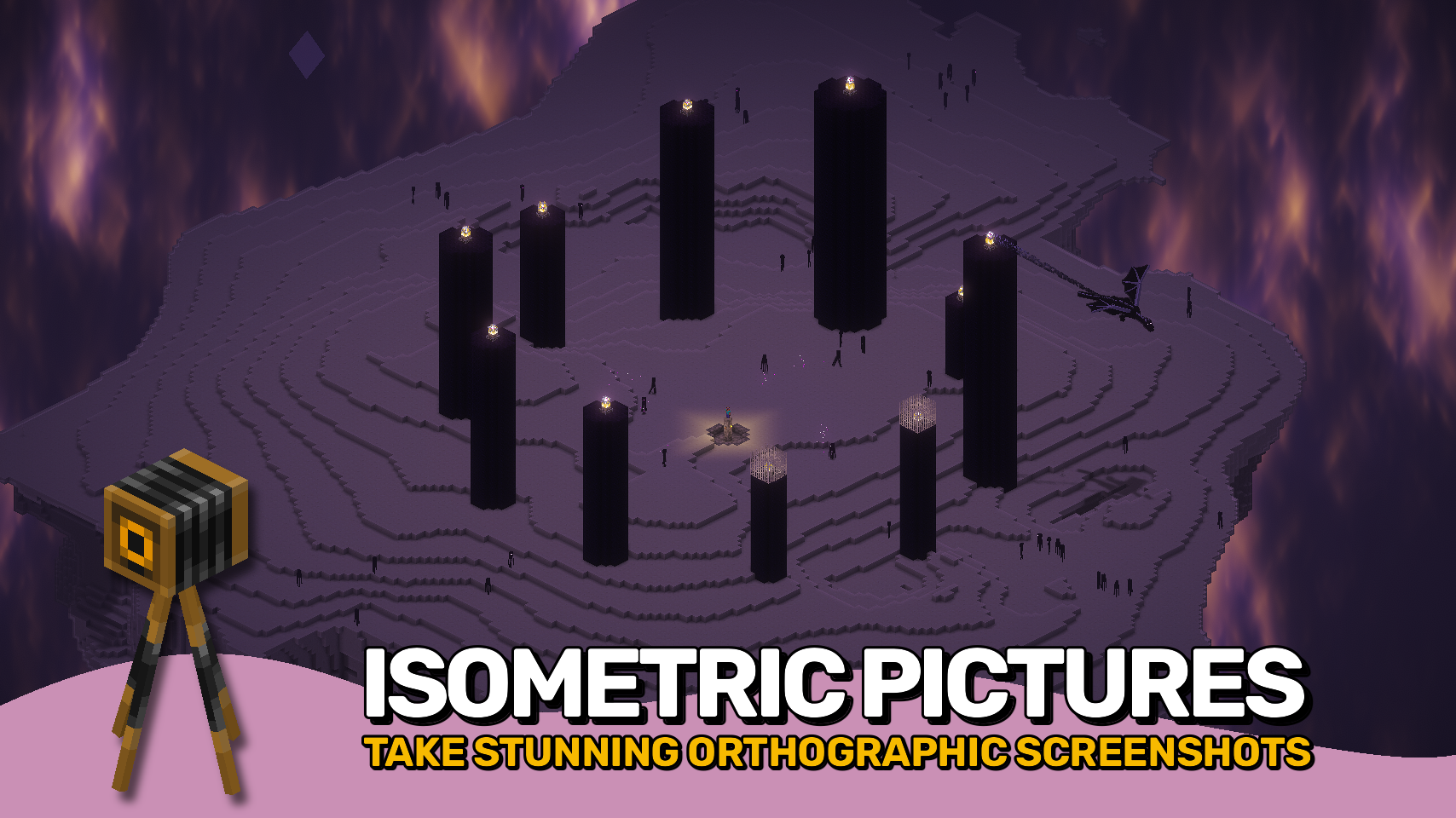
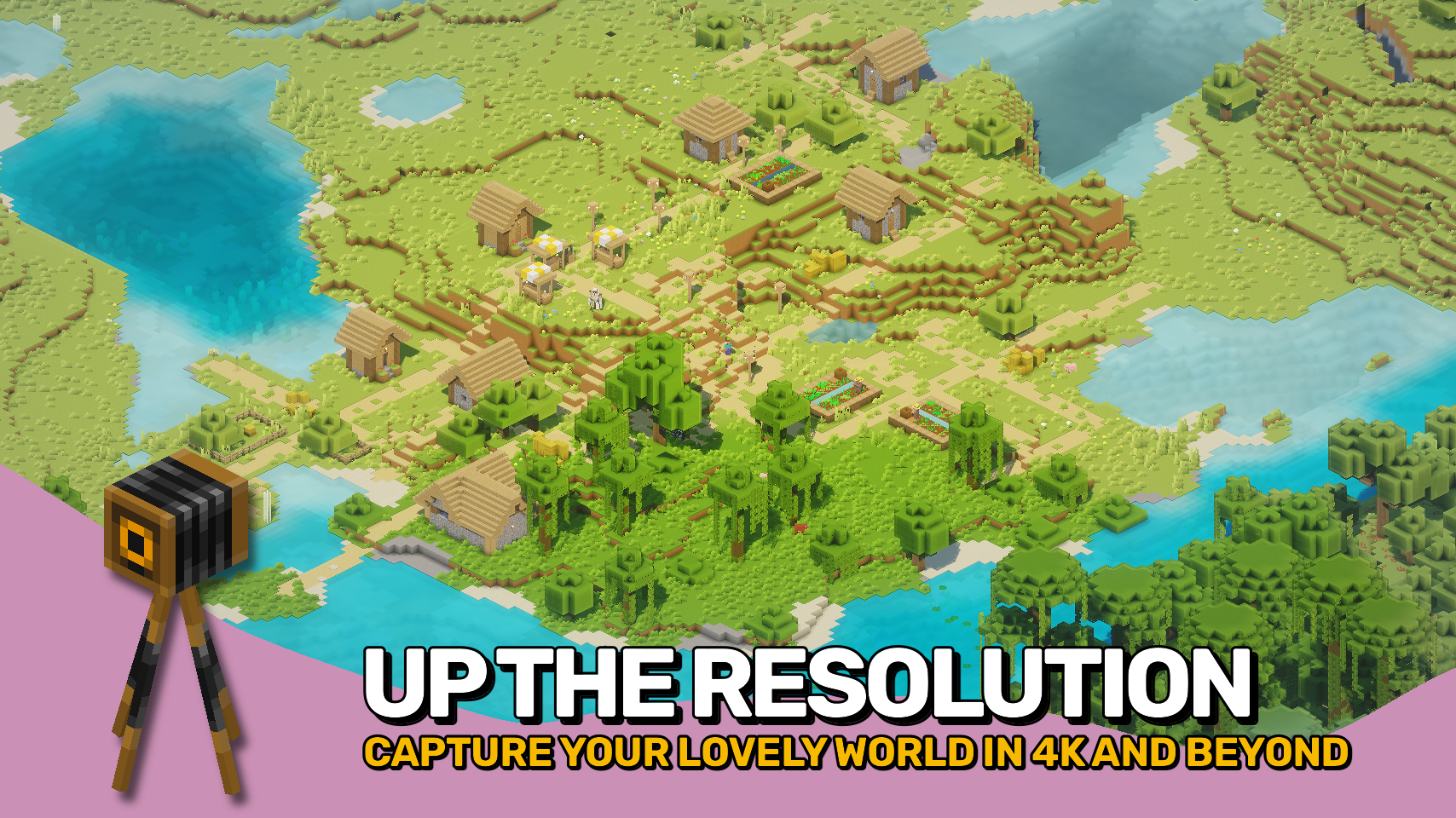
Pixelshot brings powerful camera tools to Minecraft, making it easy to capture your world in amazing new ways. It features an adjustable orthographic camera for smooth isometric views, a high-resolution screenshot mode for ultra-clear images up to 16K, and panoramic capture for creating full 360° backgrounds for your main menu screen.
With its built-in orthographic camera, you can zoom far away from your player and see the world from a whole new angle. Perfect for building showcases, maps, and cinematic shots. Easily adjust zoom, rotation, and view settings through a simple menu or use quick keybinds for smooth control.
Whether you want to show off a massive build, capture a perfect wallpaper, or design your own menu background, this mod makes every shot look absolutely stunning.



⏩ INSTALLATION REQUIRED ON CLIENT
⏩ REQUIRES PUZZLES LIB TO BE INSTALLED (FABRIC & NEOFORGE)
⏩ REQUIRES FABRIC API TO BE INSTALLED (FABRIC)
⏩ REQUIRES FORGE CONFIG API PORT TO BE INSTALLED (FABRIC)

If available for a mod, configuration is possible directly from in-game using the mod menu (requires Mod Menu by Prospector to be installed on Fabric). Please note that on older Minecraft versions installing Forge Config Screens is also a requirement.
For manual configuration using an external text editor all files are found at .minecraft/config, named as MOD_ID-client.toml, MOD_ID-common.toml, or MOD_ID-server.toml, depending on the type of config. Not all types might exist for a mod, if any at all.

🌟 Massive thanks to BarracudaATA for their amazing Mineshot mod, which first inspired my journey into Minecraft modding many years ago. While this project has been rebuilt from the ground up, Mineshot remains the core inspiration behind it.
🌟 Huge thanks to pascallj for keeping Mineshot alive with Mineshot Revived, which kept the spirit of the original going and inspired me to create a fully modern version of my own.
 |
 |
|
|---|---|---|
 |
 |
|
 |
 |
|
 |
 |
|
 |
 |
|

Project description from CurseForge.
Pick your setup
Choose the version and loader you play, then open the matching release.
Check the dependencies, then try the file in a copied instance before changing a world you care about.
Recent files
Pixelshot-v21.1.1-1.21.1-NeoForge.jar
20 Dec 2025
Pixelshot-v21.1.0-1.21.1-NeoForge.jar
20 Oct 2025
Looking for an older file? The official CurseForge project page is in Resources.
 mod
modPerform necromancy and dark rituals using the power of souls. Highly configurable.
 mod
modA JEI/REI/EMI plugin that displays detailed enchantment information
 mod
modAdventure time inspired dungeon crawler on a train. Procedurally generated carriages on a infinite sable physics train. Rich narrative, with custom made mods for a completely unique experience.
