More Grass (Heavy Bullet) Optional for Heavy Bullet heavybullet-0.1.7.jar
optionalMatching file found Matched file: moregrass_heavybullet-0.2.10.jar

CurseForge · Minecraft mod
Core mod of Heavy Bullet modpack and server
Quick answer
Heavy Bullet heavybullet-0.1.7.jar targets 1.20.1 with Forge. The project page does not say whether this file belongs on the client, dedicated server, or both. No extra mods listed for this file.
Where it goes
The project page does not say whether this file belongs on the client, dedicated server, or both.
The source does not explicitly classify this release as client-only or server-only.
heavybullet-0.1.7.jar. Change the file and its required mods may change too.
This file does not list any required mods. Do not add a library just because a different file uses it.
2 extra mods were pulled in by other dependencies. Indented rows show who needs each one. We only count dependency files that match this setup. A file for another loader does not fill the gap.
Before you install it
Built for Heavy Bullet heavybullet-0.1.7.jar. Pick another file and the loader, install side or required mods may change.
Use heavybullet-0.1.7.jar. It targets 1.20.1 with Forge; another release may have different loader, side or dependency requirements.
This file does not list any required mods. Do not add a library just because a different file uses it.
The project page does not say whether this file belongs on the client, dedicated server, or both.
Use the “Get this file” button beside heavybullet-0.1.7.jar. It opens that exact file at the source.
About this project
MOD PACK REQUIRED
https://www.curseforge.com/minecraft/modpacks/heavybullet
Unique Features:
**Radars** - Unique mod that adds radar systems. Your ship – and others’ – can be equipped with radars that, under certain conditions, detect enemy positions. Useful for bounty hunters, sky pirates, and defensive strategies to anticipate attacks
**Backpack Dockyard Upgrade** - A unique backpack addon that lets you pack your ship into a special compartment inside Sophisticated Backpacks. Inside the backpack’s dockyard interface, you can register your ship and give it a name. This way, you’ll never lose it - radars, repair blocks, and your teammates will all recognize it as your ship.
**Backpack Binding Upgrade** - A unique backpack addon that protects your backpack from theft, loss, or destruction. It also provides a live map marker showing your backpack’s location, ensuring you never lose track of it.
**Repairer Block** - A unique mod that introduces an automatic repair system for ships. With just a few clicks, you can save your ship’s blueprint, compare it after damage, and restore missing parts. Instead of wasting hours manually rebuilding what was lost, the block repairs your ship over time, consuming resources and energy. This makes ship maintenance simple and user-friendly, letting you focus on building, upgrading, and creativity rather than tedious restoration.
**Slewing Drive block** - A unique mod that adds an analog of Physical Bearing from the Create Clockwork mod
**Protected Slots** - A unique mod that adds special inventory slots which preserve items after death. Some of these are Specified Slots, restricted to certain item types (like weapons, ammo, or meds), ensuring you always respawn with a minimal survival kit while still losing most of your resources for balance.
**Gyrostabilizers **- A unique mod that consumes energy to keep your ship stable in flight, preventing wobbling and flipping. They allow even large, unbalanced ships to stay level in the air, counteracting lift and ballast issues that would normally tip them over.
**Shader Preset Switcher** - A unique mod that lets you switch shader graphics presets on the fly, without opening the settings menu. Quickly swap between quality and performance modes during intense moments, while keeping shaders enabled so features like the flashlight remain functional.
**Teams** - A unique mod that integrates with radar and dockyard systems to enhance team play. It shows teammates and allied ships on the map and radar, and supports pings that your squadmates can see—allowing you to communicate by pointing out specific locations or directions.
**Auto-hoist block** - when the owner is under the ship (the ship is registered to him), the block drops a chain down which can be used to climb onto the ship
Fixes and integration with other mods:
Point Blank, More Red, Thermal Expansion, Passable Foliage, Journey Map, Curios, Distant Horizons
Plans for future seasons:
Project description from CurseForge.
Pick your setup
Choose the version and loader you play, then open the matching release.
Check the dependencies, then try the file in a copied instance before changing a world you care about.
Recent files
2 Feb 2026
31 Jan 2026
29 Jan 2026
25 Jan 2026
24 Jan 2026
22 Jan 2026
22 Jan 2026
20 Jan 2026
Looking for an older file? The official CurseForge project page is in Resources.
 mod
A soulslike RPG overhaul: earn runes, level eight attributes at Ember Shrines, wield 74 scaling armaments and hunt seven Sovereigns.
 mod
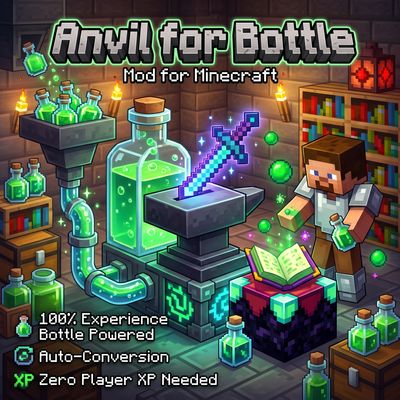
Anvil for Bottle removes the need for player XP levels when repairing, combining, renaming, or enchanting items! Instead, power your workstation directly with Bottles o' Enchanting —manually or fully automated with hoppers.
 mod
A lightweight Tinkers' Construct addon featuring tools, new materials, and exclusive projectile traits.