Minecraft version
Back to mods 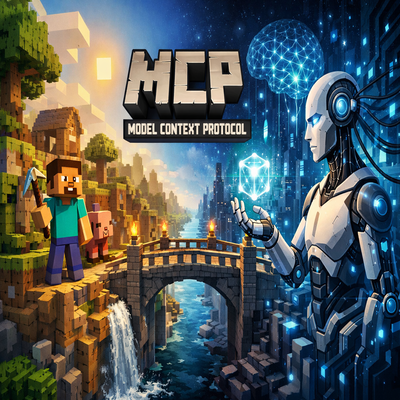
CurseForge · Minecraft mod
MCP Bridge
MCP (Model context protocol) Bridge Allow you to connect AI (local or cloud) to you minecraft game !
Choose a version Pick your version below, then grab the matching file.
Quick answer
Which MCP Bridge release should I use?
Latest stable file mcpforge-1.0.0.jar
Game version 1.21.1
Loader Forge
MCP Bridge mcpforge-1.0.0.jar targets 1.21.1 with Forge. The project page does not say whether this file belongs on the client, dedicated server, or both. No extra mods listed for this file.
Where it goes
Is MCP Bridge required on the client, server, or both?
The project page does not say whether this file belongs on the client, dedicated server, or both.
Client Source doesn’t say
Dedicated server Source doesn’t say
Loader for this release Forge
Required install it here Optional supported, not mandatory Not supported do not install here Source doesn’t say do not assume
The source does not explicitly classify this release as client-only or server-only.
What else does MCP Bridge mcpforge-1.0.0.jar need?
mcpforge-1.0.0.jar. Change the file and its required mods may change too.
This file does not list any required mods. Do not add a library just because a different file uses it.
This file does not list any required or optional mods.
Before you install it
Add MCP Bridge without breaking your instance.
Built for MCP Bridge mcpforge-1.0.0.jar. Pick another file and the loader, install side or required mods may change.
- 01
Stick to this file
Use mcpforge-1.0.0.jar. It targets 1.21.1 with Forge; another release may have different loader, side or dependency requirements.
- 02
Bring the mods it needs
This file does not list any required mods. Do not add a library just because a different file uses it.
- 03
Put it on the correct side
The project page does not say whether this file belongs on the client, dedicated server, or both.
- 04
Pick the file you checked
Use the “Get this file” button beside mcpforge-1.0.0.jar. It opens that exact file at the source.
About this project
What does MCP Bridge add?
MCP Forge - Minecraft MCP Bridge
MCP Forge is a full admin MCP (Model Context Protocol) bridge for Minecraft. It exposes a rich set of MCP tools so any AI can read game state, control players/NPCs, build structures, mine, manage world rules, and run server commands.
Key Features
- Full admin command execution via MCP.
- Structured tools for players, entities, blocks, world, recipes, inventories, NPCs, and more.
- NPC companion with follow/move/mine/build/combat and inventory UI.
- World control: time, weather, gamerules, worldborder, biome/structure locate.
- Events stream for chat, commands, spawns, deaths, and block changes.
Connection (MCP HTTP)
- Endpoint:
http://127.0.0.1:8765/mcp - Method:
POST - Authorization:
Bearer <token>(default:changeme)
MCP Tools (Summary)
- Core: mc_command, mc_command_batch, mc_chat_send, mc_chat_recent
- Players: mc_player_pos, mc_player_tp, mc_player_give, mc_player_gamemode, mc_player_heal, mc_player_inventory, mc_player_inventory_clear, mc_players_list
- Items/Recipes: mc_list_items, mc_get_item, mc_item_search, mc_list_recipes, mc_recipe_get
- World: mc_world_setblock, mc_world_fill, mc_world_replace, mc_world_structure, mc_world_time_get/set, mc_world_weather_get/set, mc_world_biome_at, mc_worldborder_get/set
- Build: mc_build_plan, mc_blockstate_get, mc_blockstate_set, mc_blockstate_set_nbt
- Entities: mc_entity_spawn, mc_entity_list, mc_entity_kill, mc_entity_get, mc_entity_tp, mc_entity_remove
- Entity Effects/Attributes/AI: mc_entity_effects, mc_entity_effect_add/clear, mc_entity_attribute_get/set, mc_entity_ai_set
- Scoreboard: objectives/teams/scores/list/display helpers
- Gamerules: mc_gamerule_list/get/set
- Datapacks/Functions: mc_datapack_list/enable/disable, mc_function_list/run
- Advancements/Loot: mc_advancement_list/grant/revoke, mc_loot_give/spawn
- NPC: mc_npc_spawn/despawn/move/follow/stop/status, mc_npc_build, mc_npc_mine, mc_npc_combat, mc_npc_creative, mc_npc_schem_load
- Discovery: mc_list_biomes, mc_list_structures, mc_list_effects, mc_list_attributes, mc_list_tags
- Events: mc_events_recent, resources read via mc://events/recent
Full MCP Tools List
- mc_command
- mc_command_batch
- mc_chat_send
- mc_chat_recent
- mc_events_recent
- mc_list_items
- mc_get_item
- mc_item_search
- mc_list_recipes
- mc_recipe_get
- mc_player_pos
- mc_player_tp
- mc_player_give
- mc_player_gamemode
- mc_player_heal
- mc_players_list
- mc_player_inventory
- mc_player_inventory_clear
- mc_world_setblock
- mc_world_fill
- mc_world_replace
- mc_world_structure
- mc_world_time_get
- mc_world_time_set
- mc_world_weather_get
- mc_world_weather_set
- mc_world_biome_at
- mc_worldborder_get
- mc_worldborder_set
- mc_locate_structure
- mc_locate_biome
- mc_build_plan
- mc_blockstate_get
- mc_blockstate_set
- mc_blockstate_set_nbt
- mc_nbt_get_block
- mc_nbt_merge_block
- mc_nbt_get_entity
- mc_nbt_merge_entity
- mc_nbt_get_player
- mc_nbt_merge_player
- mc_container_get
- mc_container_set
- mc_container_clear
- mc_entity_spawn
- mc_entity_list
- mc_entity_kill
- mc_entity_get
- mc_entity_tp
- mc_entity_remove
- mc_entity_effects
- mc_entity_effect_add
- mc_entity_effect_clear
- mc_entity_attribute_get
- mc_entity_attribute_set
- mc_entity_ai_set
- mc_scoreboard_objectives_list
- mc_scoreboard_objective_add
- mc_scoreboard_objective_remove
- mc_scoreboard_display_set
- mc_scoreboard_display_get
- mc_scoreboard_teams_list
- mc_scoreboard_team_add
- mc_scoreboard_team_remove
- mc_scoreboard_team_join
- mc_scoreboard_team_leave
- mc_scoreboard_score_set
- mc_scoreboard_score_get
- mc_scoreboard_score_reset
- mc_scoreboard_players_list
- mc_scoreboard_player_scores
- mc_gamerule_list
- mc_gamerule_get
- mc_gamerule_set
- mc_datapack_list
- mc_datapack_enable
- mc_datapack_disable
- mc_function_list
- mc_function_run
- mc_advancement_list
- mc_advancement_grant
- mc_advancement_revoke
- mc_loot_give
- mc_loot_spawn
- mc_list_biomes
- mc_list_structures
- mc_list_effects
- mc_list_attributes
- mc_list_tags
- mc_npc_spawn
- mc_npc_despawn
- mc_npc_move
- mc_npc_follow
- mc_npc_stop
- mc_npc_status
- mc_npc_combat
- mc_npc_creative
- mc_npc_build
- mc_npc_mine
- mc_npc_schem_load
In‑Game Commands (NPC)
- /npc spawn [name] [x y z]
- /npc despawn
- /npc move <x> <y> <z>
- /npc follow [player] [speed]
- /npc stop
- /npc combat <off|hostiles|players|all>
- /npc creative <on|off>
- /npc build wall [block] [width] [height]
- /npc build bridge [block] [length] [width]
- /npc build house [block] [width] [height] [depth]
- /npc schem load <file> [x y z]
- /npc mine line <length> [direction]
- /npc mine tunnel <length> [direction]
- /npc mine vein <x> <y> <z>
- /npc mine ore <ore_id> [radius]
- /npc status
MCP Forge - Bridge MCP pour Minecraft
MCP Forge est un bridge MCP (Model Context Protocol) full admin pour Minecraft. Il expose un large ensemble d'outils MCP afin que n'importe quelle IA puisse lire l'état du jeu, controler joueurs/NPC, construire, miner, gerer les regles du monde et executer des commandes serveur.
Fonctionnalites
- Execution de commandes admin via MCP.
- Outils structures pour joueurs, entites, blocs, monde, recettes, inventaires, NPC, etc.
- NPC compagnon avec follow/move/mine/build/combat + inventaire.
- Controle du monde: temps, meteo, gamerules, worldborder, locate biome/structure.
- Flux d'évenements: chat, commandes, spawns, morts, blocs.
Connexion (MCP HTTP)
- Endpoint:
http://127.0.0.1:8765/mcp - Methode:
POST - Authorization:
Bearer <token>(par defaut:changeme)
Outils MCP (Resume)
- Core: mc_command, mc_command_batch, mc_chat_send, mc_chat_recent
- Joueurs: mc_player_pos, mc_player_tp, mc_player_give, mc_player_gamemode, mc_player_heal, mc_player_inventory, mc_player_inventory_clear, mc_players_list
- Items/Recettes: mc_list_items, mc_get_item, mc_item_search, mc_list_recipes, mc_recipe_get
- Monde: mc_world_setblock, mc_world_fill, mc_world_replace, mc_world_structure, mc_world_time_get/set, mc_world_weather_get/set, mc_world_biome_at, mc_worldborder_get/set
- Build: mc_build_plan, mc_blockstate_get, mc_blockstate_set, mc_blockstate_set_nbt
- Entites: mc_entity_spawn, mc_entity_list, mc_entity_kill, mc_entity_get, mc_entity_tp, mc_entity_remove
- Effets/Attributs/IA: mc_entity_effects, mc_entity_effect_add/clear, mc_entity_attribute_get/set, mc_entity_ai_set
- Scoreboard: objectives/teams/scores/list/display
- Gamerules: mc_gamerule_list/get/set
- Datapacks/Functions: mc_datapack_list/enable/disable, mc_function_list/run
- Advancements/Loot: mc_advancement_list/grant/revoke, mc_loot_give/spawn
- NPC: mc_npc_spawn/despawn/move/follow/stop/status, mc_npc_build, mc_npc_mine, mc_npc_combat, mc_npc_creative, mc_npc_schem_load
- Discovery: mc_list_biomes, mc_list_structures, mc_list_effects, mc_list_attributes, mc_list_tags
- Events: mc_events_recent, lecture via mc://events/recent
Liste complete des outils MCP
- mc_command
- mc_command_batch
- mc_chat_send
- mc_chat_recent
- mc_events_recent
- mc_list_items
- mc_get_item
- mc_item_search
- mc_list_recipes
- mc_recipe_get
- mc_player_pos
- mc_player_tp
- mc_player_give
- mc_player_gamemode
- mc_player_heal
- mc_players_list
- mc_player_inventory
- mc_player_inventory_clear
- mc_world_setblock
- mc_world_fill
- mc_world_replace
- mc_world_structure
- mc_world_time_get
- mc_world_time_set
- mc_world_weather_get
- mc_world_weather_set
- mc_world_biome_at
- mc_worldborder_get
- mc_worldborder_set
- mc_locate_structure
- mc_locate_biome
- mc_build_plan
- mc_blockstate_get
- mc_blockstate_set
- mc_blockstate_set_nbt
- mc_nbt_get_block
- mc_nbt_merge_block
- mc_nbt_get_entity
- mc_nbt_merge_entity
- mc_nbt_get_player
- mc_nbt_merge_player
- mc_container_get
- mc_container_set
- mc_container_clear
- mc_entity_spawn
- mc_entity_list
- mc_entity_kill
- mc_entity_get
- mc_entity_tp
- mc_entity_remove
- mc_entity_effects
- mc_entity_effect_add
- mc_entity_effect_clear
- mc_entity_attribute_get
- mc_entity_attribute_set
- mc_entity_ai_set
- mc_scoreboard_objectives_list
- mc_scoreboard_objective_add
- mc_scoreboard_objective_remove
- mc_scoreboard_display_set
- mc_scoreboard_display_get
- mc_scoreboard_teams_list
- mc_scoreboard_team_add
- mc_scoreboard_team_remove
- mc_scoreboard_team_join
- mc_scoreboard_team_leave
- mc_scoreboard_score_set
- mc_scoreboard_score_get
- mc_scoreboard_score_reset
- mc_scoreboard_players_list
- mc_scoreboard_player_scores
- mc_gamerule_list
- mc_gamerule_get
- mc_gamerule_set
- mc_datapack_list
- mc_datapack_enable
- mc_datapack_disable
- mc_function_list
- mc_function_run
- mc_advancement_list
- mc_advancement_grant
- mc_advancement_revoke
- mc_loot_give
- mc_loot_spawn
- mc_list_biomes
- mc_list_structures
- mc_list_effects
- mc_list_attributes
- mc_list_tags
- mc_npc_spawn
- mc_npc_despawn
- mc_npc_move
- mc_npc_follow
- mc_npc_stop
- mc_npc_status
- mc_npc_combat
- mc_npc_creative
- mc_npc_build
- mc_npc_mine
- mc_npc_schem_load
Commandes en jeu (NPC)
- /npc spawn [nom] [x y z]
- /npc despawn
- /npc move <x> <y> <z>
- /npc follow [joueur] [vitesse]
- /npc stop
- /npc combat <off|hostiles|players|all>
- /npc creative <on|off>
- /npc build wall [bloc] [largeur] [hauteur]
- /npc build bridge [bloc] [longueur] [largeur]
- /npc build house [bloc] [largeur] [hauteur] [profondeur]
- /npc schem load <fichier> [x y z]
- /npc mine line <longueur> [direction]
- /npc mine tunnel <longueur> [direction]
- /npc mine vein <x> <y> <z>
- /npc mine ore <ore_id> [radius]
- /npc status
Project description from CurseForge.
Pick your setup
MCP Bridge by Minecraft version and loader
Choose the version and loader you play, then open the matching release.
Check the dependencies, then try the file in a copied instance before changing a world you care about.
Recent files
MCP Bridge versions and loaders
mcpforge-1.0.0.jar
27 Dec 2025
Client Source doesn’t say Server Source doesn’t say Dependencies No extras listed Listed on Release listing
Check the 1.21.1 · Forge setup Forge1.21.1 release
Looking for an older file? The official CurseForge project page is in Resources.
 mod
mod CurseForge · Minecraft
Omnisearch
Instantly search the mcmod (the largest Chinese Minecraft wiki) from in-game, say goodbye to alt-tabbing.
 mod
mod CurseForge + Modrinth · Minecraft
Pot Presets
Adds preset Decorated Pots to the Creative Inventory
 mod
mod CurseForge · Minecraft
Powered Mobs
Endgame gear making combat trivial? Powered Mobs scales mob health and damage to your progression — real challenge, no boring HP sponges.