Fabric API Needed by Better Render Distance BetterRenderDistance-1.2.2+mc1.21.11.jar
requiredMatching file found Matched file: [1.21.11] Fabric API 0.141.6+1.21.11

CurseForge · Minecraft mod
Improves render distance by making it perfectly spherical, culling diagonal chunk sections and entities for better performance.
Quick answer
Better Render Distance BetterRenderDistance-1.2.2+mc1.21.11.jar targets 1.21.11 with Fabric. The project page does not say whether this file belongs on the client, dedicated server, or both. All 1 required mods have matching files.
Where it goes
The project page does not say whether this file belongs on the client, dedicated server, or both.
The source does not explicitly classify this release as client-only or server-only.
BetterRenderDistance-1.2.2+mc1.21.11.jar. Change the file and its required mods may change too.
Install Fabric API first. We found matching files for this game-version and loader setup.
We only count dependency files that match this setup. A file for another loader does not fill the gap.
Before you install it
Built for Better Render Distance BetterRenderDistance-1.2.2+mc1.21.11.jar. Pick another file and the loader, install side or required mods may change.
Use BetterRenderDistance-1.2.2+mc1.21.11.jar. It targets 1.21.11 with Fabric; another release may have different loader, side or dependency requirements.
Install Fabric API first. We found matching files for this game-version and loader setup.
The project page does not say whether this file belongs on the client, dedicated server, or both.
Use the “Get this file” button beside BetterRenderDistance-1.2.2+mc1.21.11.jar. It opens that exact file at the source.
About this project
I get about a 10-15% boost on my system. Impacts both the CPU and the GPU. It could create a larger benefit for lower end systems.
Built to be lightweight and uses optimized functions. When Sodium is installed, Better Render Distance hooks into Sodium’s own occlusion culler to keep overhead as low as possible.
This mod makes three optimizations to improve upon this.
Changes the render distance formula to be as a perfect circle as it can be which reduces the overextended diagonals.

Upgrades the shape from a cylinder to a sphere. Which extends the diagonal culling from only being done horizontally to vertically as well.
Ships with vertical distance set to the Balanced preset by default. Useful especially at higher render distances.
Available in Sodium’s Video Settings. You can toggle the optimizations on/off and adjust the vertical culling amount.

Auto Vertical Scale setting that includes three presets (Performance / Balanced / Quality) which automatically adjust Vertical Scale based on your current Render Distance.
The manual adjustment slider is disabled when the Auto setting is enabled.
Compatible with all the popular performance mods. If you find an incompatibility please report it and I will check it out.
I will be updating this mod to every stable Minecraft release. Further improvements, features will be explored and added over time.
The mod will be ported back to some earlier versions of Minecraft. Head over to Discord if the mod isn't available in a version you are playing in.
You can join the Discord server to report bugs, request features, ask questions, or reach out to me for any purpose.
Project description from CurseForge.
Pick your setup
Choose the version and loader you play, then open the matching release.
Showing the newest 12 of 17 game versions. Older files are in the list below.
Check the dependencies, then try the file in a copied instance before changing a world you care about.
Recent files
BetterRenderDistance-1.2.2-mc1.21.11.jar
2 Nov 2026
BetterRenderDistance-1.2.2-mc1.21.1.jar
1 Nov 2026
17 Sept 2026
17 Sept 2026
20 Jul 2026
10 Jul 2026
27 Jun 2026
17 Jun 2026
19 Apr 2026
19 Apr 2026
4 Apr 2026
21 Mar 2026
Looking for an older file? The official CurseForge project page is in Resources.
 mod
Library/API for messing with time and space
 mod
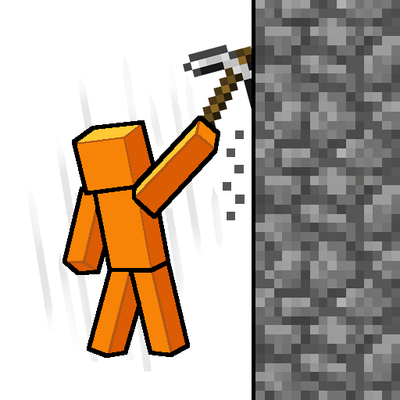
Slam your pickaxe into a wall mid-fall to slow your descent or lock yourself in place before you hit the ground.
 mod
PRADAR watches your surroundings. When a player outside your party, trusted list or trusted Towny nations comes within range, you get an alarm and a waypoint, and your party is notified. Client-side only, requires the Party mod.