Minecraft version
Back to mods 
CurseForge · Minecraft mod
Asian Mode
Is Minecraft too easy for you? Well, this mod is your choice.
Choose a version Pick your version below, then grab the matching file.
Quick answer
Which Asian Mode release should I use?
Latest stable file asianmode.jar
Game version 1.21.11
Loader NeoForge
Asian Mode asianmode.jar targets 1.21.11 with NeoForge. The project page does not say whether this file belongs on the client, dedicated server, or both. No extra mods listed for this file.
Where it goes
Is Asian Mode required on the client, server, or both?
The project page does not say whether this file belongs on the client, dedicated server, or both.
Client Source doesn’t say
Dedicated server Source doesn’t say
Loader for this release NeoForge
Required install it here Optional supported, not mandatory Not supported do not install here Source doesn’t say do not assume
The source does not explicitly classify this release as client-only or server-only.
What else does Asian Mode asianmode.jar need?
asianmode.jar. Change the file and its required mods may change too.
This file does not list any required mods. Do not add a library just because a different file uses it.
This file does not list any required or optional mods.
Before you install it
Add Asian Mode without breaking your instance.
Built for Asian Mode asianmode.jar. Pick another file and the loader, install side or required mods may change.
- 01
Stick to this file
Use asianmode.jar. It targets 1.21.11 with NeoForge; another release may have different loader, side or dependency requirements.
- 02
Bring the mods it needs
This file does not list any required mods. Do not add a library just because a different file uses it.
- 03
Put it on the correct side
The project page does not say whether this file belongs on the client, dedicated server, or both.
- 04
Pick the file you checked
Use the “Get this file” button beside asianmode.jar. It opens that exact file at the source.
About this project
What does Asian Mode add?
Asian Mode
Auto-Enabled: The challenge starts automatically when you join - no setup needed
A Heart: You always respawn with just 0.5 hearts
Allergic to Nature: ALL plants can kill you! Moss blocks, crops, vines, ferns, cacti, ## flowers, mushrooms, mangrove roots, sweet berry bushes, cocoa, petals, ancient plants, and more
Cold Biome Death: Entering snowy, icy, frozen, taiga, or peak biomes freezes you to death
Jukebox Death: Playing music at a jukebox kills you instantly
Hot Biomes: Deserts and badlands kill you from heat
Can't Swim: Touching water can drown you
Afraid of Darkness: Low-light areas cause death
Sunburn: Being outside during the day is killing you
No Nether/End: These dimensions are instant death
No Iron+ Tools: Iron, diamond, and netherite tools/armor are too heavy to hold
Social Anxiety: Mobs within 3 blocks trigger death
Pet Allergy: Touching animals is fatal
Chests are Sabotaged: Opening chests gives only dirt and water
Many More: Torches, campfires, crouching, running, falling, rain, thunder, and more!
Please support me.
Project description from CurseForge.
Pick your setup
Asian Mode by Minecraft version and loader
Choose the version and loader you play, then open the matching release.
Check the dependencies, then try the file in a copied instance before changing a world you care about.
Recent files
Asian Mode versions and loaders
asianmode.jar
14 Feb 2026
Client Source doesn’t say Server Source doesn’t say Dependencies No extras listed Listed on Release listing
Check the 1.21.11 · NeoForge setup NeoForge1.21.11 release
Looking for an older file? The official CurseForge project page is in Resources.
 mod
mod CurseForge + Modrinth · Minecraft
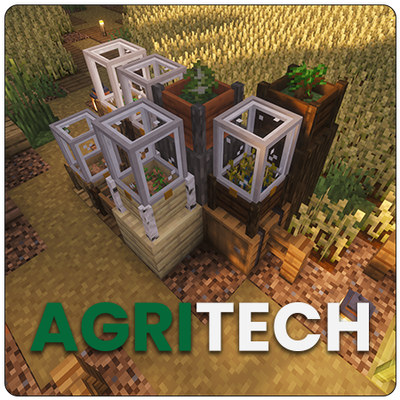
Agritech (AT2)
Farming automation mod. Planters and raised beds grow your crops and trees for you.
 mod
mod CurseForge · Minecraft
EnderStorage Networks
Configurable infinite-fluid EnderTank frequencies for NeoForge.
 mod
mod CurseForge · Minecraft
Vertical Slab Blocks
Adds functional vertical slabs while preserving vanilla block behavior wherever possible.