Minecraft version
Back to mods 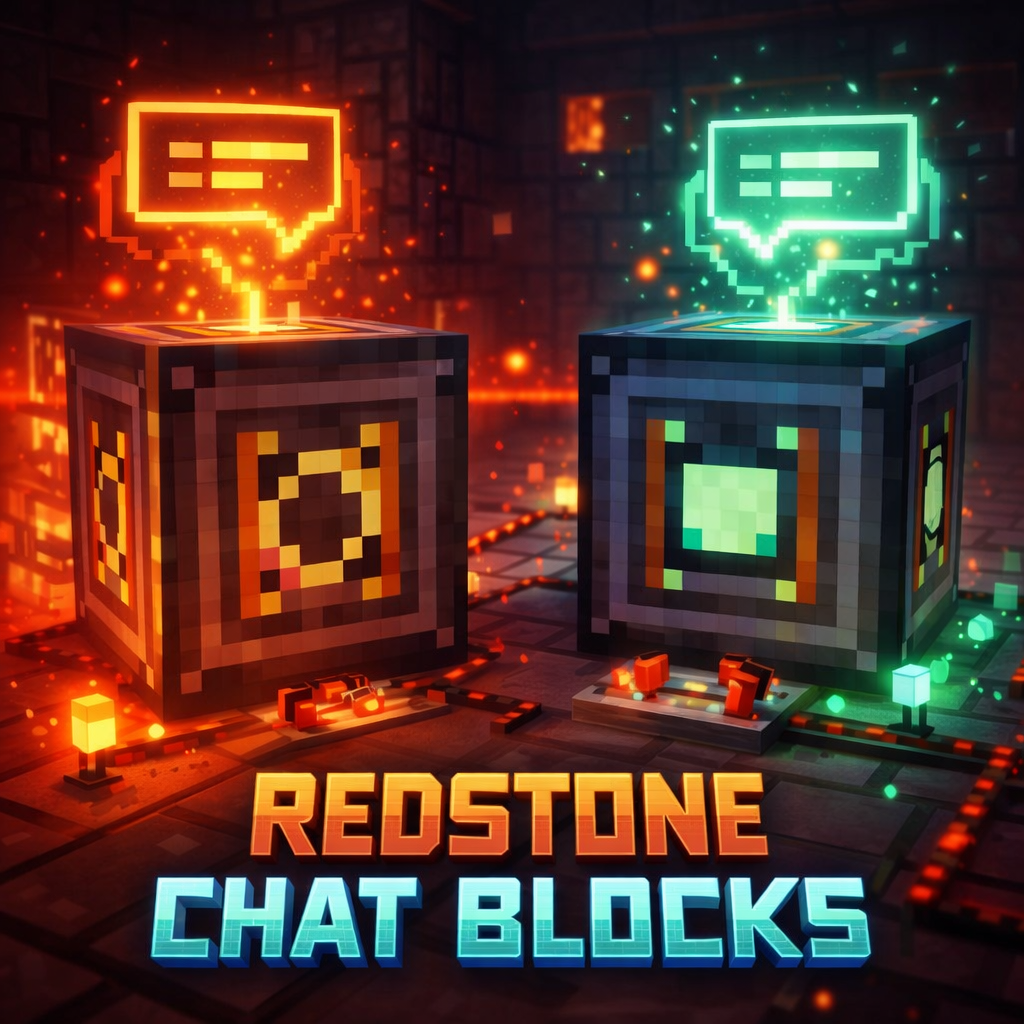
CurseForge · Minecraft mod
Redstone Chat Blocks
Turn redstone into immersive chat events with customizable message blocks for maps, minigames, announcements, and storytelling.
Choose a version Pick your version below, then grab the matching file.
Quick answer
Which Redstone Chat Blocks release should I use?
Latest stable file redstonechatblocks-1.0.0-neoforge-1.21.1.jar
Game version 1.21.1
Loader NeoForge
Redstone Chat Blocks redstonechatblocks-1.0.0-neoforge-1.21.1.jar targets 1.21.1 with NeoForge. The project page does not say whether this file belongs on the client, dedicated server, or both. No extra mods listed for this file.
Where it goes
Is Redstone Chat Blocks required on the client, server, or both?
The project page does not say whether this file belongs on the client, dedicated server, or both.
Client Source doesn’t say
Dedicated server Source doesn’t say
Loader for this release NeoForge
Required install it here Optional supported, not mandatory Not supported do not install here Source doesn’t say do not assume
The source does not explicitly classify this release as client-only or server-only.
What else does Redstone Chat Blocks redstonechatblocks-1.0.0-neoforge-1.21.1.jar need?
redstonechatblocks-1.0.0-neoforge-1.21.1.jar. Change the file and its required mods may change too.
This file does not list any required mods. Do not add a library just because a different file uses it.
This file does not list any required or optional mods.
Before you install it
Add Redstone Chat Blocks without breaking your instance.
Built for Redstone Chat Blocks redstonechatblocks-1.0.0-neoforge-1.21.1.jar. Pick another file and the loader, install side or required mods may change.
- 01
Stick to this file
Use redstonechatblocks-1.0.0-neoforge-1.21.1.jar. It targets 1.21.1 with NeoForge; another release may have different loader, side or dependency requirements.
- 02
Bring the mods it needs
This file does not list any required mods. Do not add a library just because a different file uses it.
- 03
Put it on the correct side
The project page does not say whether this file belongs on the client, dedicated server, or both.
- 04
Pick the file you checked
Use the “Get this file” button beside redstonechatblocks-1.0.0-neoforge-1.21.1.jar. It opens that exact file at the source.
About this project
What does Redstone Chat Blocks add?
Redstone Chat Blocks
Make your world speak with redstone-powered chat messages.
Redstone Chat Blocks is a lightweight NeoForge 1.21.1 mod that adds two customizable blocks for sending chat messages through redstone signals.
Use it to create dialogue, warnings, announcements, puzzle feedback, dungeon events, and immersive world interactions — all without messy command setups.
Perfect for adventure maps, escape rooms, minigames, dungeons, story events, and redstone-powered builds.

Why Use Redstone Chat Blocks?
If you want your world to talk, react, warn, or guide the player, Redstone Chat Blocks gives you a simple and reliable way to do it.
Instead of building complex command systems, you can just place a block, configure the message, connect redstone, and instantly add more life and feedback to your world.
It is ideal for creators who want:
- cleaner event messaging
- immersive dialogue
- automated announcements
- puzzle and dungeon feedback
- redstone-triggered world interaction
- fast setup without unnecessary complexity
What This Mod Adds
Single-use Chat Block
Sends a chat message once when it receives redstone power.
- Activates only on OFF → ON
- Sends the message one time per trigger
- Does not spam while continuously powered
- Can be triggered again after power is removed
Repeating Chat Block
Keeps sending a chat message while powered.
- Repeats automatically while active
- Uses a configurable interval in seconds
- Stops immediately when power is removed
- Resumes correctly when powered again
Custom Sender Names
Both blocks let you define:
- Sender Name
- Message
This allows messages to feel like they come from a real in-world source instead of plain system text.
Great for names like:
- Guide
- Announcer
- Dungeon Voice
- Arena Host
- Warning System
- Narrator
- Security AI
- Quest Master
Perfect For
Redstone Chat Blocks works especially well in:
- Adventure maps
- Puzzle maps
- Escape rooms
- Minigames
- Story-driven events
- Dungeon encounters
- Automated announcements
- Redstone warning systems
- Ambient dialogue
- Interactive world-building
Simple and Fast to Configure
Both chat blocks use a clean interface inspired by the command block GUI.
Single-use Chat Block
- Sender Name
- Message
Repeating Chat Block
- Sender Name
- Message
- Interval (seconds)
The interface is designed to be fast, readable, and practical for quick setup.
Safe and Reliable Behavior
- Messages are sent server-side
- Empty messages are ignored
- Invalid interval values are handled safely
- Repeat interval is clamped to a minimum of 1 second
- Settings are saved in the block entity
- Configuration persists across world reloads
Crafting
Both chat blocks are craftable in survival mode.
Compatibility
- Minecraft 1.21.1
- NeoForge
Design Goal
The goal of Redstone Chat Blocks is to make Minecraft worlds feel more responsive, alive, and interactive through simple redstone-based messaging.
Whether you are building a dungeon, puzzle sequence, arena, or story-driven map, this mod gives you a clean way to trigger chat events without relying on heavy command setups.
In One Line
Redstone Chat Blocks adds simple, customizable redstone-powered chat blocks for immersive dialogue, warnings, announcements, and event feedback.
Project description from CurseForge.
Pick your setup
Redstone Chat Blocks by Minecraft version and loader
Choose the version and loader you play, then open the matching release.
Check the dependencies, then try the file in a copied instance before changing a world you care about.
Recent files
Redstone Chat Blocks versions and loaders
redstonechatblocks-1.0.0-neoforge-1.21.1.jar
18 Mar 2026
Client Source doesn’t say Server Source doesn’t say Dependencies No extras listed Listed on Release listing
Check the 1.21.1 · NeoForge setup 1.21.1NeoForge release
Looking for an older file? The official CurseForge project page is in Resources.
 mod
mod CurseForge + Modrinth · Minecraft
Cobblemon: Charms
A progression-based charm system for Cobblemon. Catch Pokémon to unlock type-specific charms that influence spawns around you. Complete your Pokédex to earn the Shiny Charm, and combine charms into a single Multi-Charm. Fully configurable.
 mod
mod CurseForge · Minecraft
Living Wind
A complete wind system featuring realistic wind behavior, atmospheric effects, interactive blocks, and integration with other mods.
 mod
mod CurseForge + Modrinth · Minecraft
Knight Lib
A library that serves as a bridge between mods.