Back to mods
Epic Fight: Tinkers Integration project artwork

CurseForge · Minecraft mod

Epic Fight: Tinkers Integration

Fixes compatibility issues and integrates Tinkers' Construct weapons/modifiers with Epic Fight weapon types and movesets.

Choose a version Pick your version below, then grab the matching file.

Quick answer

Which Epic Fight: Tinkers Integration release should I use?

Updated 7 days ago
Latest stable file epicfighttinkercompat-20.2.7.jar
Game version 1.20.1
Loader Forge

Epic Fight: Tinkers Integration epicfighttinkercompat-20.2.7.jar targets 1.20.1 with Forge. The project page does not say whether this file belongs on the client, dedicated server, or both. All 3 required mods have matching files.

Where it goes

Is Epic Fight: Tinkers Integration required on the client, server, or both?

The project page does not say whether this file belongs on the client, dedicated server, or both.

Client Source doesn’t say
Dedicated server Source doesn’t say
Loader for this release Forge
Required install it here Optional supported, not mandatory Not supported do not install here Source doesn’t say do not assume

The source does not explicitly classify this release as client-only or server-only.

What else does Epic Fight: Tinkers Integration epicfighttinkercompat-20.2.7.jar need?

epicfighttinkercompat-20.2.7.jar. Change the file and its required mods may change too.

All 3 required mods have matching files

Install Epic Fight, Tinkers Construct, Mantle first. We found matching files for this game-version and loader setup. 19 come through another mod in the chain.

5 listed on this file 19 pulled in by those mods
Weapons of Miracles - epic fight Optional for Epic Fight: Tinkers Integration epicfighttinkercompat-20.2.7.jar
optional
Matching file found Matched file: 2.0.17-mc1.20.1-forge
Construct's Casting Optional for Epic Fight: Tinkers Integration epicfighttinkercompat-20.2.7.jar
optional
Matching file found Matched file: Construct's Casting v2.2.5
Tinkers' Katanas Optional for Epic Fight: Tinkers Integration epicfighttinkercompat-20.2.7.jar
optional
Matching file found Matched file: TinkersKatanas-1.20.1-1.4.5
Epic Fight Needed by Epic Fight: Tinkers Integration epicfighttinkercompat-20.2.7.jar
required
Matching file found Matched file: 20.14.17-mc1.20.1-forge
Tinkers Construct Needed by Epic Fight: Tinkers Integration epicfighttinkercompat-20.2.7.jar
required
Matching file found Matched file: Tinkers' Construct 3.11.2.166 for 1.20.1
Alshanex's Familiars Needed by Construct's Casting
pulled in
Matching file found Matched file: Alshanex_Familiars-1.20.1_v2.5.jar
Cataclysm: Spellbooks Needed by Construct's Casting
pulled in
Matching file found Matched file: cataclysm_spellbooks-1.2.9-1.20.1-all.jar
Json Things Needed by Tinkers' Katanas
pulled in
Matching file found Matched file: JsonThings-1.20.1-0.9.13.jar
Just Enough Items (JEI) Needed by Tinkers Construct
pulled in
Matching file found Matched file: 15.48.0.179 for Forge 1.20.1
Mantle Needed by Tinkers Construct
pulled in
Matching file found Matched file: Mantle 1.11.104 for 1.20.1
Apothic Attributes Needed by T.O Magic 'n Extras - Iron's Spells Addon
pulled in
Matching file found Matched file: ApothicAttributes-1.20.1-1.3.7.jar
Curios API Needed by T.O Magic 'n Extras - Iron's Spells Addon
pulled in
Matching file found Matched file: curios-forge-5.14.1+1.20.1.jar
L_Ender 's Cataclysm Needed by T.O Magic 'n Extras - Iron's Spells Addon
pulled in
Matching file found Matched file: L_Enders_Cataclysm-3.31.jar
Alex's Caves Needed by T.O Magic 'n Extras - Iron's Spells Addon
pulled in
Matching file found Matched file: alexscaves-2.0.2
playerAnimator Needed by Iron's Spells 'n Spellbooks
pulled in
Matching file found Matched file: player-animation-lib-forge-1.0.2-rc1+1.20.jar
Iron's Lib Needed by Iron's Spells 'n Spellbooks
pulled in
Matching file found Matched file: irons_lib-1.20.1-2.1.0.jar
GeckoLib Needed by Iron's Spells 'n Spellbooks
pulled in
Matching file found Matched file: geckolib-forge-1.20.1-4.8.4.jar
FamiliarsLib Needed by Alshanex's Familiars
pulled in
Matching file found Matched file: familiarslib-1.20.1-1.6.jar
Placebo Needed by Apothic Attributes
pulled in
Matching file found Matched file: Placebo-1.20.1-8.6.3.jar
Lionfish API Needed by L_Ender 's Cataclysm
pulled in
Matching file found Matched file: lionfishapi-3.0.jar
Citadel Needed by Alex's Caves
pulled in
Matching file found Matched file: citadel-2.6.3-1.20.1

19 extra mods were pulled in by other dependencies. Indented rows show who needs each one. We only count dependency files that match this setup. A file for another loader does not fill the gap.

Before you install it

Add Epic Fight: Tinkers Integration without breaking your instance.

Built for Epic Fight: Tinkers Integration epicfighttinkercompat-20.2.7.jar. Pick another file and the loader, install side or required mods may change.

  1. 01

    Stick to this file

    Use epicfighttinkercompat-20.2.7.jar. It targets 1.20.1 with Forge; another release may have different loader, side or dependency requirements.

  2. 02

    Bring the mods it needs

    Install Epic Fight, Tinkers Construct, Mantle first. We found matching files for this game-version and loader setup. 19 come through another mod in the chain.

  3. 03

    Put it on the correct side

    The project page does not say whether this file belongs on the client, dedicated server, or both.

  4. 04

    Pick the file you checked

    Use the “Get this file” button beside epicfighttinkercompat-20.2.7.jar. It opens that exact file at the source.

About this project
What does Epic Fight: Tinkers Integration add?

image

Epic Fight - Tinker Compat

Minecraft Forge Version License


What does this mod do?

  • Makes the TConstruct tool stats system work with the Epic Fight combat system

Features

Tool Stats

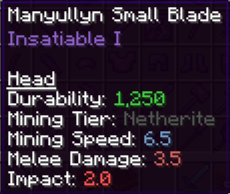
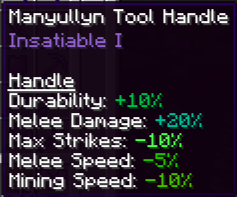
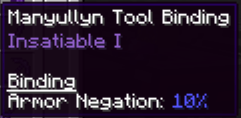
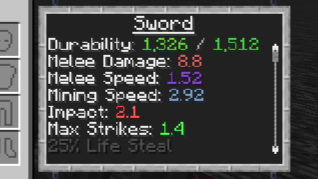
  • There are 3 new stats for tools: Impact, max strikes, and armor negation, which are based on the materials.

image image image

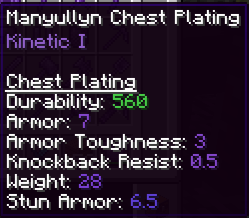
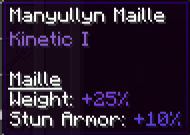
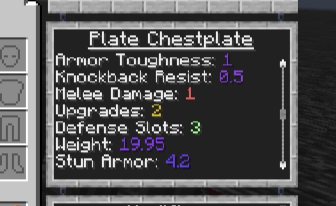
  • There are 2 new stats for armor: weight and stun armor, which are based on the materials.

image image

  • Each material has its own stats. Combining materials can create variant tool stats. You can see the tool stats in the tinker station.

image image


Tool Base Stats

(Some tools are still in progress and will have unique attack animations, innate skills, and modifiers in future updates)

It is highly unlikely that future updates will feature fully unique custom animations for weapons due to my lack of animation experience, limited time, and declining interest in the project. Instead, I will focus more on the compatibility logic between the two mods
  • Small Tools
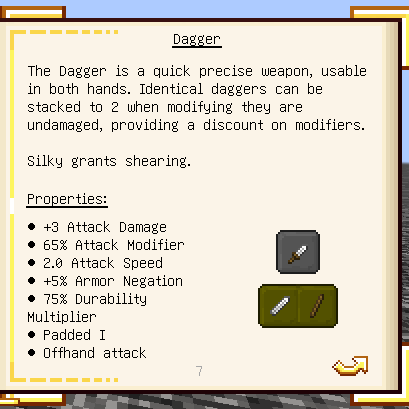
    • Dagger (Dagger), the tool texture's size has been scaled up to look cooler:
    • +5% armor negation.

image

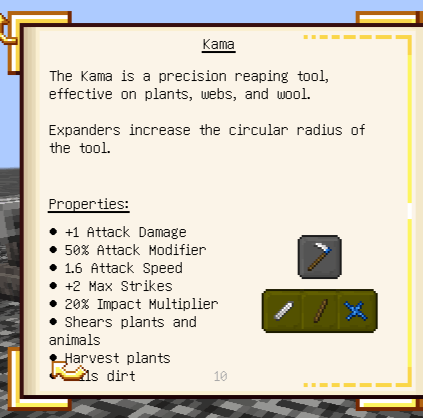
  • Kama (Hoe):
    • +2 max strikes
    • 20% impact multiplier

image

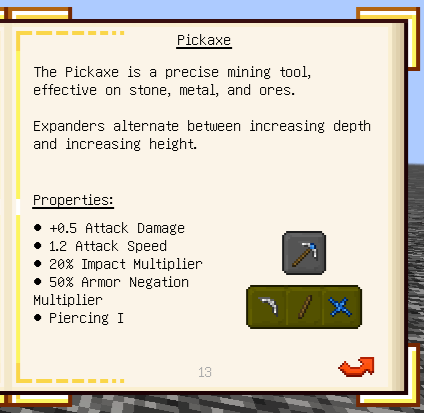
  • Mattlock / Pickadze / Pickaxe (Pickaxe):
    • 20% impact multiplier
    • 50% armor negation multiplier

image

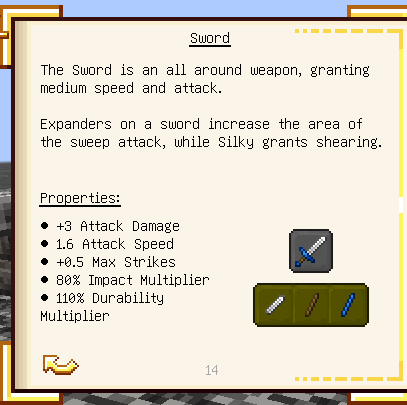
  • Sword (Sword):
    • +0.5 max strikes
    • 80% impact multiplier

image

  • Axe (Axe):
    • No additional stats

Large Tools

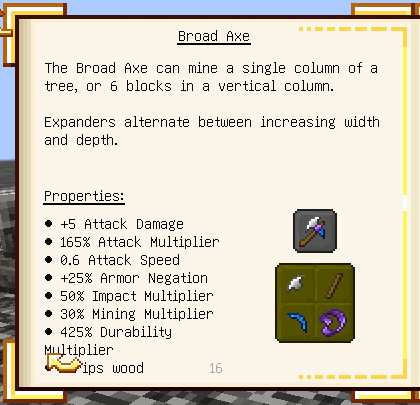
  • Broad Axe (Axe):
    • +25% armor negation
    • 50% impact multiplier

image

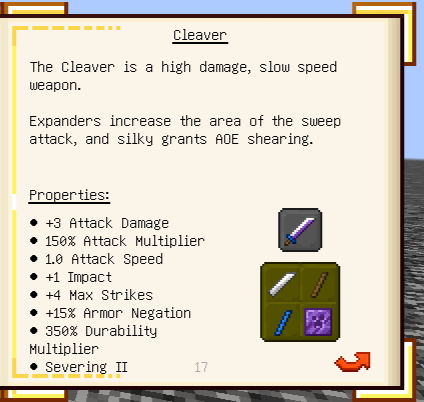
  • Cleaver (Greatsword) was designed to have medium overall weapon stats:
    • +1 impact
    • +4 max strikes
    • +15 armor negation

image

  • Excavator (Shovel) was designed to dig blocks rather than act as a fine weapon:
    • No additional stat
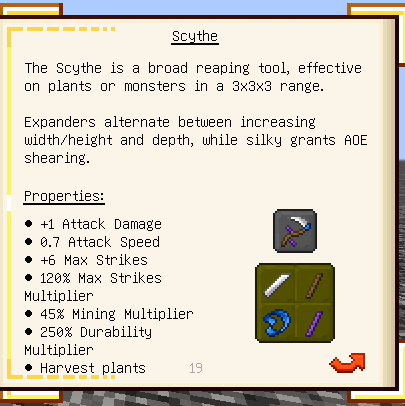
  • Scythe (GreatSword) was designed to perform high AOE strikes:
    • +6 max strikes
    • 120% max strikes multiplier

image

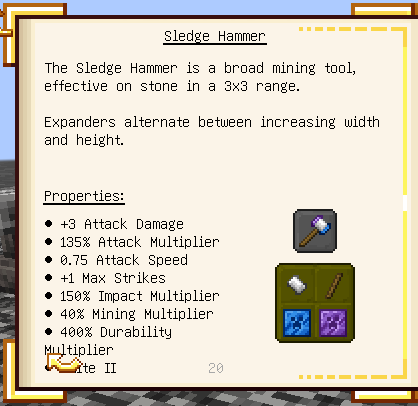
  • Sledge Hammer (GreatSword plus) was designed to deal with a small, powerful mob group:
    • +1 max strikes
    • 150% impact multiplier
    • passive skill: Negate all incoming attacks from the front when performing strikes.

image

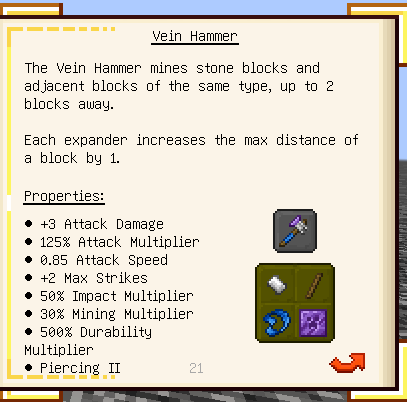
  • Vein Hammer (GreatSword) was designed to be more of a tool than a weapon:
    • +2 max strikes
    • 50% impact multiplier

image

  • Ranged Tools
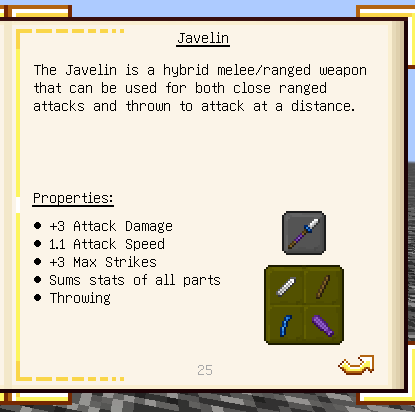
    • Javelin (Trident/Spear) was designed to be a trident-like weapon, but can add modifiers to change the basic attack animation to a spear and add spears' innate skills.
    • +3 max strikes
    • 70% impact multiplier

image

  • Staff (Trident) was designed to be a trident-like weapon.

Ancient Tools

  • Battlesign (Sword) was designed to be a hybrid melee/shield weapon in a future update. It will still act as a sword for now.
  • Melting Pan (Trident) was designed as an ancient staff.
  • Swasher (Sword) was designed as a hybrid melee/ranged weapon in a future update. It is currently a sword.
  • War Pick (Crossbow/Pickaxe): Was designed as a hybrid pickaxe/crossbow weapon in a future update.

Moveset Modifier

These modifiers can change weapon combat style

Basic modifiers

These are modifiers that change the default tool moveset to an Epic Fight weapon moveset. You can add them to any melee tools with no slot cost. Available movesets include: dagger, shortsword, longsword, axe, spear, greatsword, tachi, and uchigatana.

Addon modifiers

These are modifiers that change the tool moveset to an Epic Fight addon weapon moveset:
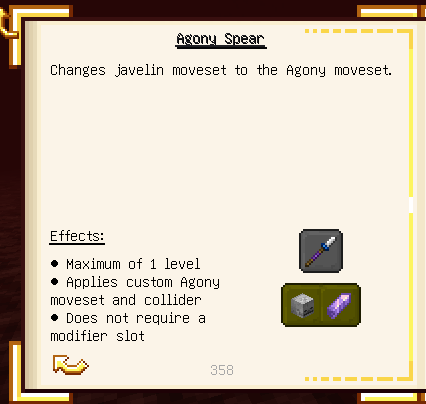
  • Agony Spear: Transforms the weapon into the Agony spear.

image

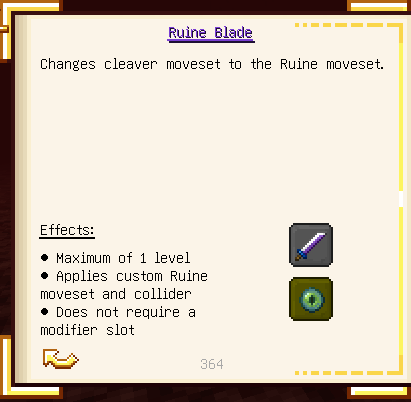
  • Ruine Blade: Transforms the weapon into the Ruine greatsword.

image

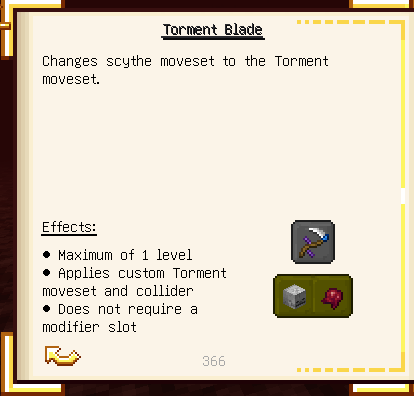
  • Torment Blade: Transforms the weapon into the Torment greatsword.

image

(Note: These 3 modifiers are only available if the Weapons of Miracles mod is installed, but it is a completely optional dependency).
Modifier

  • Add:
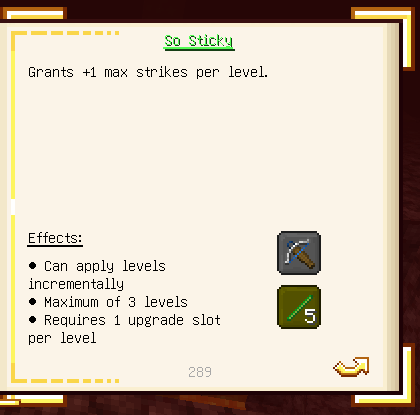
    • So Sticky: Adds +1 max strikes on tools.

image

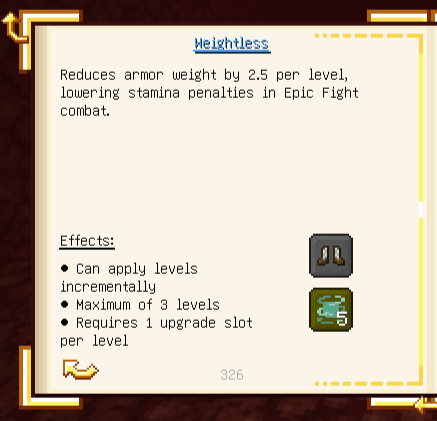
  • Weightless: Decreases weight by 2.5 on armor.

image

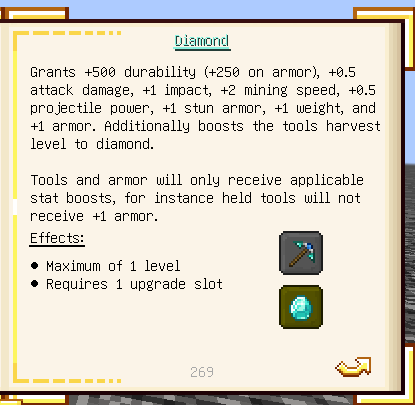
  • Diamond: Adds +1 impact on tools, +1 weight and +1 stun armor on armor.

image

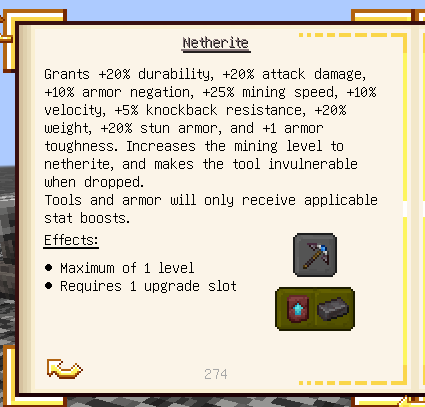
  • Netherite: Adds +10% armor negation on tools, +20% weight and stun armor on armor.

image

  • Fix:
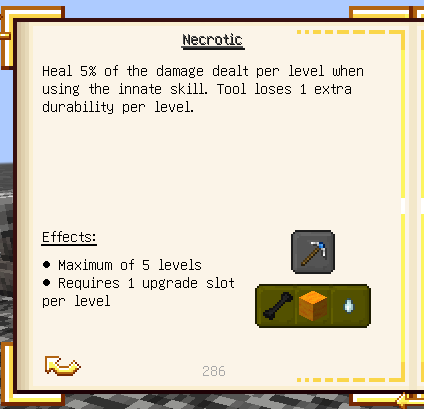
    • Necrotic: The original modifier heals the player on a critical hit, which has been removed by Epic Fight. This mod makes players gain health through innate skills.

image

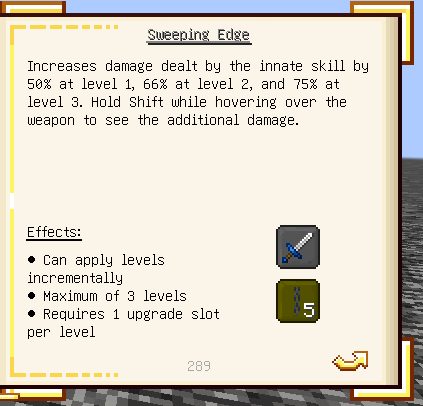
  • Sweeping edge: Epic Fight doesn't recognize this modifier as a vanilla enchantment, making TConstruct sweeping edge function alongside with Epic Fight combat, causing the mob to get double damage. This mod disables the TConstruct sweeping edge module and makes Epic Fight recognize the modifier level as a vanilla enchantment.

image

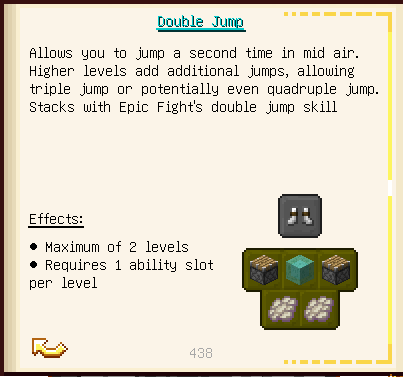
  • Double jump: Makes the phantom ascent skill stack with TConstruct double jump.

image

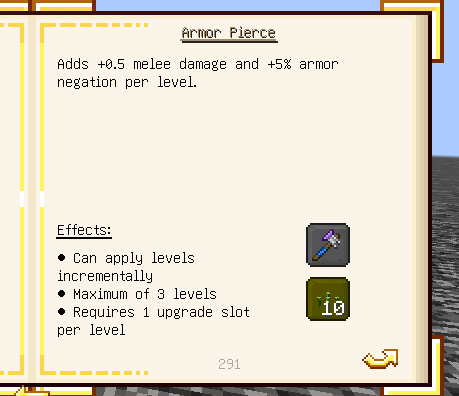
  • Piercing: Disables the armor decrease effect applied when hitting with a tool. Each level now adds +5% armor negation instead.

image


Visual

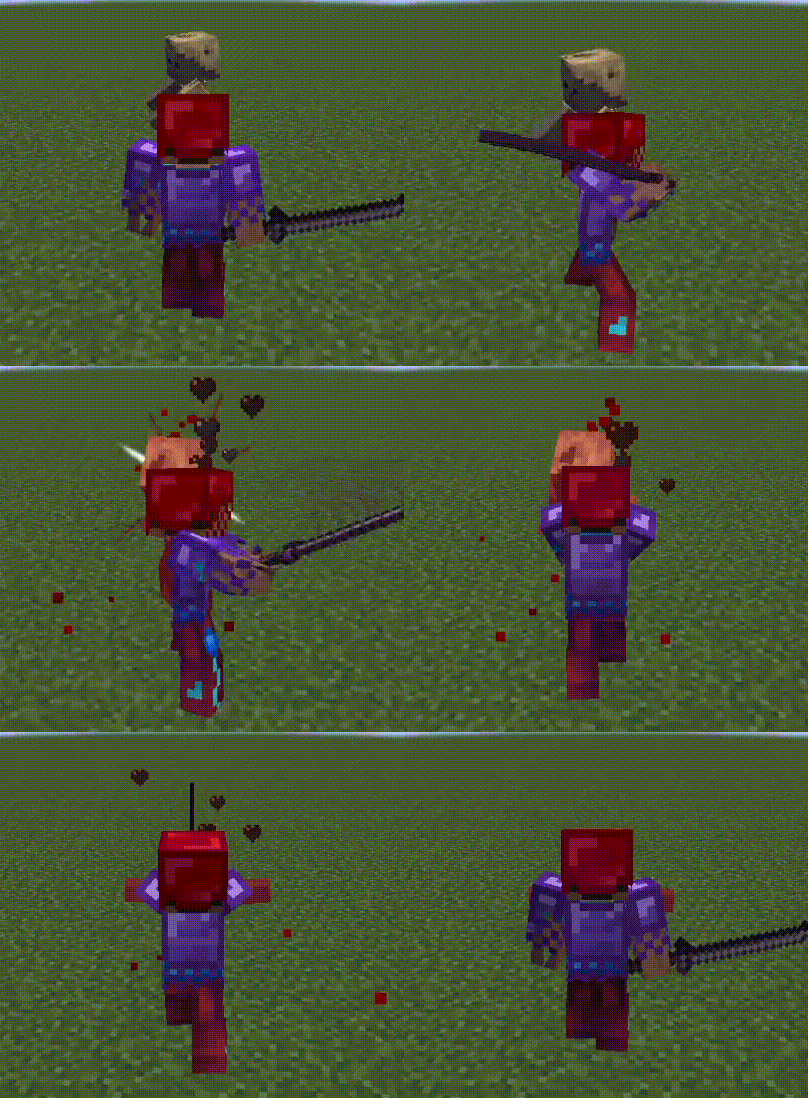
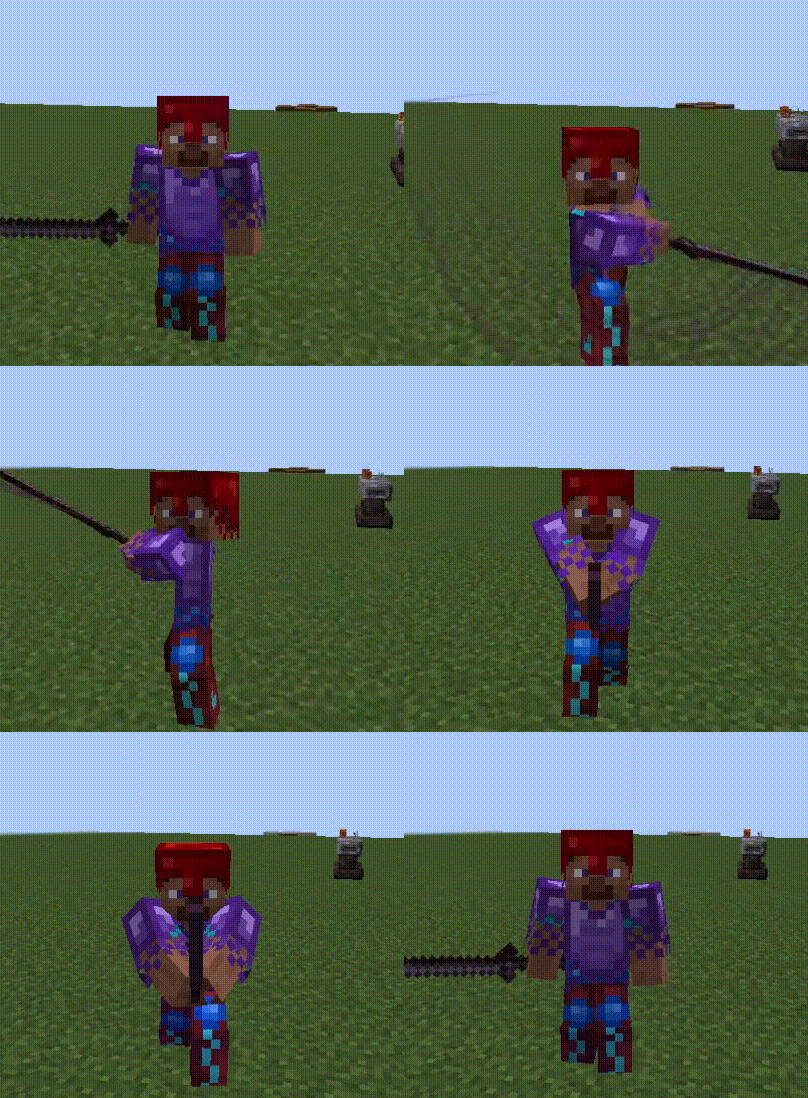
  • Armor: Fixes armor textures displaying as diamond armor. back front
  • Crossbow: Fixes reload and shooting animations that don't work with TConstruct crossbow.
  • Longbow: Fixes FOV not changing when aiming.
  • Tool: Makes dagger, javelin, sledgehammer, and cleaver textures larger.
  • Shield: Fixes an issue where Tinkers' shields render as black outlines instead of proper textures.
  • Trail: Adds weapon swing trails with colors based on the Tinkers' tool material. Certain modifiers now trigger unique particle effects during weapon swings.

Compatibility

This mod works seamlessly with several addons from both Tinkers' Construct and Epic Fight, including:

  • Weapons of Miracles (WoM): Adds modifiers that change the default tool moveset to WoM movesets.
  • P1nero's Epic Bow: The Longbow now works correctly with the custom drawing/shooting animations from P1nero's mod.
  • Construct's Casting (if applicable): Provides Flamberge (Longsword) and Battlestaff (Spear) movesets.
  • Tinkers' Katana: Provides the Katana (Tachi) moveset.

Other addons should also work fine with the new modifier moveset system.


Installation Required

1. Tinkers' Construct

2. Mantle

3. Epic Fight


Found a bug? Please report it in the Issues tab!

Project description from CurseForge.

Pick your setup

Epic Fight: Tinkers Integration by Minecraft version and loader

Choose the version and loader you play, then open the matching release.

1 available setups

Check the dependencies, then try the file in a copied instance before changing a world you care about.

Recent files

Epic Fight: Tinkers Integration versions and loaders

13 of 13 releases match

Looking for an older file? The official CurseForge project page is in Resources.