Minecraft version
Back to mods 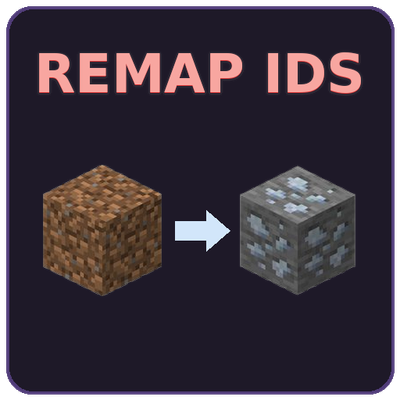
CurseForge · Minecraft mod
Remap IDs
Redirect item, block, entity, fluid, tag, recipe, and loot table IDs to alternative IDs at runtime
Choose a version Pick your version below, then grab the matching file.
Quick answer
Which Remap IDs release should I use?
Latest stable file RemapIDs 2.0.1 (NeoForge 1.21.1)
Game version 1.21.1
Loader NeoForge
Remap IDs RemapIDs 2.0.1 (NeoForge 1.21.1) targets 1.21.1 with NeoForge. The project page does not say whether this file belongs on the client, dedicated server, or both. No extra mods listed for this file.
Where it goes
Is Remap IDs required on the client, server, or both?
The project page does not say whether this file belongs on the client, dedicated server, or both.
Client Source doesn’t say
Dedicated server Source doesn’t say
Loader for this release NeoForge
Required install it here Optional supported, not mandatory Not supported do not install here Source doesn’t say do not assume
The source does not explicitly classify this release as client-only or server-only.
What else does Remap IDs RemapIDs 2.0.1 (NeoForge 1.21.1) need?
RemapIDs 2.0.1 (NeoForge 1.21.1). Change the file and its required mods may change too.
This file does not list any required mods. Do not add a library just because a different file uses it.
This file does not list any required or optional mods.
Before you install it
Add Remap IDs without breaking your instance.
Built for Remap IDs RemapIDs 2.0.1 (NeoForge 1.21.1). Pick another file and the loader, install side or required mods may change.
- 01
Stick to this file
Use RemapIDs 2.0.1 (NeoForge 1.21.1). It targets 1.21.1 with NeoForge; another release may have different loader, side or dependency requirements.
- 02
Bring the mods it needs
This file does not list any required mods. Do not add a library just because a different file uses it.
- 03
Put it on the correct side
The project page does not say whether this file belongs on the client, dedicated server, or both.
- 04
Pick the file you checked
Use the “Get this file” button beside RemapIDs 2.0.1 (NeoForge 1.21.1). It opens that exact file at the source.
About this project
What does Remap IDs add?
RemapIDs
Remap any item, block, fluid, or entity ID to another: data-driven, zero-config code.
RemapIDs is a utility mod for modpack developers that lets you redirect registry IDs throughout the entire game using simple JSON files. Unify duplicate ores across mods, replace deprecated items, or migrate worlds between mod versions… all without writing a single line of code.
Wiki: https://tysontheember.dev/remapids/
Features
Registry Remapping Remap across 7 registry types:
- Blocks, Items, Fluids, Entity Types
- Tags, Recipes, Loot Tables
Remaps are applied deeply: recipes, loot tables, tags, NBT data in inventories and containers are all automatically rewritten.
Data-Driven Configuration Drop JSON files into config/remapids/remaps/ and you're done:
{
  "remaps": [
    {
      "source": "iceandfire:silver_ingot",
      "target": "othermod:silver_ingot",
      "types": ["item", "recipe", "loot_table"]
    }
  ]
}
Wildcard Patterns Bulk-remap entire families of items with a single rule:
{
  "source": "iceandfire:silver_*",
  "target": "othermod:silver_*"
}
Tag-to-Item Recipe Conversion Replace tag ingredients in recipes with specific items:
{
  "source": "#forge:ingots/silver",
  "target": "othermod:silver_ingot",
  "types": ["recipe"]
}
Smart Chain Resolution If A remaps to B and B remaps to C, the mod automatically flattens this to A→C. Circular dependencies are detected and rejected.
Live Reloading Tag, recipe, and loot table remaps are reapplied on /reload - no restart needed.
Zero Runtime Overhead Block, item, fluid, and entity remaps are applied as registry aliases at startup. After that, there's no performance cost.
Supported Versions
| Minecraft | Loader |
|---|---|
| 1.20.1 | Forge |
| 1.20.1 | Fabric |
| 1.21.1 | NeoForge |
| 1.21.1 | Fabric |
Use Cases
- Ore unification: Redirect all silver ingots from 5 different mods to one canonical ID
- Mod migration: Swap out a removed mod's items for replacements without breaking existing worlds
- Loot/recipe cleanup: Rewrite loot tables and recipes to use the items you want
- World upgrades: Items already in inventories and containers are remapped via NBT on load
Getting Started
- Install the mod for your loader
- Create
config/remapids/remaps/if it doesn't exist - Add any number of
.jsonfiles with your remap definitions - Launch the game, remaps are applied automatically
Project description from CurseForge.
Pick your setup
Remap IDs by Minecraft version and loader
Choose the version and loader you play, then open the matching release.
Minecraft version
1.20.1
2 loader buildsCheck the dependencies, then try the file in a copied instance before changing a world you care about.
Recent files
Remap IDs versions and loaders
RemapIDs 2.0.1 (NeoForge 1.21.1)
remapids-neoforge-1.21.1-2.0.1.jar
4 Aug 2026
Client Source doesn’t say Server Source doesn’t say Dependencies No extras listed Listed on Release listing
Check the 1.21.1 · NeoForge setup 1.21.1NeoForge release
RemapIDs 2.0.1 (Forge 1.20.1)
remapids-forge-1.20.1-2.0.1.jar
4 Aug 2026
Client Source doesn’t say Server Source doesn’t say Dependencies No extras listed Listed on Release listing
Check the 1.20.1 · Forge setup 1.20.1Forge release
RemapIDs 2.0.1 (Fabric 1.20.1)
remapids-fabric-1.20.1-2.0.1.jar
4 Aug 2026
Client Source doesn’t say Server Source doesn’t say Dependencies No extras listed Listed on Release listing
Check the 1.20.1 · Fabric setup Fabric1.20.1 release
RemapIDs 2.0.1 (Fabric 1.21.1)
remapids-fabric-1.21.1-2.0.1.jar
4 Aug 2026
Client Source doesn’t say Server Source doesn’t say Dependencies No extras listed Listed on Release listing
Check the 1.21.1 · Fabric setup Fabric1.21.1 release
RemapIDs 2.0.0 (Fabric 1.21.1)
remapids-fabric-1.21.1-2.0.0.jar
8 Jul 2026
Client Source doesn’t say Server Source doesn’t say Dependencies No extras listed Listed on Release listing
Check the 1.21.1 · Fabric setup Fabric1.21.1 release
RemapIDs 2.0.0 (NeoForge 1.21.1)
remapids-neoforge-1.21.1-2.0.0.jar
8 Jul 2026
Client Source doesn’t say Server Source doesn’t say Dependencies No extras listed Listed on Release listing
Check the 1.21.1 · NeoForge setup 1.21.1NeoForge release
RemapIDs 2.0.0 (Forge 1.20.1)
remapids-forge-1.20.1-2.0.0.jar
8 Jul 2026
Client Source doesn’t say Server Source doesn’t say Dependencies No extras listed Listed on Release listing
Check the 1.20.1 · Forge setup 1.20.1Forge release
RemapIDs 2.0.0 (Fabric 1.20.1)
remapids-fabric-1.20.1-2.0.0.jar
8 Jul 2026
Client Source doesn’t say Server Source doesn’t say Dependencies No extras listed Listed on Release listing
Check the 1.20.1 · Fabric setup Fabric1.20.1 release
RemapIDs 1.3.2 (Fabric 1.21.1)
remapids-fabric-1.21.1-1.3.2.jar
5 Jul 2026
Client Source doesn’t say Server Source doesn’t say Dependencies No extras listed Listed on Release listing
Check the 1.21.1 · Fabric setup Fabric1.21.1 release
RemapIDs 1.3.2 (Forge 1.20.1)
remapids-forge-1.20.1-1.3.2.jar
5 Jul 2026
Client Source doesn’t say Server Source doesn’t say Dependencies No extras listed Listed on Release listing
Check the 1.20.1 · Forge setup 1.20.1Forge release
RemapIDs 1.3.2 (NeoForge 1.21.1)
remapids-neoforge-1.21.1-1.3.2.jar
5 Jul 2026
Client Source doesn’t say Server Source doesn’t say Dependencies No extras listed Listed on Release listing
Check the 1.21.1 · NeoForge setup 1.21.1NeoForge release
RemapIDs 1.3.2 (Fabric 1.20.1)
remapids-fabric-1.20.1-1.3.2.jar
5 Jul 2026
Client Source doesn’t say Server Source doesn’t say Dependencies No extras listed Listed on Release listing
Check the 1.20.1 · Fabric setup Fabric1.20.1 release
Looking for an older file? The official CurseForge project page is in Resources.
 mod
mod CurseForge + Modrinth · Minecraft
ColonyRank | Minecolonies Addon
ColonyRank ranks MineColonies colonies by progression stats with two scoring systems, six presets, in-game commands, ignored-colonies management, and Discord webhook posting. NeoForge 1.21.1 & Forge 1.20.1.
 mod
mod CurseForge · Minecraft
Hero Capes
Best customizable physics cape mod (Epic Fight & Fresh Animations support)
 mod
mod CurseForge · Minecraft
Epic RPG: Party Hud
Party HUD shows nearby players’ health bars.