Simple Voice Chat Needed by Walkie-Talkie NeoForge [NEOFORGE][1.21.1] Walkie-Talkie 1.0.5
requiredMatching file found Matched file: [NEOFORGE][1.21.1] Simple Voice Chat 1.21.1-2.6.27

CurseForge · Minecraft mod
Fork of Walkie-Talkie mod for 1.21.1
Quick answer
Walkie-Talkie NeoForge [NEOFORGE][1.21.1] Walkie-Talkie 1.0.5 targets 1.21.1 with NeoForge. The project page does not say whether this file belongs on the client, dedicated server, or both. All 2 required mods have matching files.
Where it goes
The project page does not say whether this file belongs on the client, dedicated server, or both.
The source does not explicitly classify this release as client-only or server-only.
[NEOFORGE][1.21.1] Walkie-Talkie 1.0.5. Change the file and its required mods may change too.
Install Simple Voice Chat, Architectury API first. We found matching files for this game-version and loader setup. 1 comes through another mod in the chain.
1 extra mod was pulled in by another dependency. Indented rows show who needs each one. We only count dependency files that match this setup. A file for another loader does not fill the gap.
Before you install it
Built for Walkie-Talkie NeoForge [NEOFORGE][1.21.1] Walkie-Talkie 1.0.5. Pick another file and the loader, install side or required mods may change.
Use [NEOFORGE][1.21.1] Walkie-Talkie 1.0.5. It targets 1.21.1 with NeoForge; another release may have different loader, side or dependency requirements.
Install Simple Voice Chat, Architectury API first. We found matching files for this game-version and loader setup. 1 comes through another mod in the chain.
The project page does not say whether this file belongs on the client, dedicated server, or both.
Use the “Get this file” button beside [NEOFORGE][1.21.1] Walkie-Talkie 1.0.5. It opens that exact file at the source.
About this project
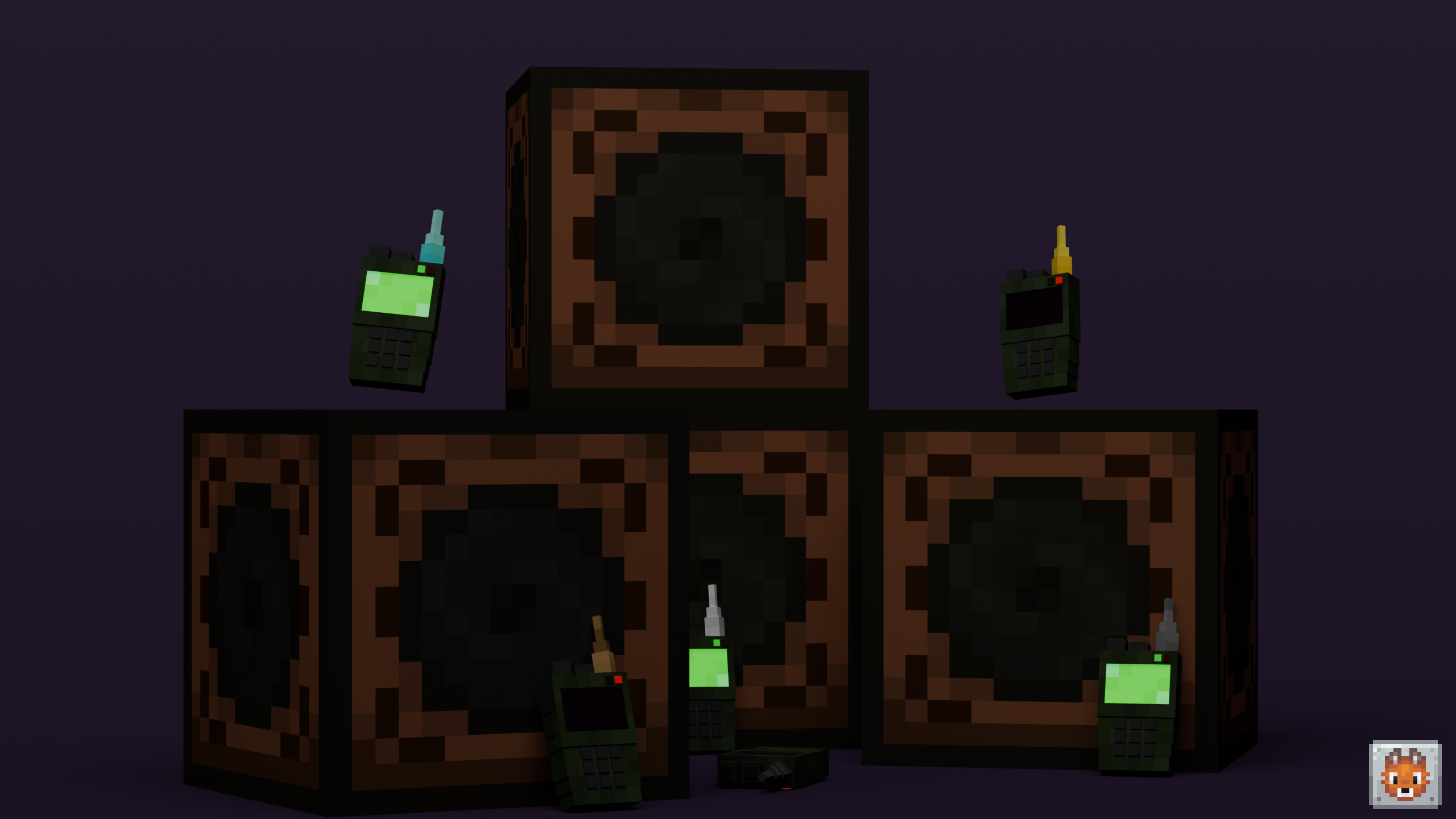
Warning
This mod is a fork of Simple Voice Chat Addon - Walkie-Talkie
All the credits for the original mod go to the original author, Flaton1. This fork is maintained by Tezu and as of now, it does not support Fabric. If you have any issues or feature requests, please report them here
This mod requires Simple Voice Chat and Architectury API
This mod adds two-way radios with different upgrades.
| Minecraft Version | Fabric | NeoForge |
|---|---|---|
| 1.21.1 | ❌ | ✅ |
Notes: Any type of wood and wool is allowed.
Wooden Walkie-Talkie
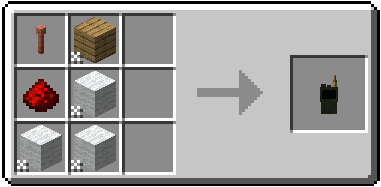
Stone Walkie-Talkie
Replace Planks with Stone
Iron Walkie-Talkie
Replace Planks with Iron ingot
Gold Walkie-Talkie
Replace Planks with Gold Ingot
Diamond Walkie-Talkie
Replace Planks with Diamond
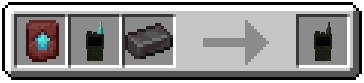
Netherite Walkie-Talkie
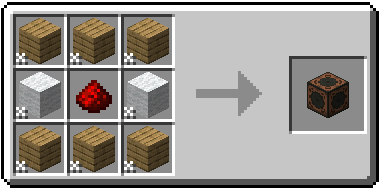
Speaker
Project description from CurseForge.
Pick your setup
Choose the version and loader you play, then open the matching release.
Check the dependencies, then try the file in a copied instance before changing a world you care about.
Recent files
walkietalkie-neoforge-1.21.1-1.0.5.jar
3 Apr 2026
Looking for an older file? The official CurseForge project page is in Resources.
 mod
An add-on for the "The Broken Script" mod that adds AI to Null
 mod
A mod that let you interact with the world differently
 mod
The character progression system for Towns & Kingdoms: activity XP, levels, skill-point integration, collectible titles with separate cosmetic and passive slots, a character HUD and scaling hostile mobs.